No. P10355
|17|
8.
CONNECTION PROCEDURE AND GROUND FOR SAFETY USE (continued)
WARNING
Follow the instructions below to avoid electric shock.
Touching the charging parts may result in fatal electric shock and severe burn.
Do not touch the charging parts of the welding machine.
Have a qualified electric engineer ground the case of the welding power source and the base
metal or jig electrically connected in accordance with a local low.
With the line disconnect switch in the switch box all touched off, ground and connect the
welding machine.
CAUTION
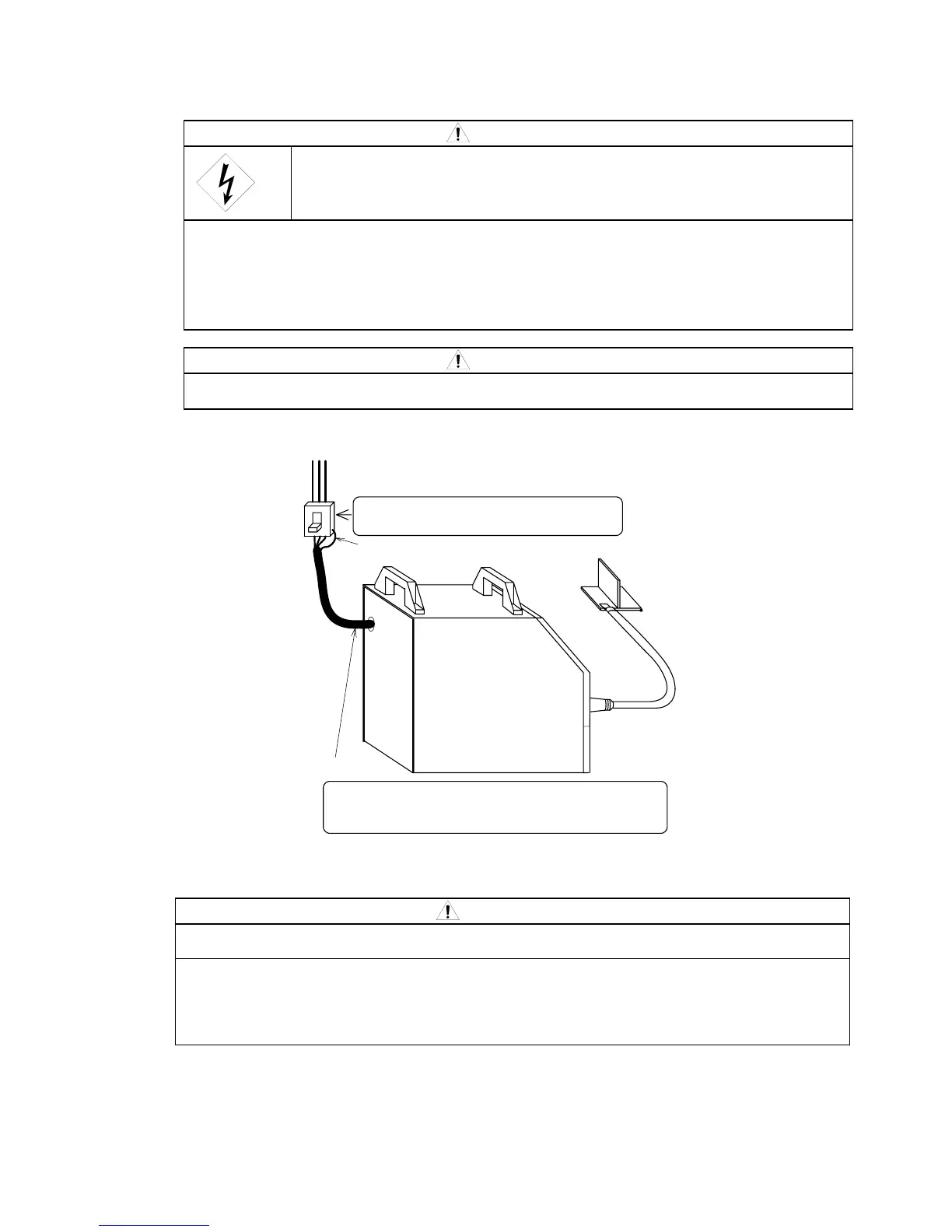
Be sure to install a switch with fuse or a circuit breaker (for motor) to the input sides of each
welding machine.
CAUTION
Be sure to ground the case of the welding power source.
Use a grounding cable of which thickness is more than AWG9 (10mm
2
).
If the welding power source which is not grounded is used, voltage will be generated in the
case through the capacitor between the welding power source input circuit and the case or
floating capacity (electrostatic capacity naturally generated between the input conductor and
the case metal). If you touch the case or the base metal, you may suffer from electric shock.
Be sure to ground the case of the welding power source.
Mount a switch with fuse or a circuit breaker
on each welding machine.
GREEN cable
for
Grouding cable
Base metal/JIG
Input cable
Surely connect the input and grounding cables
AWG9 (10mm
2
) to the circuit breaker .



 To Next Page