No. P10355
|43 |
10. OPERATION (continued)
10.2 Applied Settings
10.2.1 Using Internal Function
x
How To Use Internal Functions
@
When holding down the F key [12] for a few seconds, the function number in
the left-side display blinks, and the status of function assigned to the function
number lights up and is displayed in the right-side display. Under this condition,
a function number can be preset by using the parameter adjusting knob [6].
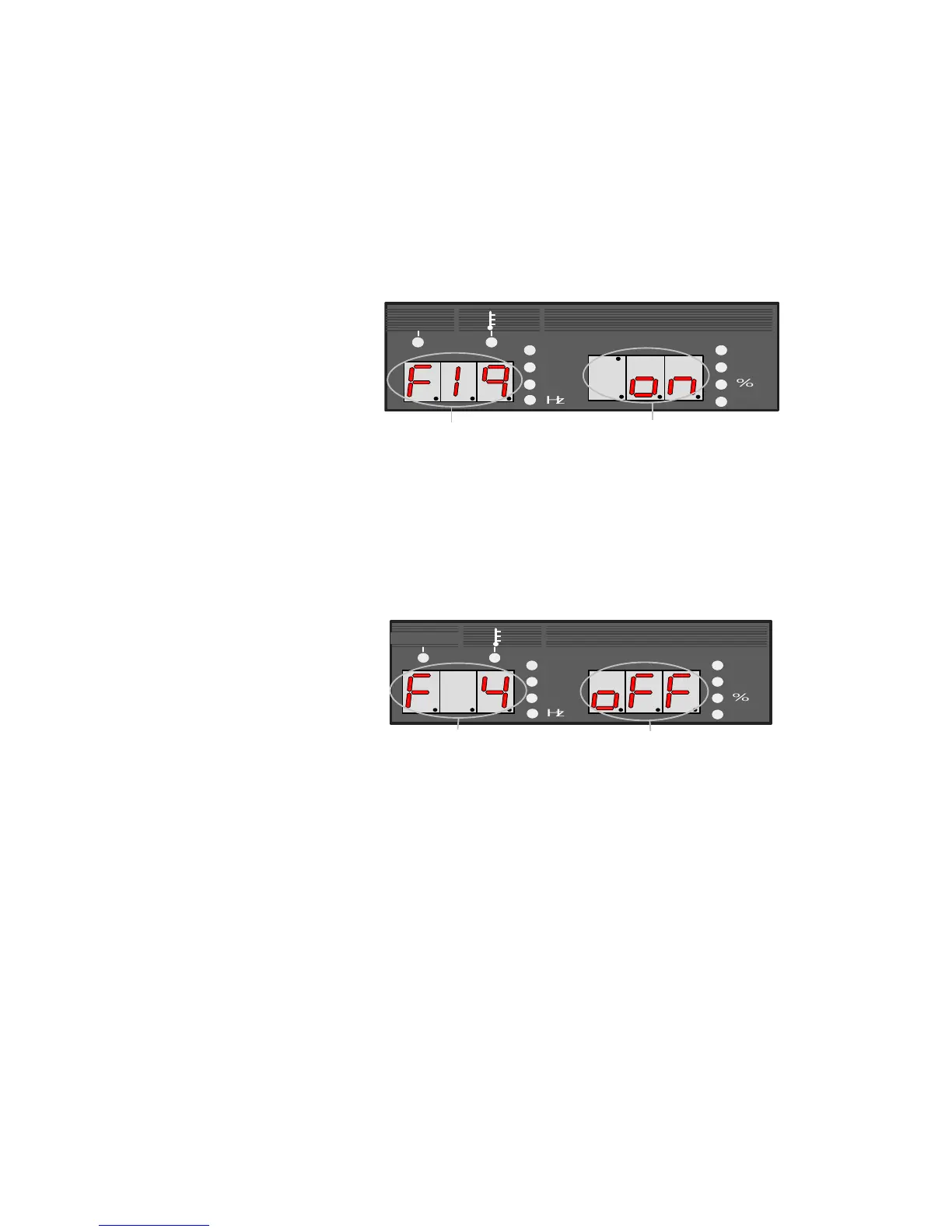
The number of function blinks.
The conditions of function lights.
Ļ
A function number can be preset with the parameter adjusting knob [6]
The above example indicates that F19 is set to “on”.
When pressing the F key [12] again after presetting the desired function
number, the function number lights and the function conditions blinks. Under
this condition, functions can be preset by using the parameter adjusting knob
[6].
The number of function lights.
The condition of function blinks.
Ļ
Conditions can be set while turning the parameter adjusting knob.
The above example indicates that F4 is set to “off”.
A
Pressing the F key [12] again causes the function number to light up and
returns to the step . To cancel the function mode, hold down the F key [12] for
a few seconds.
NOTE: In the function mode, no confirmation of the function is carried out
when it is changed. Upon change of the setting by using the parameter
adjusting knob [5], the change becomes valid. Therefore, before changing a
function setting, carefully check to make sure that the correct function number
is selected and that the proper setting value for the function number is set.



 To Next Page