No. P10355
|54 |
`
J O B N o.
WARNNING
IP M
S E C
u
}
Hz
%
`
J O B N o.
WARNNING
IP M
S E C
u
}
Hz
%
10. OPERATION (continued)
B
Erasing the Welding Conditions
When you erase the welding conditions stored in memory, you can select either
erasing all or erasing one.
x
Erasing the welding conditions
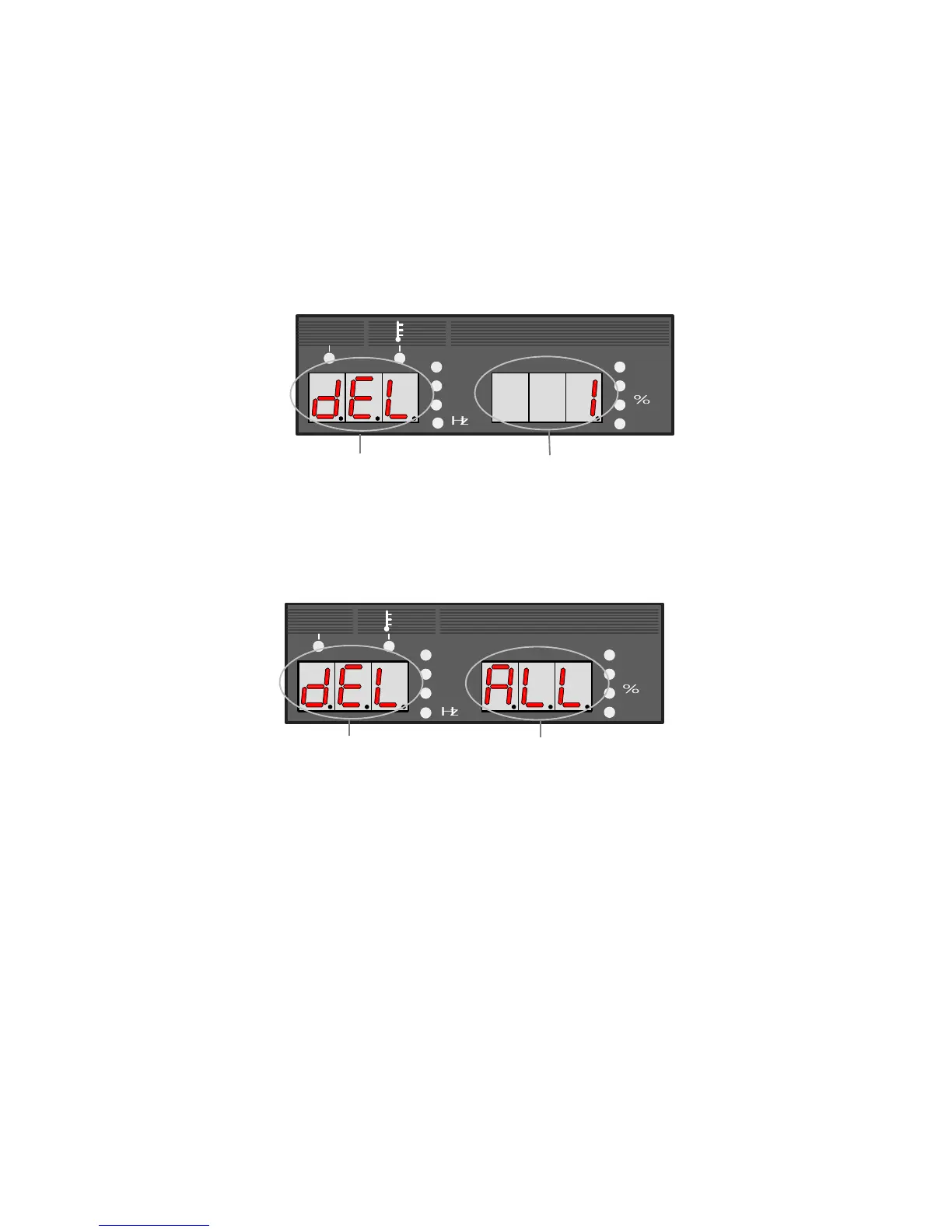
(1) Turn off the power switch and turn on the power switch with both the LOAD
key [19] and SAVE key [20] pressed. Release the keys after tuning on the
power switch, and then "dEL" appear in the left-side display. See the picture
below.
"dEL" is displayed, which indicates Condition number to be deleted blinks
the machine is in deletion mode
(2) Set the condition number to be deleted while turning the parameter adjusting
knob [6]. When turning the knob counterclockwise, "ALL" appears in the right-
side display as illustrated below and you can erase all the welding conditions.
"dEL" is displayed
"ALL" blinks
NOTE: When the welding conditions are deleted by selecting "ALL",
welding conditions currently in use are also deleted. Consequently, all
the parameters return to the initial settings.
(3) Pressing the ENTER key [21] blinks "dEL". Confirm the condition number
again and if you want to cancel erasing of the condition number, press any
key other than the ENTER key [21] to return to step (2). To quit the delete
mode, turn off the welding power source.
(4) Pressing the ENTER key [21] again delete the welding condition preset to the
condition number. When "End" is displayed after end of data deletion, turn off
the power switch, then start up the welding machine.
NOTE: If you press the ENTER key twice in the deletion mode, you can
not recover the erased welding conditions. When you attempt to delete a
welding condition held in memory, make sure that the condition number
you want to erase is surely selected.



 To Next Page