Chapter 4 Settings — [PROJECTOR SETUP] menu
ENGLISH - 157
35 20032 16029 12026 08023 04020 000
40.0
7 500
50.0
60.0
70.0
80.0
90.0
100.0
15 000
30.0
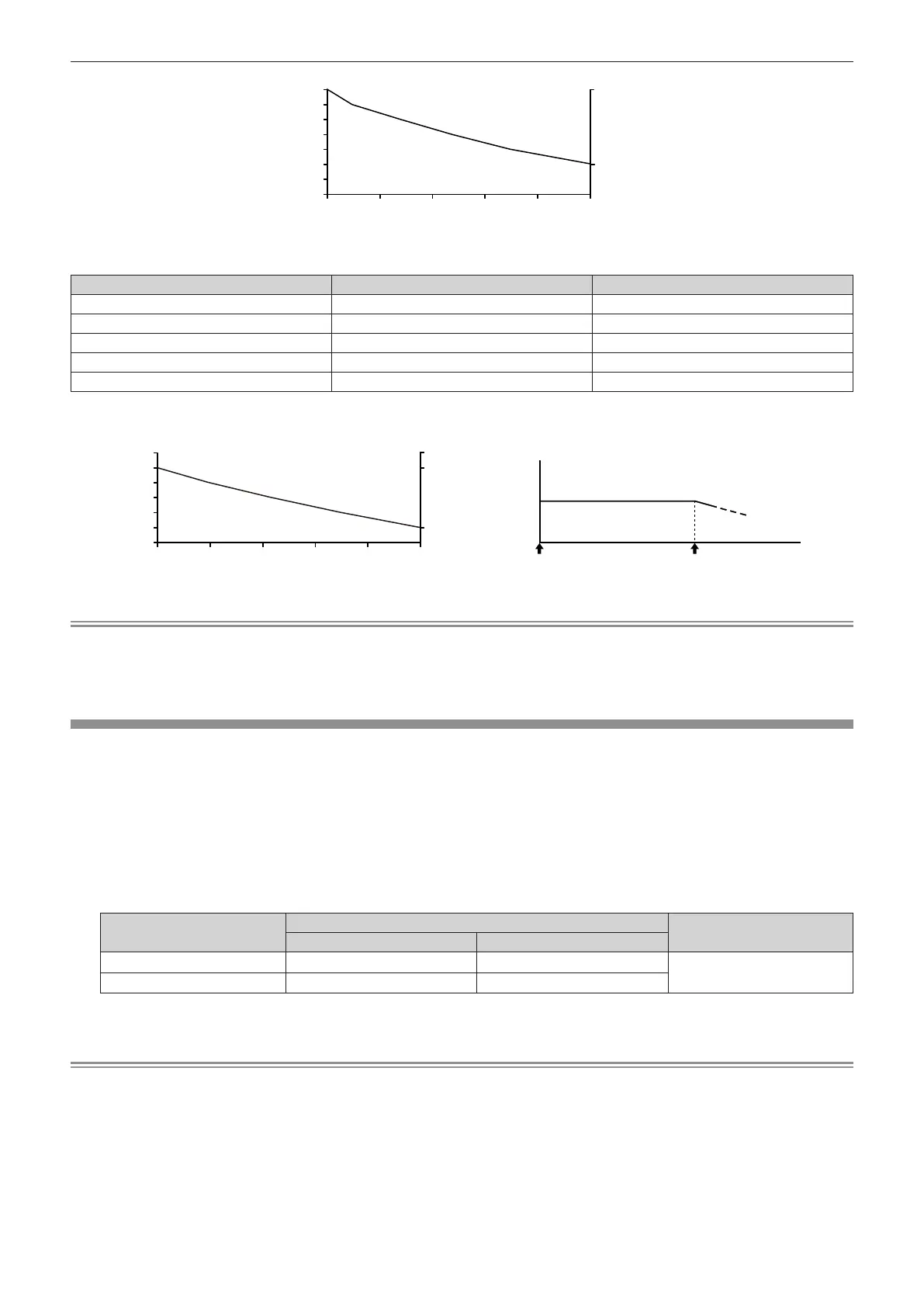
f When [CONSTANT MODE] is set to [AUTO] or [PC]
[LIGHT OUTPUT] (%) Brightness (lm) Estimated runtime
*1
(hours)
80 12 000 10 400
70 10 500 21 400
60 9 000 34 100
50 7 500 48 800
40 6 000 66 400
*1 Estimated runtime is the time the brightness is maintained constant when the projector is used with the [PICTURE] menu → [DYNAMIC
CONTRAST] set to [3] and under environment of 0.15 mg/m
3
dust. The brightness will gradually decrease after exceeding this time.
66 40055 20044 00032 80010 400 21 600
40.0
6 000
50.0
60.0
12 000
70.0
80.0
90.0
30.0
Note
f Under inuence of characteristics of each light source, conditions of use, installation environment, etc., the runtime may be shorter than the
estimation.
f If the consolidated runtime of the projector exceeds 20 000 hours, replacement of the components inside the projector may be required. The
consolidated runtime can be conrmed in the [STATUS] screen. Refer to the [PROJECTOR SETUP] menu → [STATUS] for details.
[LIGHT OUTPUT]
Adjust the brightness of light source.
The setting is reected when it is already set with “Initial setting (operation setting)” (x page 70) in the [INITIAL
SETTING] screen or with the [PROJECTOR SETUP] menu → [OPERATION SETTING]. The [LIGHT OUTPUT]
setting is synchronized with the [PROJECTOR SETUP] menu → [OPERATION SETTING] → [LIGHT OUTPUT].
The most recent setting is reected in both items.
1) Press as to select [LIGHT OUTPUT].
2) Press qw to adjust.
Operation
Adjustment
Range of adjustment
Brightness Runtime
Press w.
The screen becomes brighter. The runtime becomes shorter.
5.0 % - 100.0 %
*1
Press q.
The screen becomes darker. The runtime becomes longer.
*1 The upper limit of the adjustment range is the value set in the [PROJECTOR SETUP] menu → [OPERATION SETTING] → [MAX LIGHT
OUTPUT LEVEL].
Note
f [LIGHT OUTPUT] can be adjusted individually for each setting item of [OPERATING MODE].
f The uniformity of the brightness between multiple displays can be maintained by adjusting [LIGHT OUTPUT] for each projector when
structuring a multi-display screen by combining the projected images from multiple projectors.
Estimated runtime (hours)
[LIGHT OUTPUT] (%)
Brightness (lm)
Start of use Estimated runtime
Hours
Image of brightness change over time
Brightness
Estimated runtime (hours)
[LIGHT OUTPUT] (%)
Brightness (lm)














 To Next Page