Chapter 6 Maintenance — Light source/temperature indicators
ENGLISH - 271
Light source/temperature indicators
When an indicator lights up
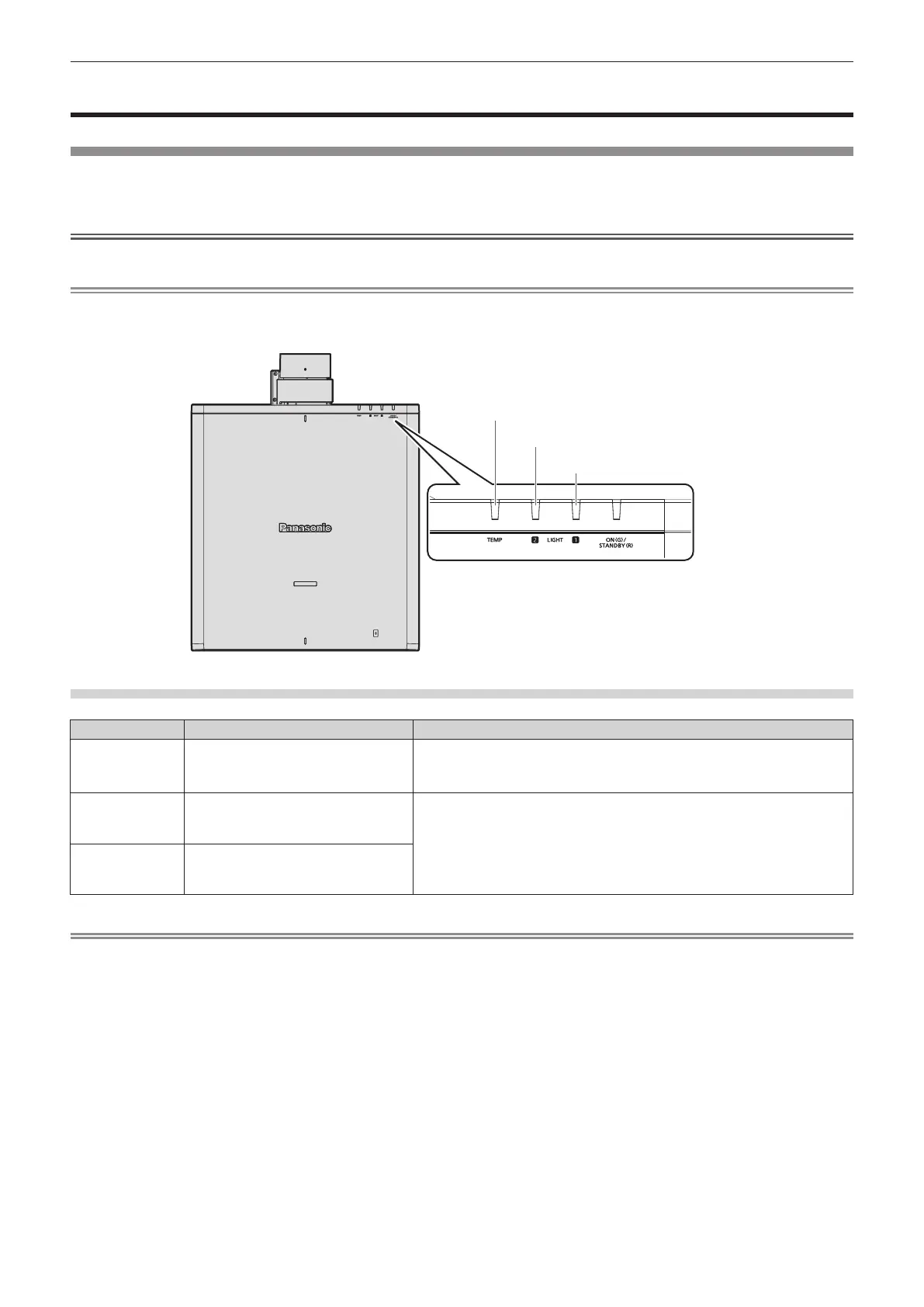
If a problem occurs inside the projector, the light source indicators <LIGHT1> / <LIGHT2> or temperature indicator
<TEMP> will inform you by lighting or blinking red. Check the status of the indicators and take following measures.
Attention
f When switching o the projector to deal with problems, make sure to follow the procedure in “Switching o the projector” (x page 77).
Note
f When [PROJECTOR SETUP] menu → [INDICATOR SETTING] → [INDICATOR MODE] is set to [OFF] / [TIMEOUT], [NOTIFICATION]
is set to [DISABLE] and the indicator-o function is enabled, the light source indicators <LIGHT1> / <LIGHT2> or temperature indicator
<TEMP> will not lit or blink even if any abnormality has occurred on the projector.
Light source indicators <LIGHT1> / <LIGHT2>
Indicator status Status Solution
Blinking red
(1 time)
The light source on one side is turned
o since the projection lens cannot be
detected.
f Turn o the power and mount the projection lens again. (x page 49)
f Turn the <MAIN POWER> switch to <OFF> (x page 77), and turn on the
power again.
Blinking red
(2 times)
f Some of the elements of the light
source are defective and the light
output has decreased.
f Turn the <MAIN POWER> switch to <OFF> (x page 77), and turn on the
power again.
Blinking red
(3 times)
f The light source does not light up,
or the light source turns o while the
projector is in use.
Note
f If the light source indicators <LIGHT1> / <LIGHT2> are still lit or blinking after taking the measures, set the <MAIN POWER> switch to
<OFF>, and ask your dealer for repairs.
f The light source indicators <LIGHT1> / <LIGHT2> will light up green if the projector is in projection mode and there is no indication of
problem by lighting or blinking red.
Light source indicator <LIGHT2>
Temperature indicator <TEMP>
Light source indicator <LIGHT1>














 To Next Page