Chapter 4 Settings — [PROJECTOR SETUP] menu
164 - ENGLISH
12) Adjust [LIGHT OUTPUT] of each projector.
f Adjust [LIGHT OUTPUT] of all the other projectors so that the brightness will be the same as the projector
with the least brightness.
13) Set [CONSTANT MODE] of [BRIGHTNESS CONTROL SETUP] to [AUTO], and [LINK] to [GROUP A] in
all projectors.
14) Select [APPLY] of [BRIGHTNESS CONTROL SETUP] and press the <ENTER> button in all projectors.
f Automatic correction by the brightness control function starts.
Note
f Automatic correction is performed whenever the light source lights up by switching on/o the projector, etc.
f When the variation in brightness or color has increased due to aging of the light source, or when the light source is replaced, reset
[BRIGHTNESS CONTROL SETUP].
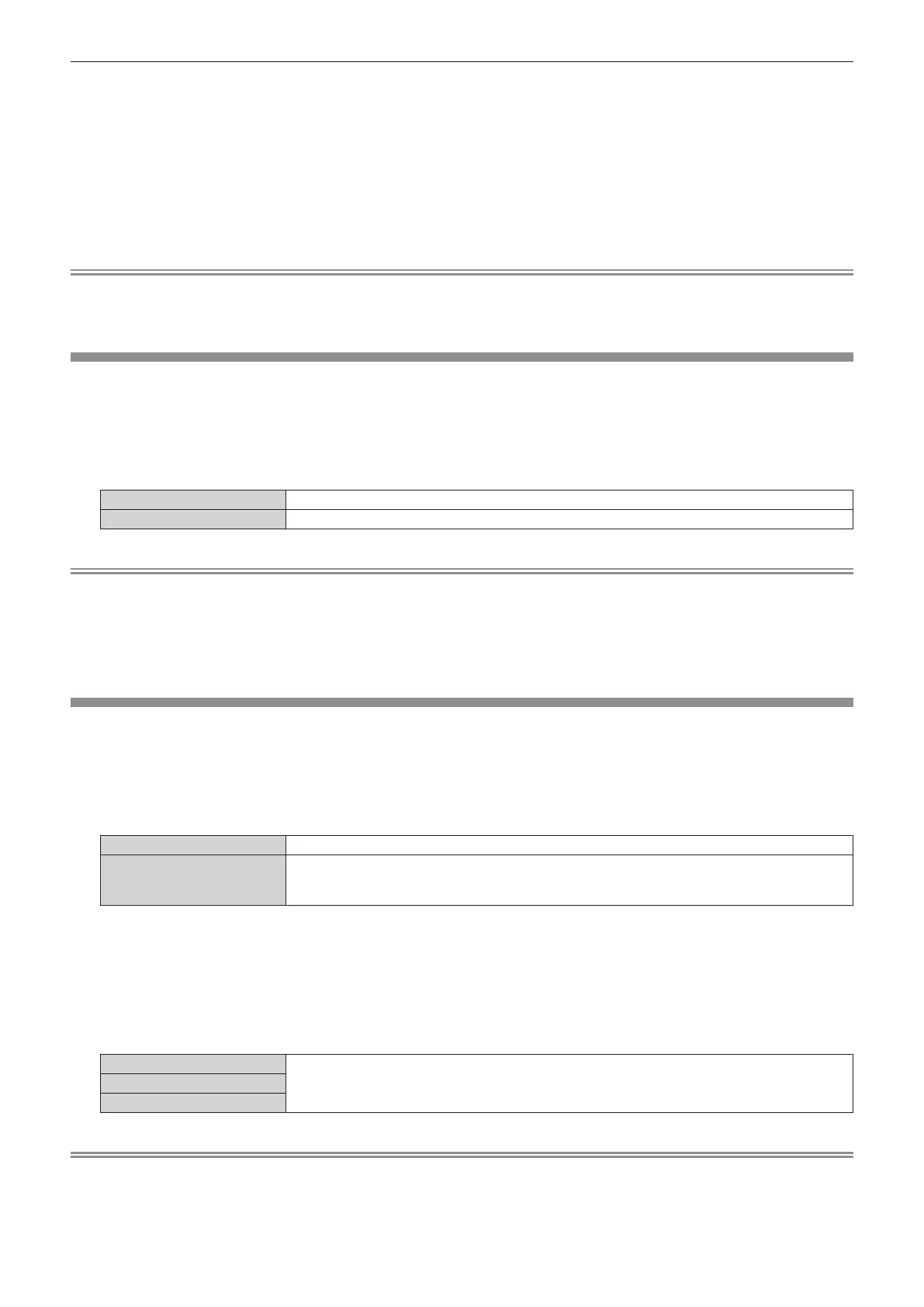
[STANDBY MODE]
Set the power consumption during standby.
1) Press as to select [STANDBY MODE].
2) Press qw to switch the item.
f The items will switch each time you press the button.
[NORMAL] Select this item when using the network function during standby.
[ECO] Select this item to reduce power consumption during standby.
Note
f When [ECO] is set, the network function, the <SERIAL OUT> terminal, and some RS-232C commands become inoperable during standby.
When [NORMAL] is set, the network function and the <SERIAL OUT> terminal can be used during standby.
f When [ECO] is set, it may take approximately 10 seconds longer before the projector starts projecting after the power is turned on,
compared with when [NORMAL] is set.
f When [NORMAL] is set, power can be supplied using the <DC OUT> terminal even if the projector is in standby mode. If [ECO] is set, power
cannot be supplied in standby mode.
[QUICK STARTUP]
Set if the [QUICK STARTUP] function is enabled or disabled.
1) Press as to select [QUICK STARTUP].
2) Press qw to switch the item.
f The items will switch each time you press the button.
[OFF] Disables the [QUICK STARTUP] function.
[ON]
Enables the [QUICK STARTUP] function until the specied time set in [VALID PERIOD] elapses after
the projector enters the standby mode. The time until the projection starts after the power is turned on
will be reduced during the period when the [QUICK STARTUP] function is valid.
f Proceed to Step 3) when [ON] is selected.
3) Press the <ENTER> button.
f The [QUICK STARTUP] screen is displayed.
4) Press qw to switch [VALID PERIOD].
f The items will switch each time you press the button.
[30MIN.]
Sets the time until the [QUICK STARTUP] function is disabled after the projector enters the standby
mode.
Select a desired valid period.
[60MIN.]
[90MIN.]
Note
f [QUICK STARTUP] cannot be set when [STANDBY MODE] is set to [ECO].
f When [QUICK STARTUP] is set to [ON], the power consumption during standby becomes high during the period when the [QUICK
STARTUP] function is valid.
f When [QUICK STARTUP] is set to [ON], the [QUICK STARTUP] function is disabled when the time set in [VALID PERIOD] elapses after the
projector enters the standby mode. The startup time and power consumption will be the same as when [QUICK STARTUP] is set to [OFF].














 To Next Page