Chapter 5 Operations — Network connection
ENGLISH - 213
Network connection
The projector is equipped with the network function, and following is possible by connecting to a computer.
f Web control
Setting, adjustment, and displaying status of the projector are possible by accessing the projector from a
computer.
Refer to “Using the web control function” (x page 218) for details.
f Smart Projector Control
The application software “Smart Projector Control” can be used to set and adjust the projector connected to
the network using a smartphone or tablet device. Also, it allows a device to access the projector's web control
screen via USB tethering function of the device.
For details, visit the following website.
https://panasonic.net/cns/projector/
f Multi Monitoring & Control Software
“Multi Monitoring & Control Software”, a software application to monitor and control multiple display devices
(projector or at panel display) connected to intranet, can be used.
For details, visit the following website.
https://panasonic.net/cns/projector/
f PJLink
Operation or status query of the projector can be performed from a computer using the PJLink protocol.
Refer to “Using PJLink function” (x page 278) for details.
f Art-Net
Setting of the projector can be operated by the DMX controller or application software using the Art-Net protocol.
Refer to “Using Art-Net function” (x page 280) for details.
f Command control
Operation or status query of the projector can be performed from a computer using the control command.
Refer to “Control commands via LAN” (x page 284) for details.
Note
f To use the network function with the projector, it is necessary to set the password of the administrator account. (x page 206)
When a password is not set for the administrator account (when blank), the network function of the projector cannot be used. When using
the web control function or the communication control via LAN (including operation by application software), set a password.
Connecting via wired LAN
This projector can receive the Ethernet signal from the twisted-pair-cable transmitter via the LAN cable by
installing the optional DIGITAL LINK Terminal Board (Model No.: TY-SB01DL) in the slot.
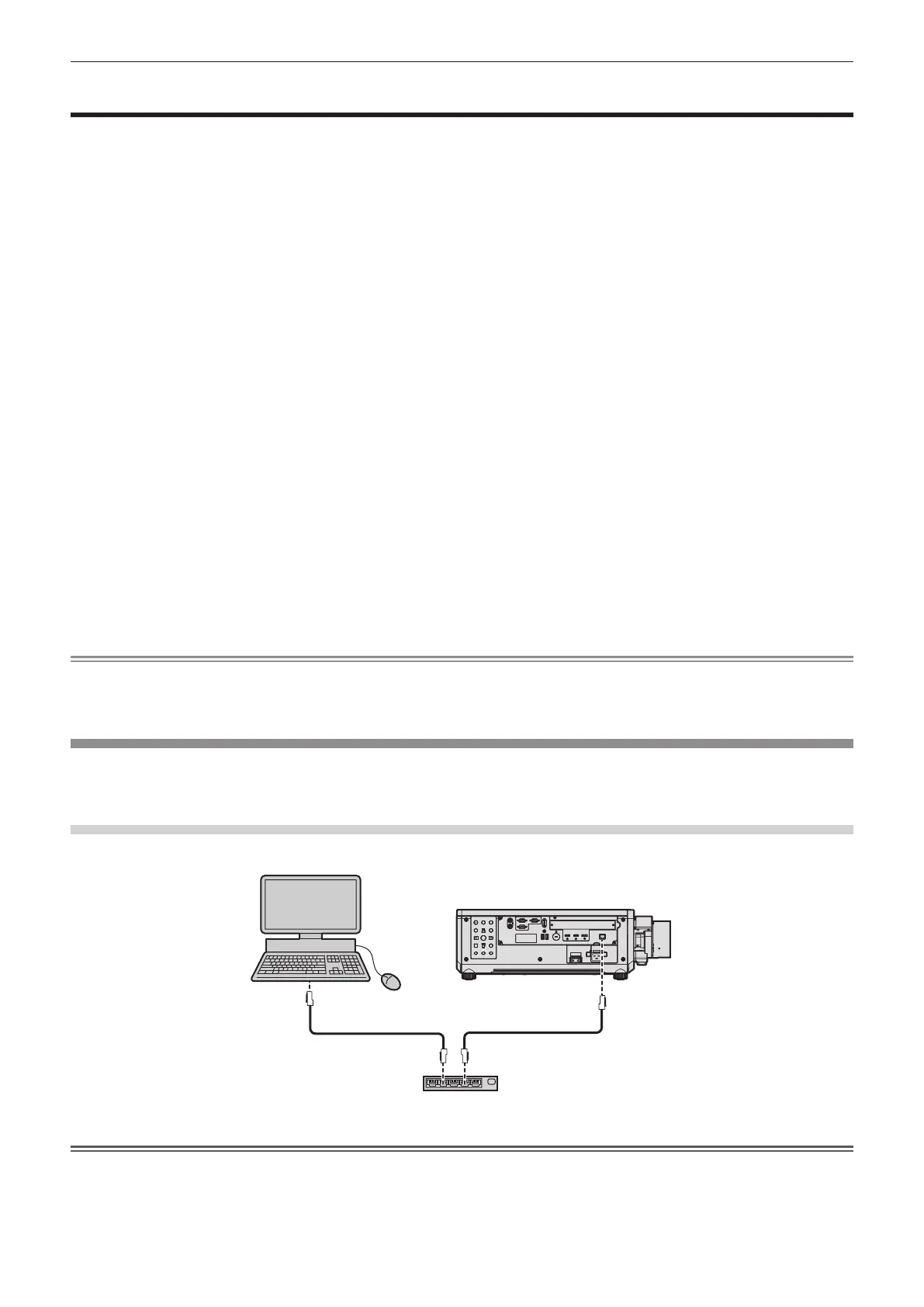
Example of general network connection
Attention
f When a LAN cable is directly connected to the projector, the network connection must be made indoors.
Computer
Projector
Switching hub
LAN cable (straight) LAN cable (straight)














 To Next Page