Chapter 2 Getting Started — Removing/attaching the projection lens
50 - ENGLISH
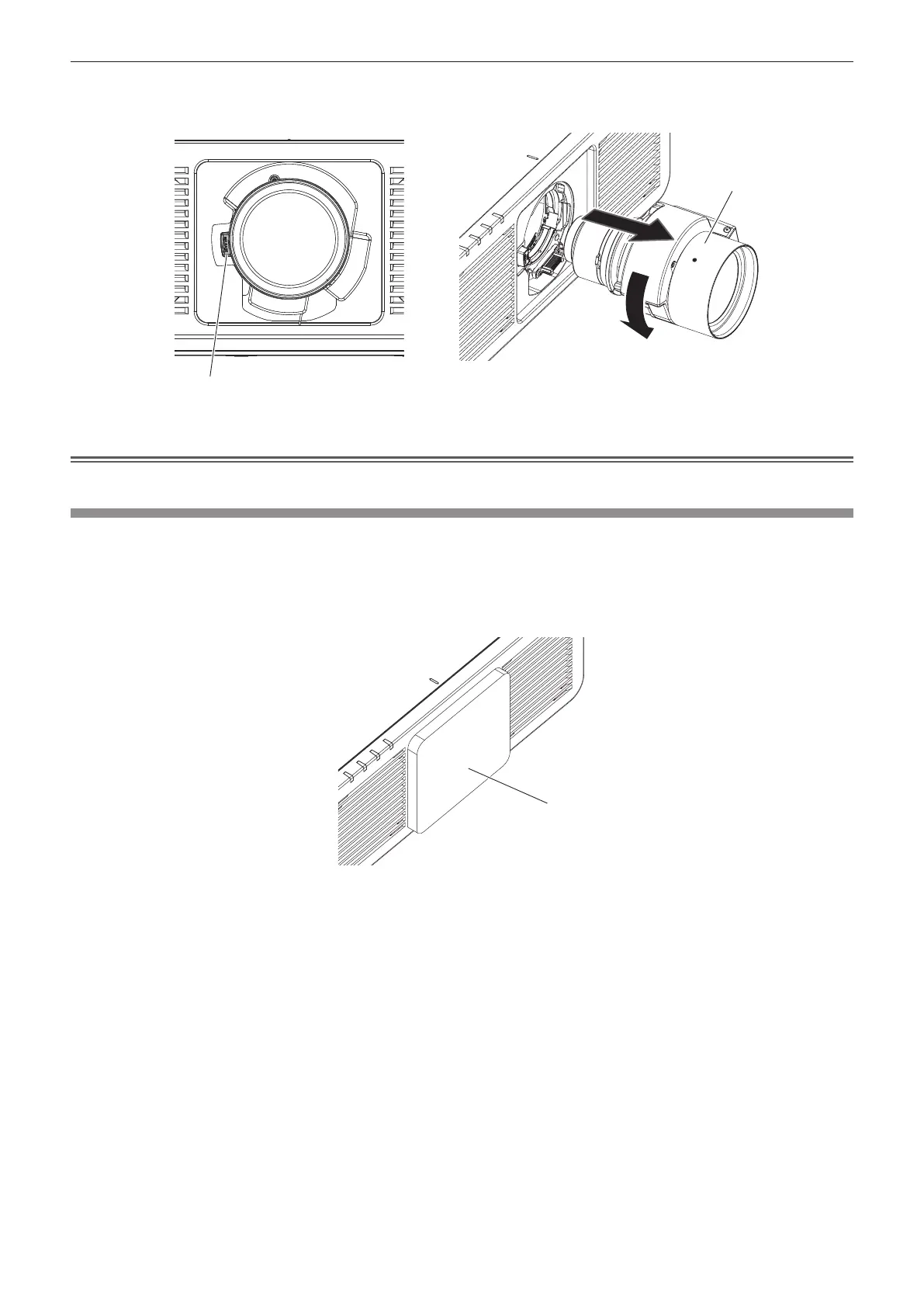
2) While pressing the lens release button(
), turn the projection lens counterclockwise(
) to the end
and remove(
). (Fig. 2)
Fig. 2
Attention
f Store the removed projection lens where it will be free from vibration and impact.
Attaching the projection lens
Attach the projection lens using the following procedure.
Start from Step 2) when the dustproof sponge is already removed.
Prepare a ball point hex driver (diagonal 2.5 mm (3/32")) when attaching the Zoom Lens (Model No.: ET-C1U100).
1) Remove the dustproof sponge. (Fig. 1)
Projection lens
Lens release button
Dustproof sponge
Fig. 1














 To Next Page