Chapter 2 Getting Started — Installing the Function Board
ENGLISH - 55
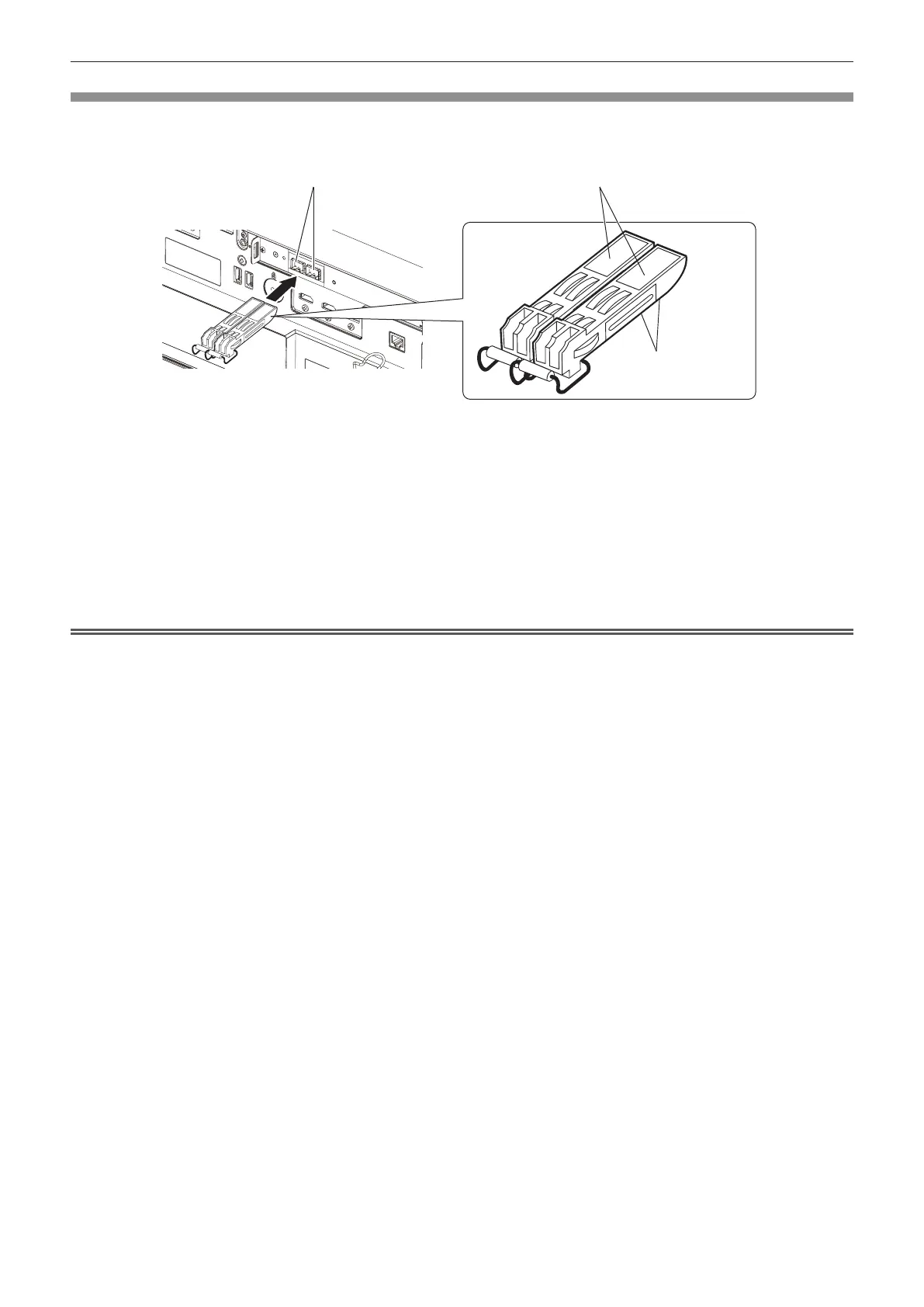
Installing the SFP module
The following is an example of installation procedure for the SFP module. Please also check the operating
instructions and setup guide of the SFP module.
Fig. 1
1) Remove the port cover.
f Pull out the port cover of the SFP port.
2) Install the SFP module to the SFP port. (Fig. 1)
f With the circuit board of the SFP module visible from the bottom, securely insert the SFP module all the
way.
f Remove the protection cap on the <SDI OPT 1 IN> terminal, <SDI OPT 2 IN> terminal, or <SDI OPT OUT>
terminal, if there is any, before using.
Attention
f The removed port cover and the protection cap will be needed in following cases. Store them so that they can be attached in the future.
g When the SFP module not required anymore is removed
g When there is a terminal not to be used
g When storing the SFP module
SFP ports SFP modules
Circuit boards














 To Next Page