Chapter 5 Operations — Using the web control function
222 - ENGLISH
Web setting
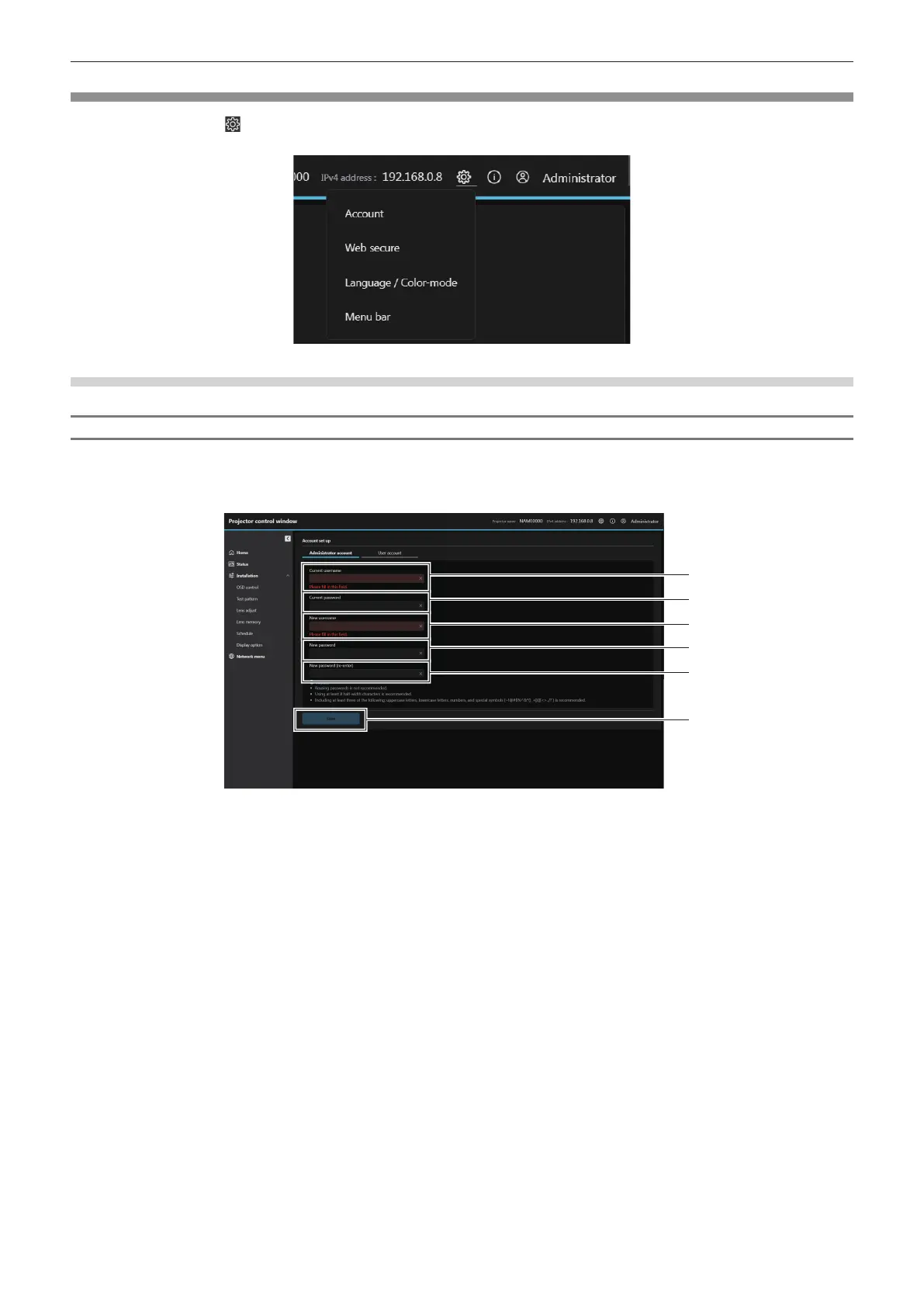
Click the Web setting ( ) button and select [Account](x page 222), [Web secure](x page 224), [Language /
Color-mode](x page 231) and [Menu bar](x page 232) to display the setting screen.
[Account set up] (when accessed by administrator account)
[Administrator account]
Set the user name and password of the administrator account.
Click [Administrator account].
1 [Current username]:
Enter the current user name.
2 [Current password]:
Enter the current password.
3 [New username]:
Enter the desired new user name. (Up to 16 characters in single
byte)
4 [New password]:
Enter the desired new password. (Up to 16 characters in single
byte)
5 [New password (re-enter)]:
Enter the desired new password again.
6 [Save]
Determines the change of administrator account.














 To Next Page