Chapter 5 Operations — Using the web control function
238 - ENGLISH
[Installation]
[OSD control]
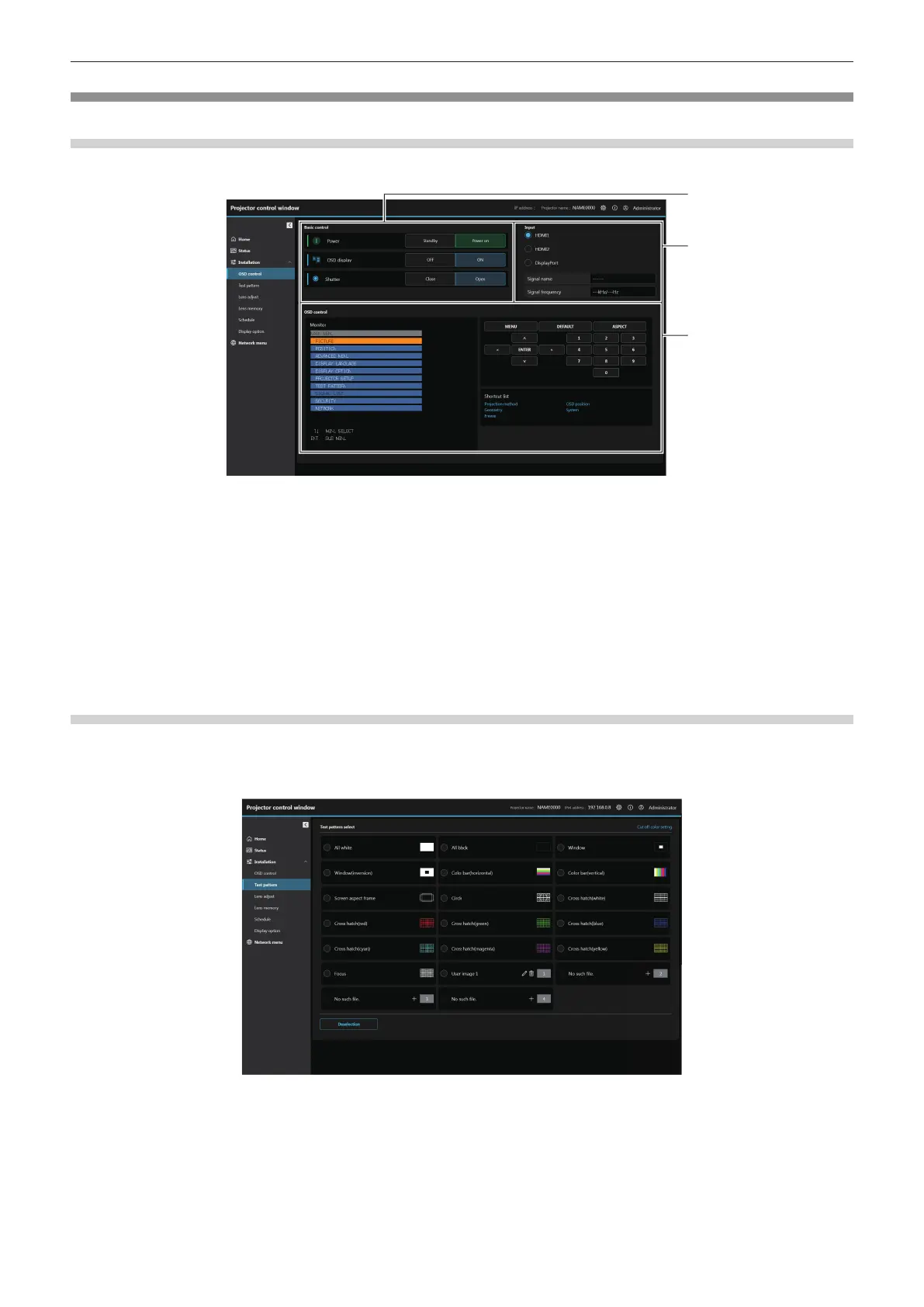
Click [Installation] → [OSD control].
1 [Basic control]
[Power]
Turns o/on ([Standby]/[Power on]) the power of the projector.
[OSD display]
Switch the status of the on-screen display function.
([OFF]: Hide; [ON]: Display)
[Shutter]
Switch the status of the shutter. ([Close]: Shutter function
enabled; [Open]: Shutter function disabled)
2 [Input]
Switch the input of the image to project.
The display content for the input selection button varies
depending on the Function Board installed in the slot.
3 [OSD control]
[Monitor]
Displays the same items as shown on the on-screen display
of the projector. You can check or change the settings of the
menus. It is displayed even if the on-screen display function is
set to o (hide).
Control of the projector
The projector is controlled by clicking the buttons in the same
way as the buttons on the remote control.
[Shortcut list]
Click to display the specic OSD and perform the function.
[Test pattern]
Click the test pattern to display in the projected image from the displayed test pattern. You can also register,
delete, or edit the user images. To cancel the test pattern display, click [Deselection].
Click [Installation] → [Test pattern].














 To Next Page