Chapter 4 Settings — [PROJECTOR SETUP] menu
ENGLISH - 175
4) Press qw to switch the item.
f The items will switch each time you press the button.
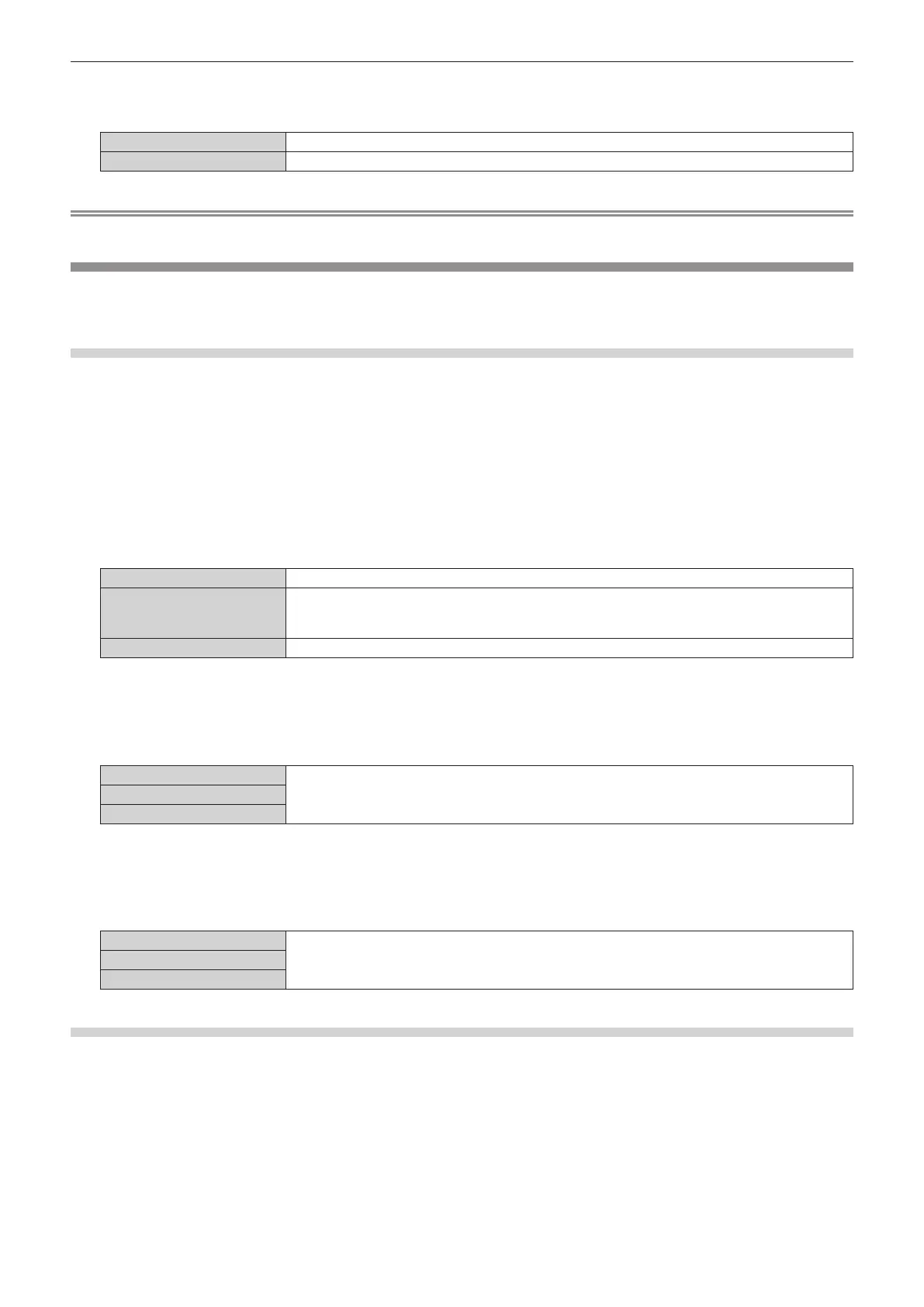
[BNC] Uses the <MULTI SYNC IN> / <MULTI SYNC OUT> terminals (BNC).
[SERIAL] Uses the <SERIAL IN> / <SERIAL OUT> terminals.
Note
f [BNC] and [SERIAL] cannot be used simultaneously within the linked projectors.
[RS-232C]
Set the communication conditions of the <SERIAL IN> / <SERIAL OUT> terminals. For details on the connection
method for RS-232C communication, refer to “<SERIAL IN> / <SERIAL OUT> terminal” (x page 288).
Setting the communication condition of the <SERIAL IN> terminal
1) Press as to select [RS-232C].
2) Press the <ENTER> button.
f The [RS-232C] screen is displayed.
f Proceed to Step 5) unless the optional DIGITAL LINK Terminal Board (Model No.: TY-SB01DL) or the
Function Board by other manufacturers is installed in the slot.
3) Press as to select [INPUT SELECT].
4) Press qw to switch the item.
[PROJECTOR]
Performs the RS-232C communication with the <SERIAL IN> terminal of the projector.
[DIGITAL LINK]
Performs the RS-232C communication via the optional DIGITAL LINK output supported device (Model
No.: ET-YFB100G, ET-YFB200G) and the <DIGITAL LINK IN/LAN> terminal of the optional DIGITAL
LINK Terminal Board (Model No.: TY-SB01DL) installed in the slot.
[SLOT] Performs communication via the Function Board by other manufacturers installed in the slot.
5) Press as to select [(IN) BAUDRATE].
6) Press qw to switch the item.
f The items will switch each time you press the button.
[9600]
Select the proper speed.[19200]
[38400]
7) Press as to select [(IN) PARITY].
8) Press qw to switch the item.
f The items will switch each time you press the button.
[NONE]
Select the parity condition.[EVEN]
[ODD]
Setting the communication condition of the <SERIAL OUT> terminal
1) Press as to select [RS-232C].
2) Press the <ENTER> button.
f The [RS-232C] screen is displayed.
3) Press as to select [(OUT) BAUDRATE].
4) Press qw to switch the item.
f The items will switch each time you press the button.














 To Next Page