Chapter 7 Appendix — Technical information
ENGLISH - 287
Note
f The projector will automatically disconnect the connection with the network right after sending the command in default setting. This is
the specication based on the security view point to prevent unauthorized operation of this product by a malicious third party. To send
commands continuously, set [NETWORK] menu → [NETWORK CONTROL] → [COMMAND SESSION PROLONG] to [30SEC.]. For details,
refer to “Communication ow between server and client” (x page 287).
Communication ow between server and client
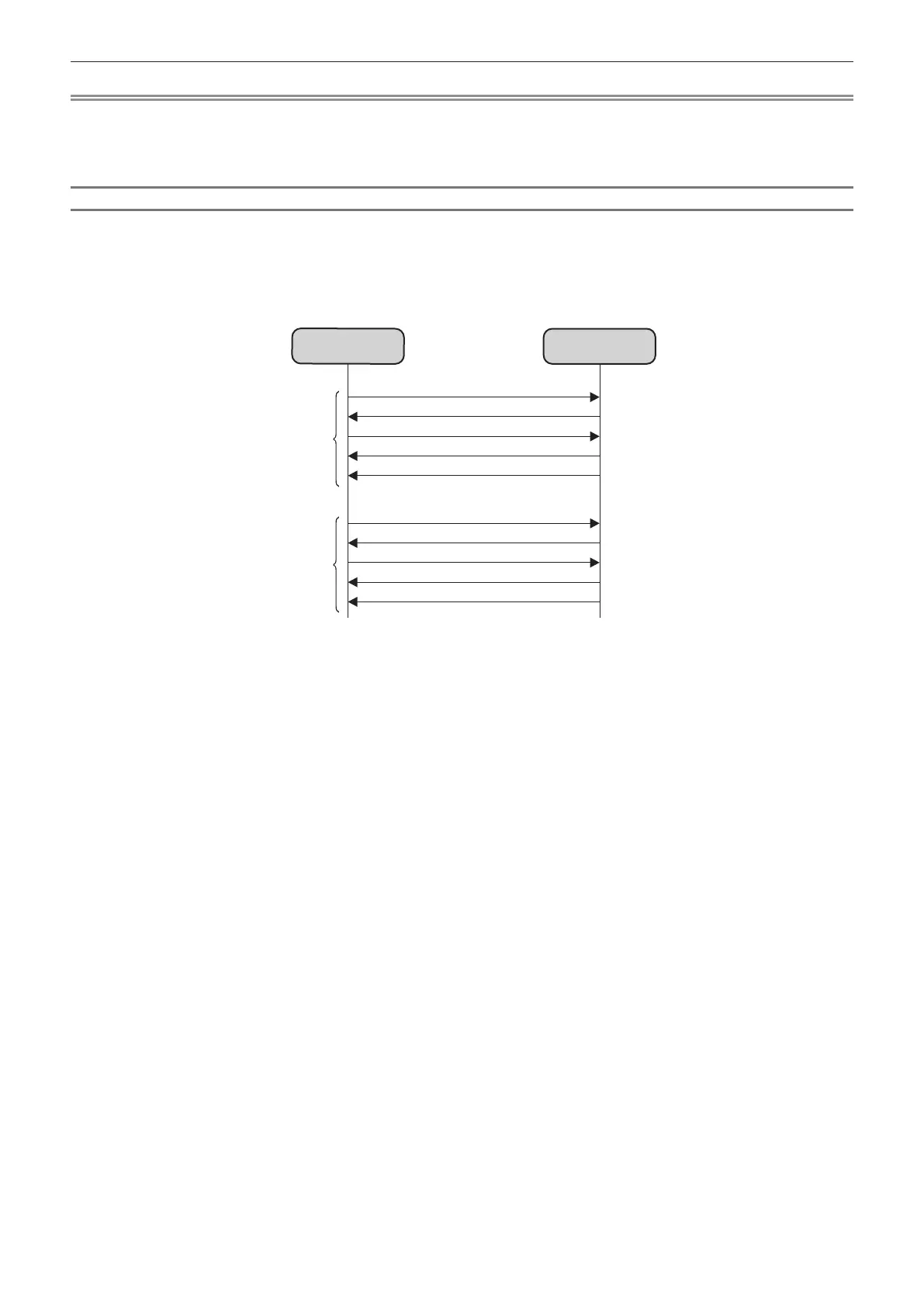
To send/receive a command via LAN, refer to the communication ow indicated below.
The following is an example of the communication ow when the [NETWORK] menu → [NETWORK CONTROL]
→ [COMMAND SESSION PROLONG] is set to [0SEC.].
Server: Projector
Client: Control device such as a computer
Connection request
Server
Client
Sending of key
Sending of command 1
Responding to command 1
Disconnection
Connection request
Sending of key
Sending of command 2
Responding to command 2
Disconnection
Session 1
Session 2














 To Next Page