• latitude and longitude (LATLNG: default value)
• MGRS (Military Grid Reference System: NATO’s geocoordinate standard)
• UTM (Universal Transverse Mercator)
• DMS (degree, minute, second – of arc)
Refer to the “PREFERENCES / Interface / Coordinates systems” section of this guide for information on
selecting a coordinates system.
In the following example, the coordinates system is set as DMS. The drone is offline, and the device is
connected to local Wi-Fi.
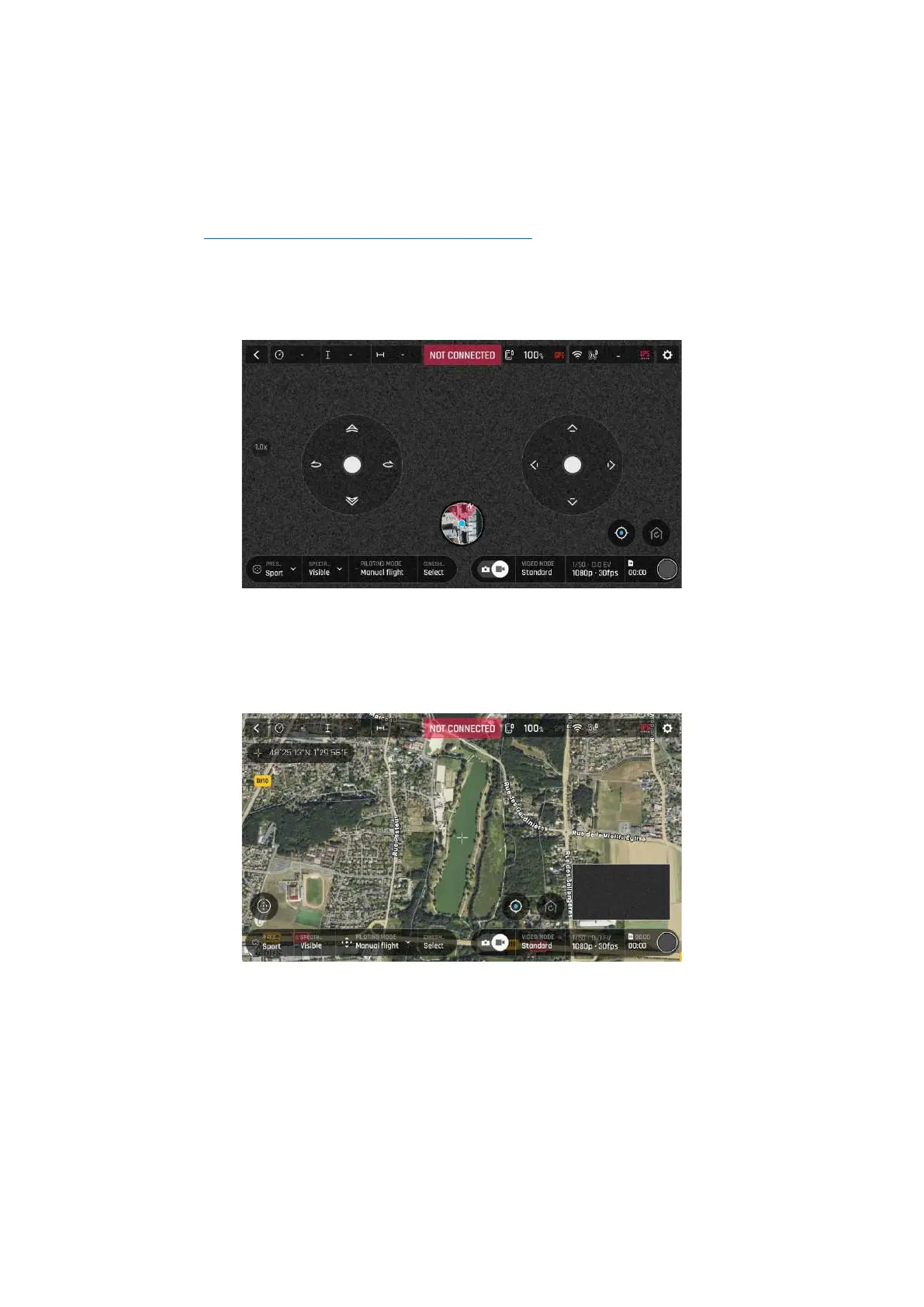
Offline FreeFlight 6 USA interface: tap minimap to open full screen (iOS)
Tap FLY from the FreeFlight 6 USA homepage.
Tap the minimap on the bottom center of the offline interface to access the full screen map.
Reticle (crosshair) at the center of the screen, coordinates top left (iOS)
By default, “Reticle” (crosshair at the center of the screen) coordinates are displayed on the top left of
the screen.
Move the map around and zoom in to pinpoint any spot, then tap the coordinates box to activate
coordinates options.



 To Next Page