© 2023 Parrot Drones SAS. All Rights Reserved.
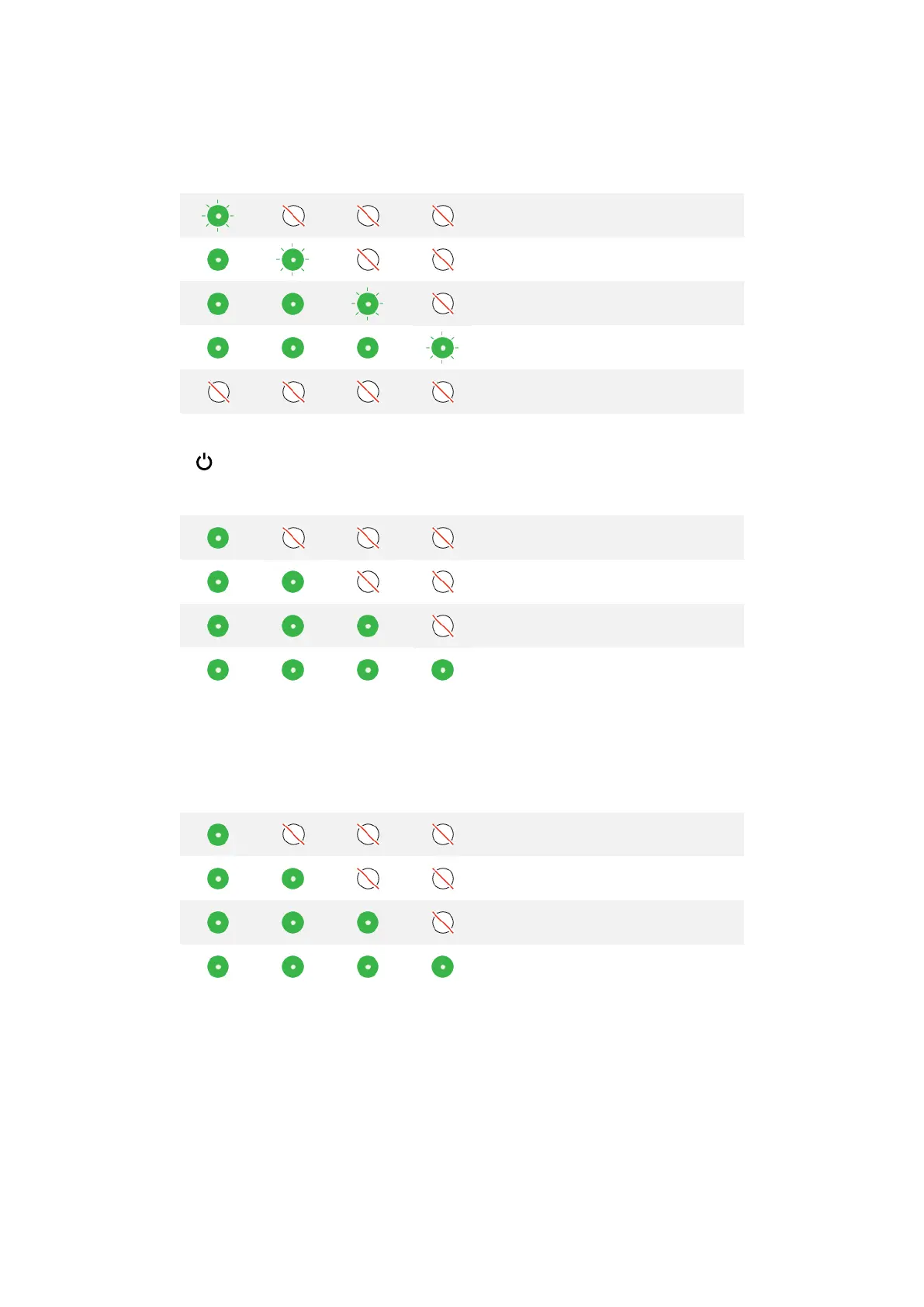
When ANAFI USA’s smart LiPo battery is plugged into a power source and charging, its 4 LEDs indicate
in real time the charge level:
When the battery is not installed on ANAFI USA, you can check its charge level at any time by pressing
the battery Power button:
When the battery is installed on the drone, and when ANAFI USA is powered on, the number of
steady LEDs enables you to estimate your remaining flying time:
Battery update
ANAFI U SA smart batteries can be updated, like the drone itself, its controller and its controlling
software FreeFlight 6 USA. When a battery update is available with a FreeFlight 6 USA release, a
message appears in the app. Follow the in-app instructions to update your battery.
Warning: Keep your battery plugged into a power supply throughout the software update procedure.
Repeat the procedure with all your batteries.



 To Next Page