Note: The DNG+JPEG option produces at least 2 files (1 DNG, 1 JPEG) for each shutter action. DNG is a
useful format for professional photography processing and workflow. RAW formats retain all the
information gathered by photography sensors, contrary to JPEG formats, which are compressed and
processed renderings of this comprehensive information. As a result, RAW pictures such as
ANAFI U SA’s DNG are heavy files, but they offer the very best post-processing and retouching
possibilities.
Creating Panoramas
ANAFI U SA panoramas are generated automatically through the FreeFlight 6 USA gallery, based on
a series of pictures taken by the drone.
The generation of a panorama, regardless of its format, has 3 phases:
- collecting the pictures in flight;
- downloading the pictures from ANAFI USA to your device;
- stitching the pictures together to create the panorama, on your device through the FreeFlight
6 USA gallery.
Important: Before shooting a panorama:
- Ensure that you are not flying lower than 10 meters (30ft) over water.
- Ensure that no object or subject is present within a 10-meter (30ft) radius around
ANAFI U SA.
- ANAFI U SA locks the exposure (refer to the “Lock AE” section of this guide for more
information on exposure locking) of the frame you start your panorama with. For this reason,
Parrot recommends you always frame the main subject of the intended panorama before
pressing the shutter button.
- ANAFI U SA cannot proceed with a panorama if the drone battery power is low (capturing a
360 Panorama takes ANAFI USA up to 90 seconds).
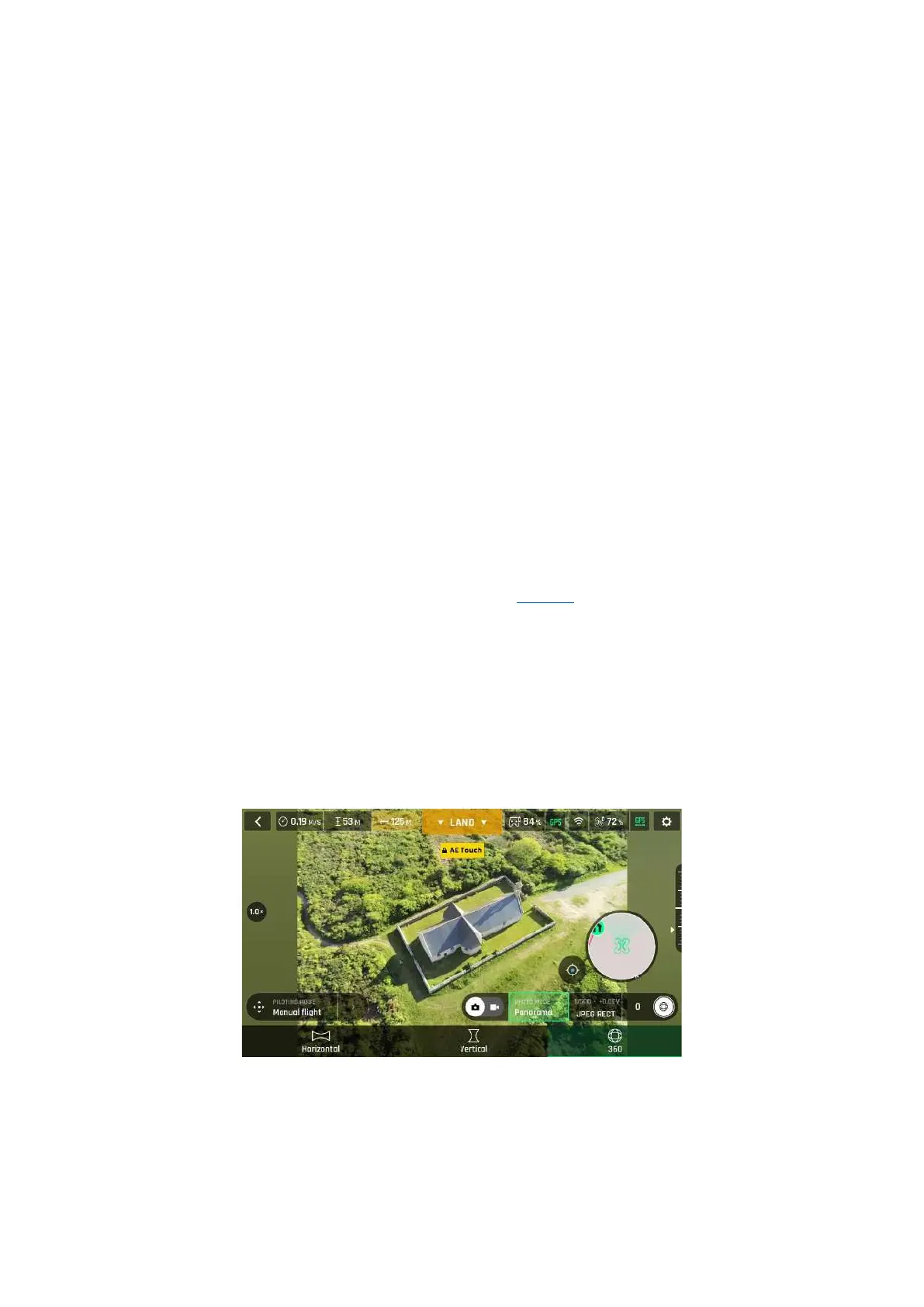
To capture a panorama, select the Panorama box from the Photo Mode menu of the HUD. Then, tap
the panorama type you want to select: Vertical, Horizontal or 360. The soft shutter button icon reflects
your choice, as on the screen capture below.
Panorama formats, Android
When you are happy with your framing, press the hard shutter button on the right of the Skycontroller
(or tap the soft shutter button of the HUD) to begin the Panorama capture. ANAFI USA starts taking
pictures and the bottom of the HUD displays a progress bar which fills with green as the capture
unfolds.



 To Next Page