EasyManua.ls Logo

Parrot ANAFI - Introducing Freeflight 6 USA; Presentation of the HUD

Parrot ANAFI
90 pages
Print Icon
To Next Page IconTo Next Page
To Previous Page IconTo Previous Page
Loading...
44
Introducing FreeFlight 6 USA
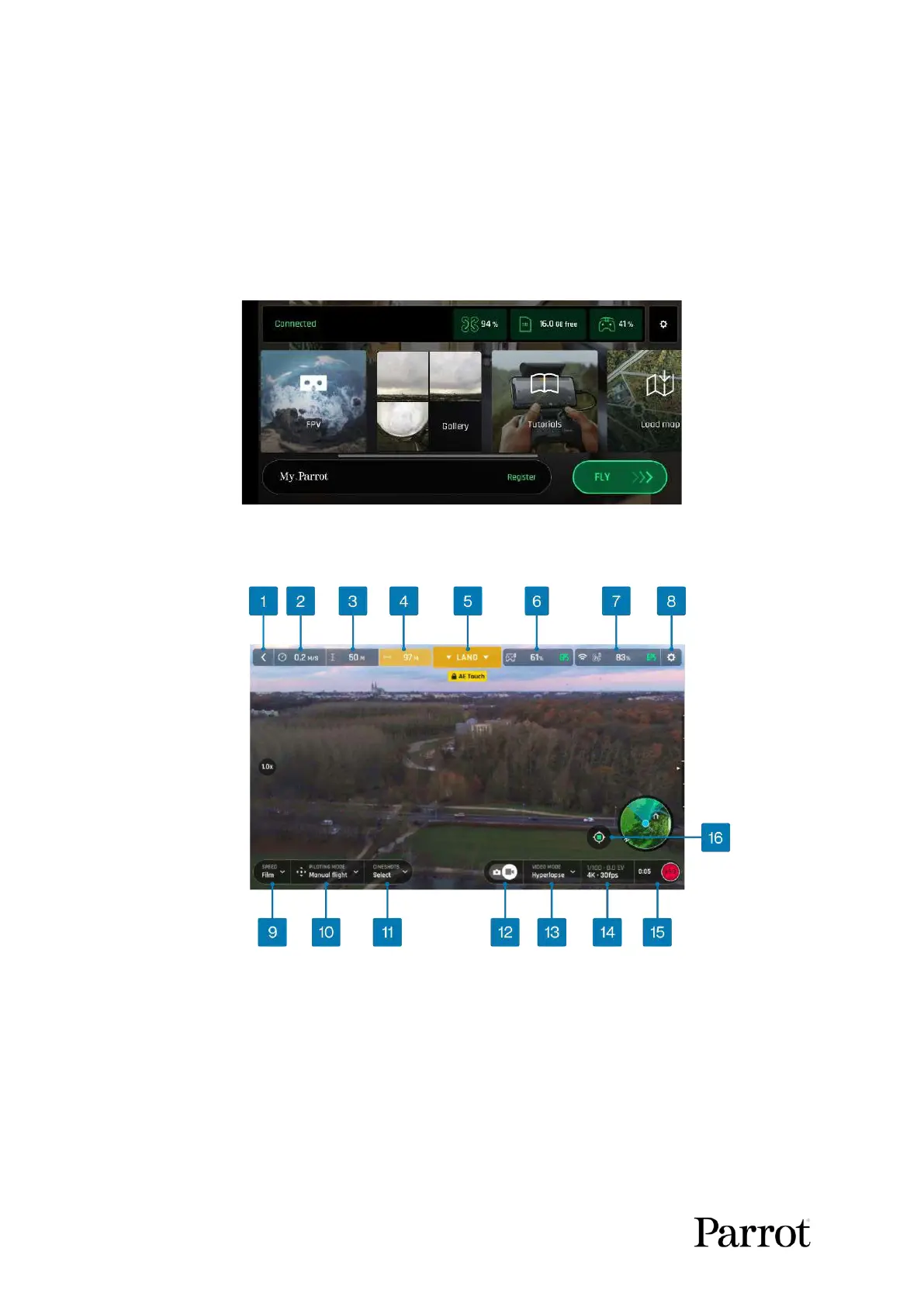
The HUD (heads-up display) interface of FreeFlight 6 USA enables you to access all the features of
ANAFI U SA, from the screen of your device.
This section explores FreeFlight 6 USA functions, starting with a presentation of the top and bottom
bars of the HUD (iOS and Android).
Access the HUD by tapping FLY on the bottom right of the homepage of FreeFlight 6 USA
Android FreeFlight 6 USA homepage
Presentation of the HUD

1. Back to homepage
9. Speed box
2. Drone ground speed
10. Piloting mode box
3. Drone height relative to take-off point
11. Cineshots box
4. Drone horizontal distance from pilot
12. Photo/video toggle
5. Next available action
13. Photo/Video mode box
6. Controller box (charge and GPS sync)
14. Photo/Video settings box
7. Drone box (charge and GPS sync)
15. Soft shutter button and timer/Number
of media (Photo mode)
8. Preferences
16. Map center toggle (Pilot/Drone)

Table of Contents

Other manuals for Parrot ANAFI

Related product manuals