68
Thermal Imaging
Thermal imaging, or infrared (IR) thermography, is the process of acquiring, measuring and analyzing
thermal information from non-contact devices, such as ANAFI USA’s FLIR Boson camera.
Thermal imaging devices transform invisible IR radiations, or heat transfers, into colored images the
human eye can interpret and analyze.
To access ANAFI USA’s thermography mode, either tap the THERMAL box on the homepage of
FreeFlight 6 USA or tap the SPECTRUM box on the lower bar of the HUD and select Thermal.
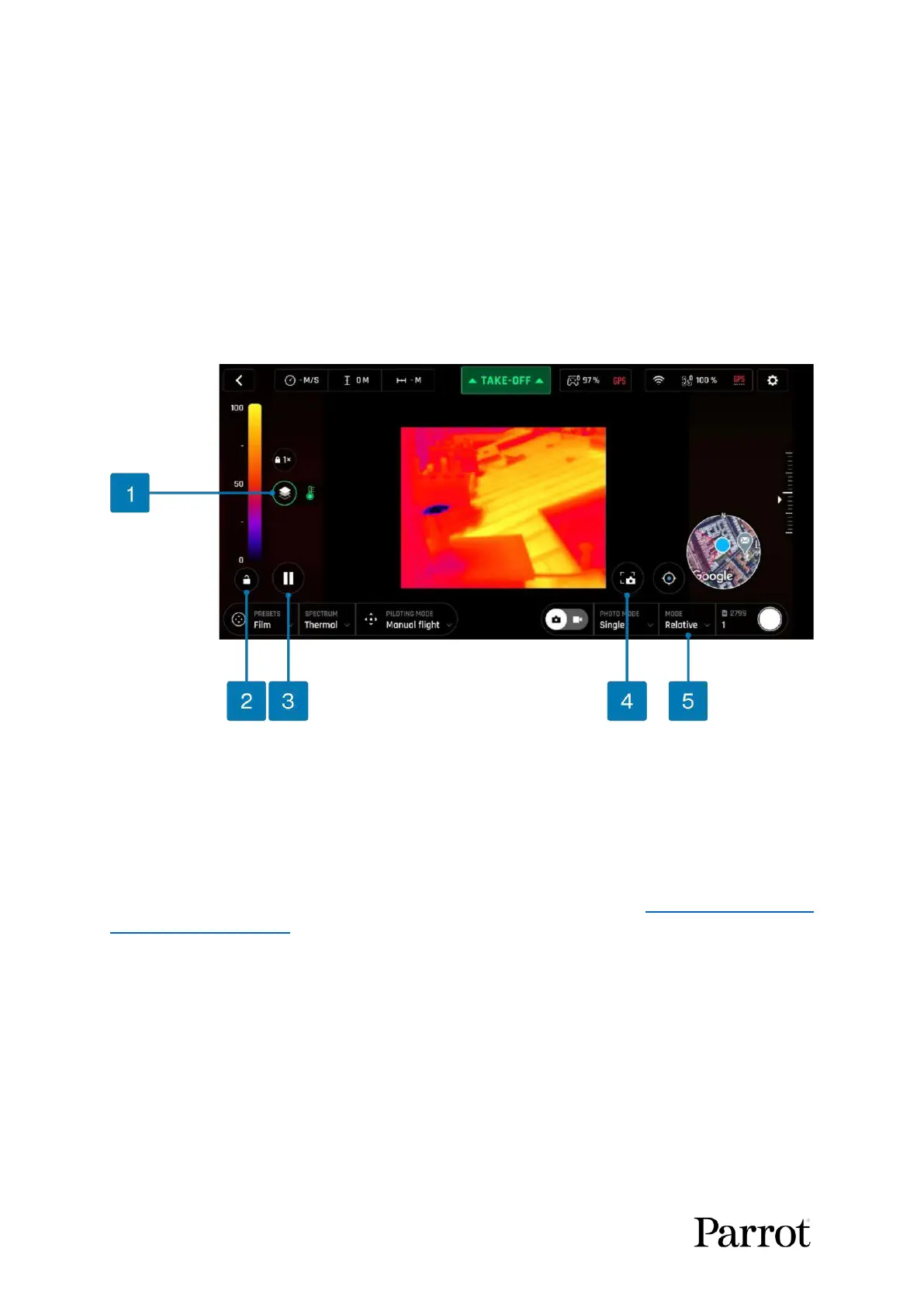
Presentation of the Thermal HUD (post-processing)
*(the thermometer icon indicates only the IR spectrum is displayed)
Note: When post-processing is activated (default value), the Pause view and Lock scale buttons are
available. They disappear when post-processing is deactivated (refer to the “PREFERENCES / Thermal
/ Thermal post-processing” section of this guide for more information).
As for the Visible Spectrum, you can record both Thermal photos and videos. You can choose through
the photo/video toggle button in the lower bar of the HUD (or among additional settings, as in the
Thermal HUD screen capture).



 To Next Page