30
Returning home
To return ANAFI USA to its take-off position, press RTH on your Skycontroller, or tap the RTH
on your screen.
ANAFI U SA rises to 30 meters higher than the take-off point height and returns to hover over its take-
off position.
Note: The default setting is 30 meters over the take-off point, but you can configure the height to
between 20 and 100 meters through FreeFlight 6 USA.
Refer to the “PREFERENCES / Safety” section of this guide for more information on RTH configuration.
Precise Home Setting
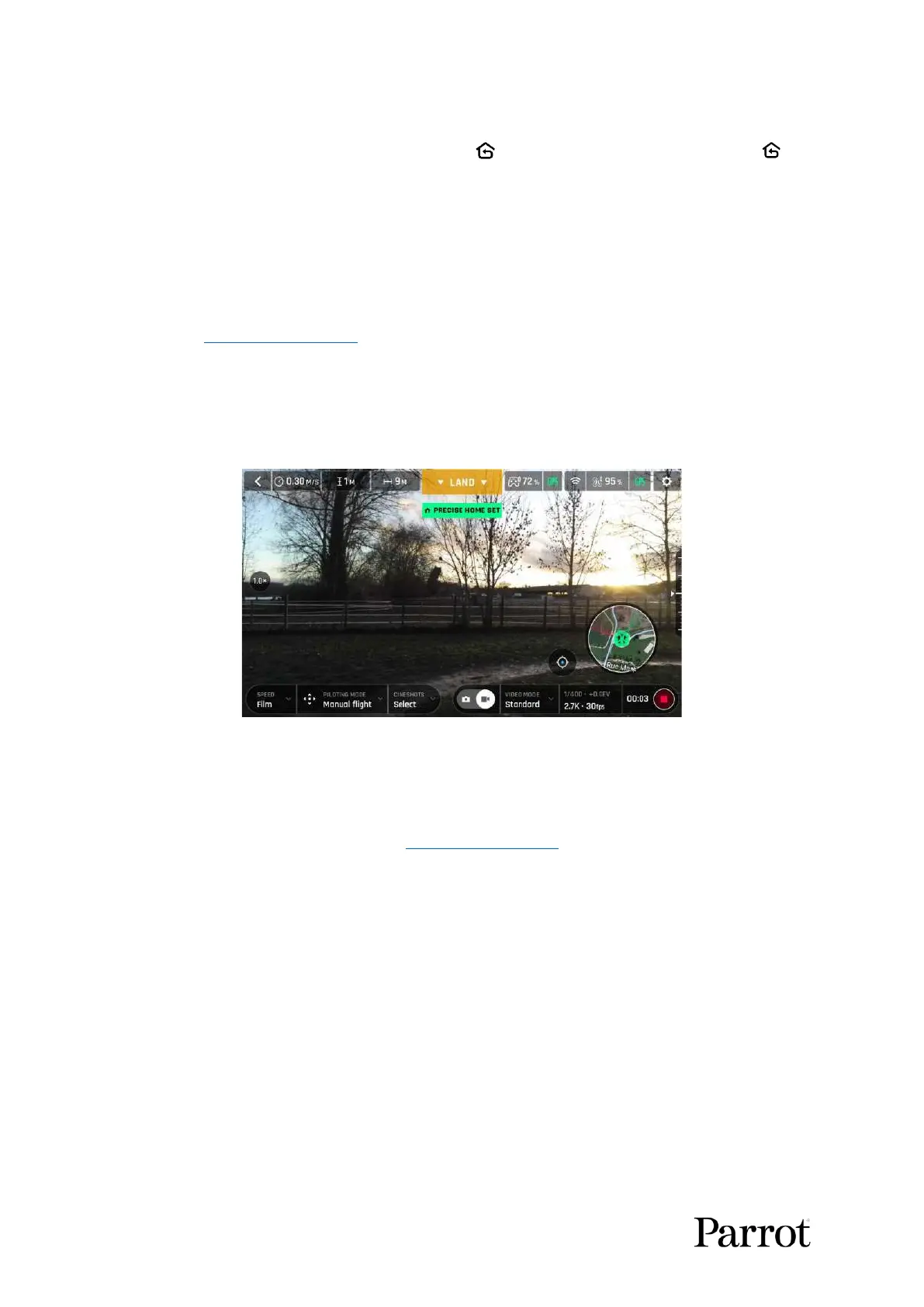
When flight conditions are optimal at take-off, ANAFI USA can set a PRECISE HOME with its vertical
camera. In that case, a pop-up on the screen of FreeFlight 6 USA confirms a precise home has been
set, and the home icon of the minimap turns green.
Android “Precise Home Set” pop-up
Smart RTH
ANAFI U SA features a Smart RTH capability which considers its altitude and distance from its take-
off point. The drone computes in real time, the battery power it requires to return home, or to the
pilot, or to a custom location (refer to the “PREFERENCES / Safety” of this guide for more information).
When the battery charge level becomes low, FreeFlight 6 USA alerts you that it will enter Smart RTH
mode.
If you feel confident you can return ANAFI USA to its take-off point, or if you wish to land it at a
different location, you can cancel the Smart RTH directly from the alert pop-up.
Managing coordinates
ANAFI U SA features a fly-by-coordinates function which allows you to instantly display, reuse and
share any coordinates in the surroundings of your drone, or the GPS position of your drone itself. This
is especially useful to precisely locate any point of interest or person ANAFI USA has detected.
This section explains how to access coordinates on the FreeFlight 6 USA app map, in flight or to prepare
a flight.
By default, coordinates are displayed on the FreeFlight 6 USA app map. They can be set as:



 To Next Page