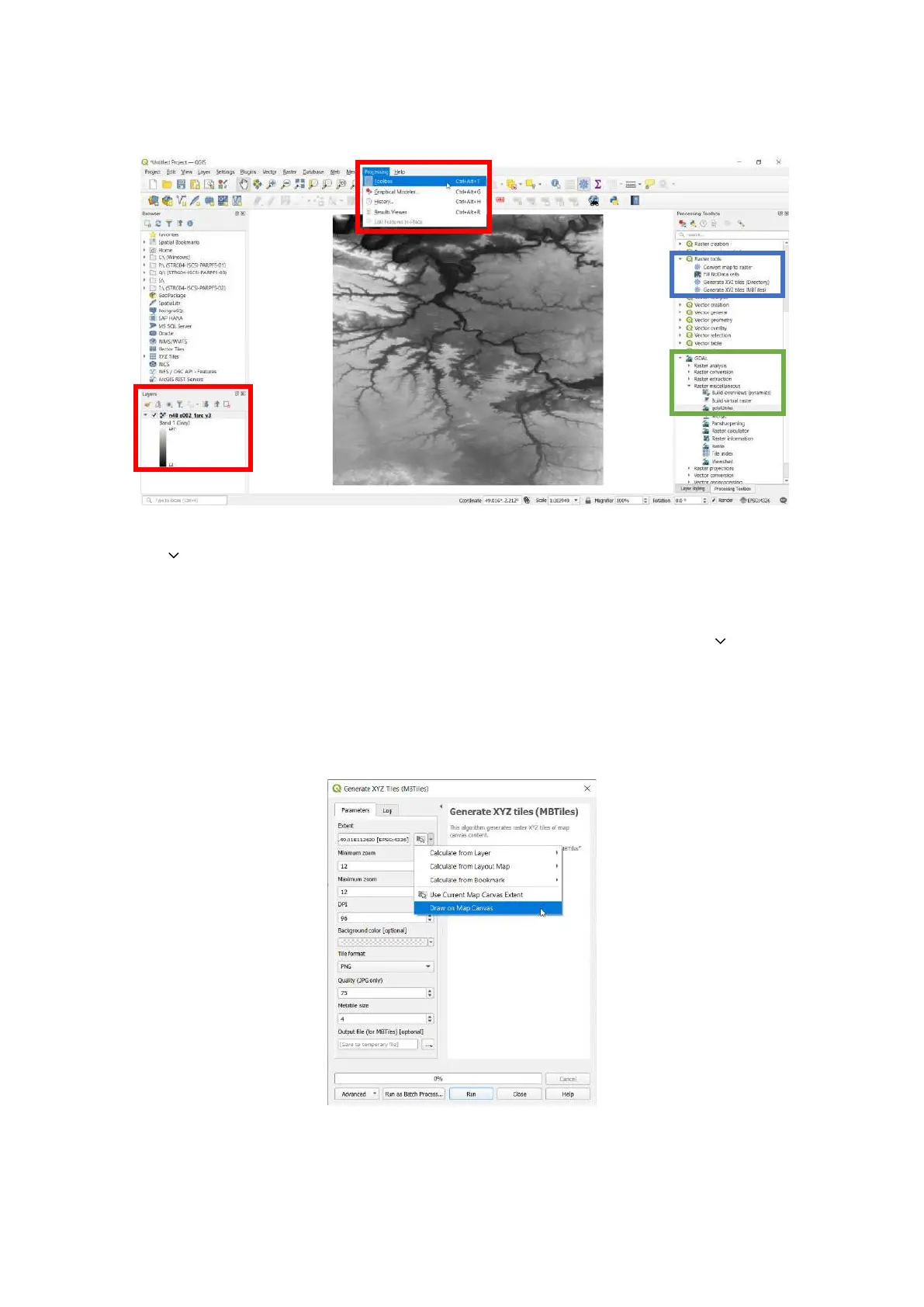
Note: The GeoTIFF map in the example below is displayed in grayscale.
6. The Generate XYZ tiles (MBTiles) menu opens. Under the Parameters tab, in the Extent field, click
the down arrow to open a drop-down menu.
7. Click Use Current Map Canvas Extent.
8. From the drop-down menu, click Draw on Map Canvas.
9. Choose the appropriate zoom levels.
10. Under the Parameters tab, in the Output file (for MBTiles) [optional] field, click the down arrow
to open a drop-down menu.
11. Click Save to file...
12. Name the file, and click Save.
13. Click Run. The conversion can take more than one hour, depending on the size of the map and the
parameters of the previous steps.



 To Next Page