130
Shooting Functions
4
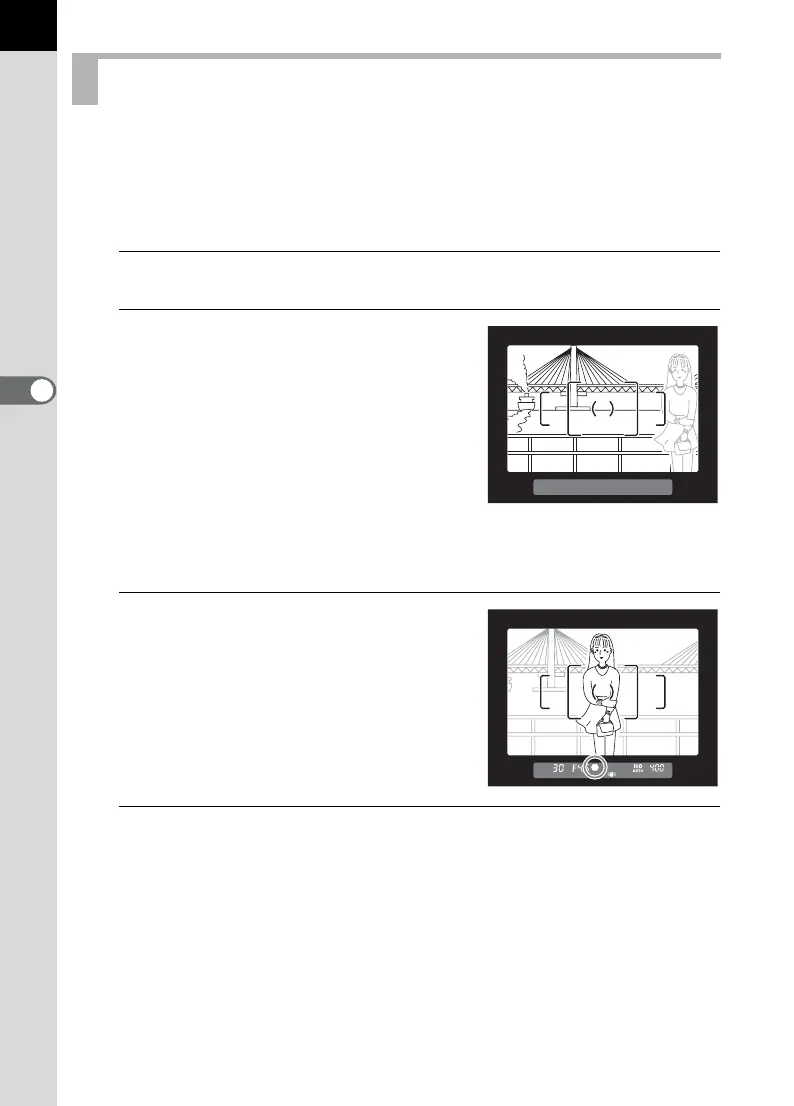
If the subject is outside the range of the focusing area, the camera cannot
automatically focus on the subject. In this case, focus the camera on the
subject in the focusing area, lock the focus at that position (Focus Lock),
and then recompose your picture.
1
Set the focus mode lever to l.
2
Frame the desired composition
for your picture in the viewfinder.
3
Center the subject to focus in the
viewfinder and press the shutter
release button halfway.
The focus indicator ] appears and you
will hear a beep when the subject comes
into focus. (When blinking, the subject is
not in focus.)
4
Lock the focus.
Keep the shutter release button pressed halfway. The focus will remain
locked.
Locking the Focus (Focus Lock)
Example)
The person is out of
focus and the background
is focused instead.



 To Next Page
 Loading...











