20
Before Using Your Camera
1
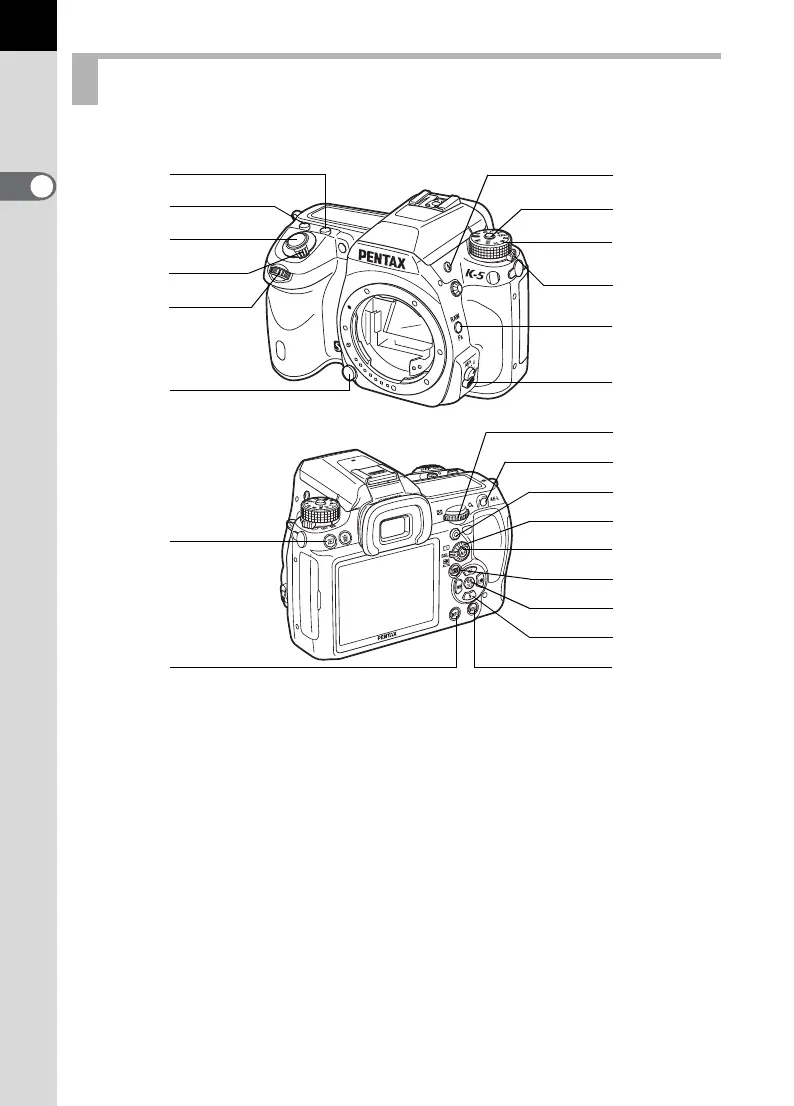
Functions of buttons, dials and levers used during shooting are noted.
Capture Mode
1 m button
Turn the rear e-dial (S)
while pressing this button to
set the EV compensation
value. (p.119)
2 o button
Turn the rear e-dial (S)
while pressing this button to
set the ISO sensitivity. (p.95)
3 Shutter release button
Press to capture images.
(p.72)
4 Main switch
Move to turn the power on/off
(p.62) or to preview (
p.135
).
5 Front e-dial (R)
Changes the settings.
6 Lens unlock button
Press to detach a lens. (p.60)
6
2
c
b
g
h
i
j
k
m
9
8
d
f
e
l
7
4
3
a
0
5
1



 To Next Page