289
Changing Additional Settings
9
5
Press the 3 button twice.
The screen that was displayed before selecting the menu appears again.
You can change the initial date and time settings, and set their display
formats. Choose [mm/dd/yy], [dd/mm/yy] or [yy/mm/dd] for the date
display format, and [12h] (12-hour display) or [24h] (24-hour display) for
the time display format.
Set in [Date Adjustment] in the [R Set-up 1]
menu (p.278).
1 Setting the Date and Time (p.67)
The date and time selected in “Initial Settings” (p.63) serve as the date and
time of your present location.
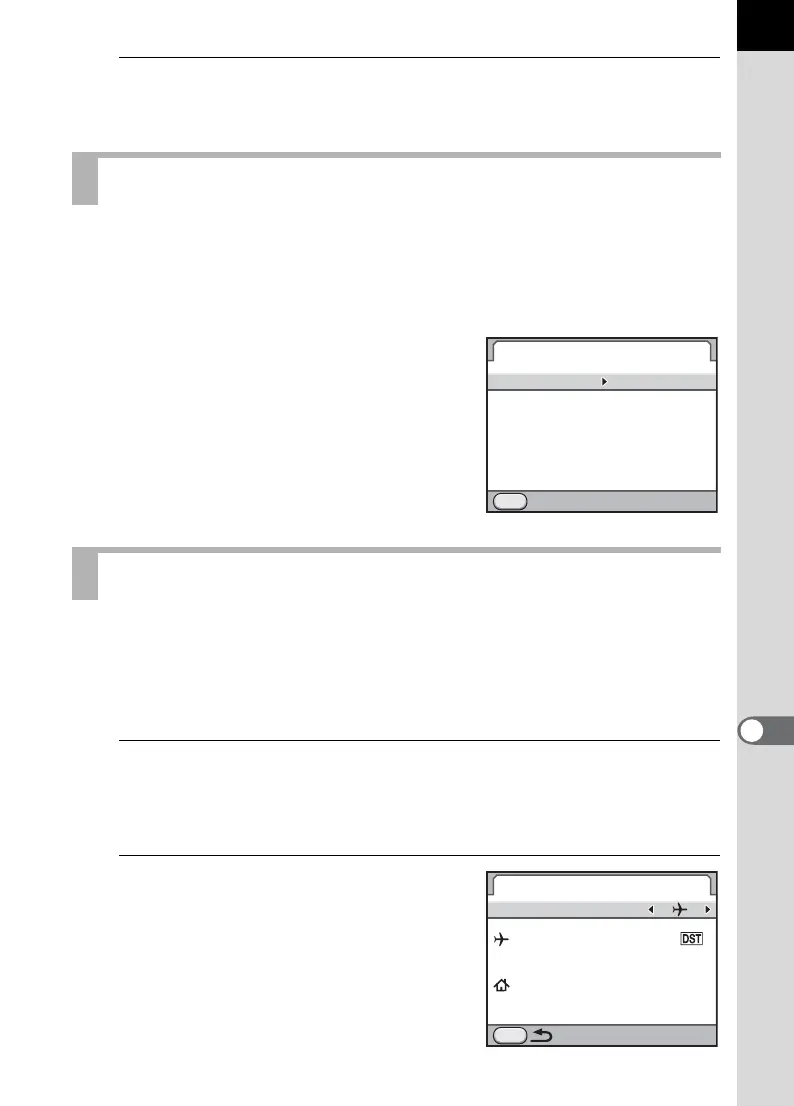
Setting the destination in [World Time] enables you to display the local
date and time on the monitor when traveling overseas.
1
Select [World Time] in the [R Set-up 1] menu and press
the four-way controller (5).
The [World Time] screen appears.
2
Use the four-way controller (45)
to select X (Destination) or W
(Hometown) for [Setting the
Time].
This setting is reflected on the date and
time that appear in the guide display and
control panel.
Changing the Date and Time Display
Setting the World Time
MENU
/
00 00
:
///
24h
Date Adjustment
Date Format
Date
Time
Settings complete
Cancel
//20100101
mm
dd yy
World Time
Setting the Time
Destination
London
Hometown
New York
MENU
16
00
:
10 00
:



 To Next Page