293
Changing Additional Settings
9
Adjusting the Monitor and the Menu
Display
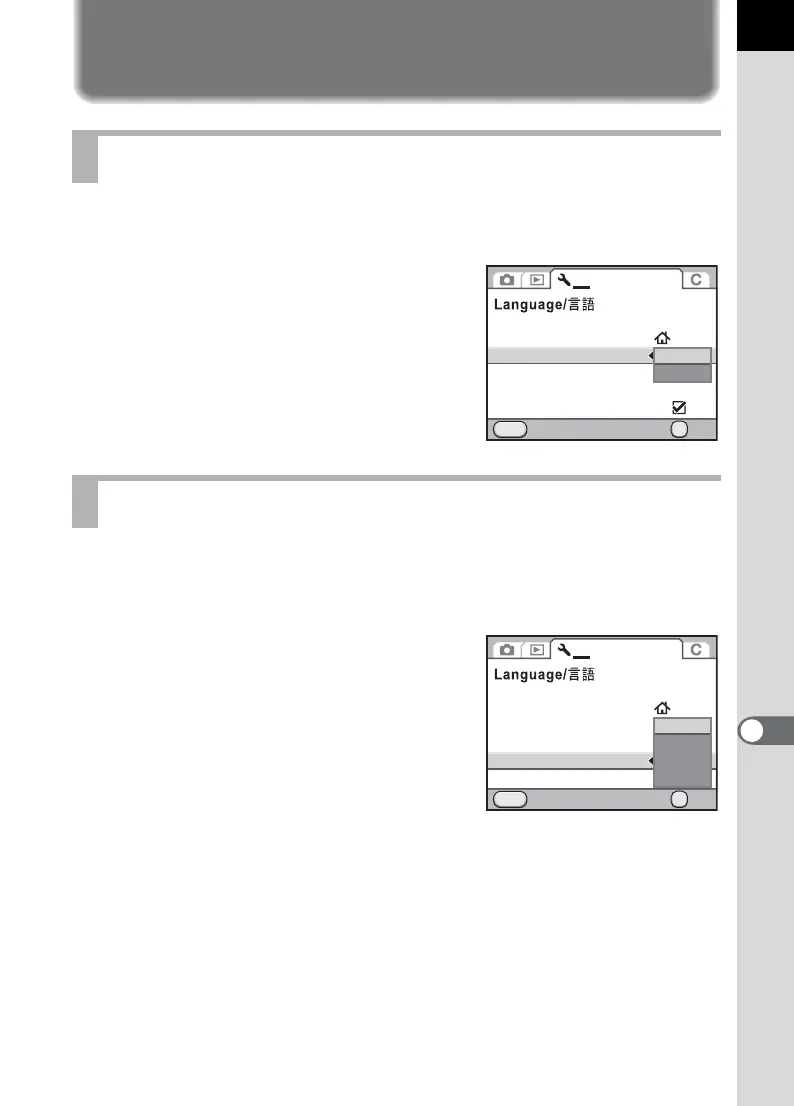
You can set the text size of an item selected on the respective menu
screens to [Standard] (normal display) or [Large] (magnified display).
Set in [Text Size] of the [R Set-up 1] menu
(p.278).
Set the length of time that the guides are displayed on the monitor when
the camera is turned on or the exposure mode is changed. (p.24)
Select from [3 sec.] (default setting), [10 sec.], [30 sec.] and [Off].
Set in [Guide Display] of the [R Set-up 1]
menu (p.278).
Setting the Text Size
Setting the Guide Display Time
Date Adjustment
World Time
Text Size
Cancel OK
OK
MENU
1 234
English
Guide Display
Status Screen
Beep
3sec.
Standard
Large
Date Adjustment
World Time
Text Size
Beep
Guide Display
Status Screen
Cancel OK
OK
MENU
1 234
English
MSC
3sec.
10sec.
30sec.
Off



 To Next Page