71
Basic Operations
3
The X features various exposure modes, focus modes, and drive
modes for expressing your photographic vision. This section explains how
to take pictures by simply pressing the shutter release button.
1
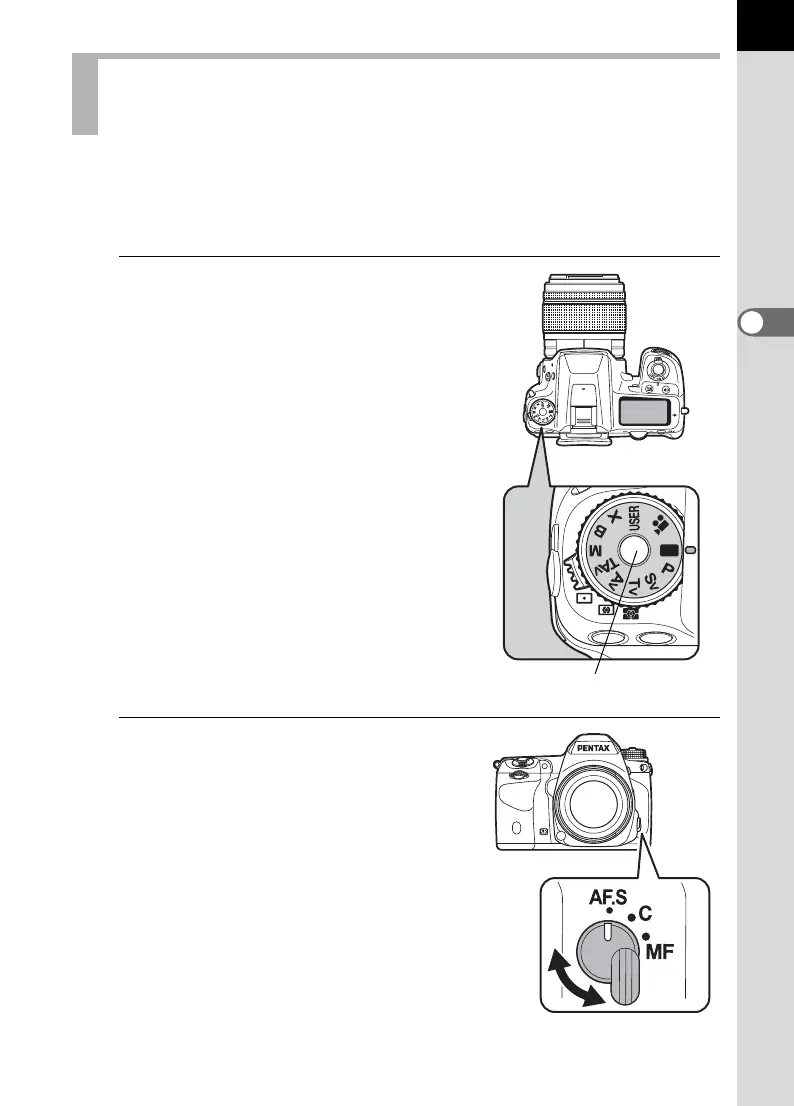
Set the mode dial to B.
Turn the mode dial while pressing the
mode dial lock button.
The exposure mode changes to B
(Green) mode. In B, a proper exposure
is determined by the camera and the
shutter speed and aperture value are
automatically set.
2
Set the focus mode lever to
l
.
The focus mode changes to l
(Autofocus/Single) mode. When the
shutter release button is pressed halfway
in l, the camera focuses
automatically. (p.122)
Letting the Camera Choose the Optimal
Settings
Mode dial lock button



 To Next Page