149
Shooting Functions
4
Use the Mirror Lock-up function if camera shake is evident even when the
remote control or cable switch is used with a tripod.
For Mirror Lock-up Shooting, press the shutter release button to raise the
mirror up and press it again to release the shutter.
The following two types of Mirror Lock-up shooting are available.
1
Mount the camera onto a tripod.
2
Press the four-way controller (2) in Capture mode.
The [Drive Mode] screen appears.
3
Use the four-way controller (45) to select d.
4
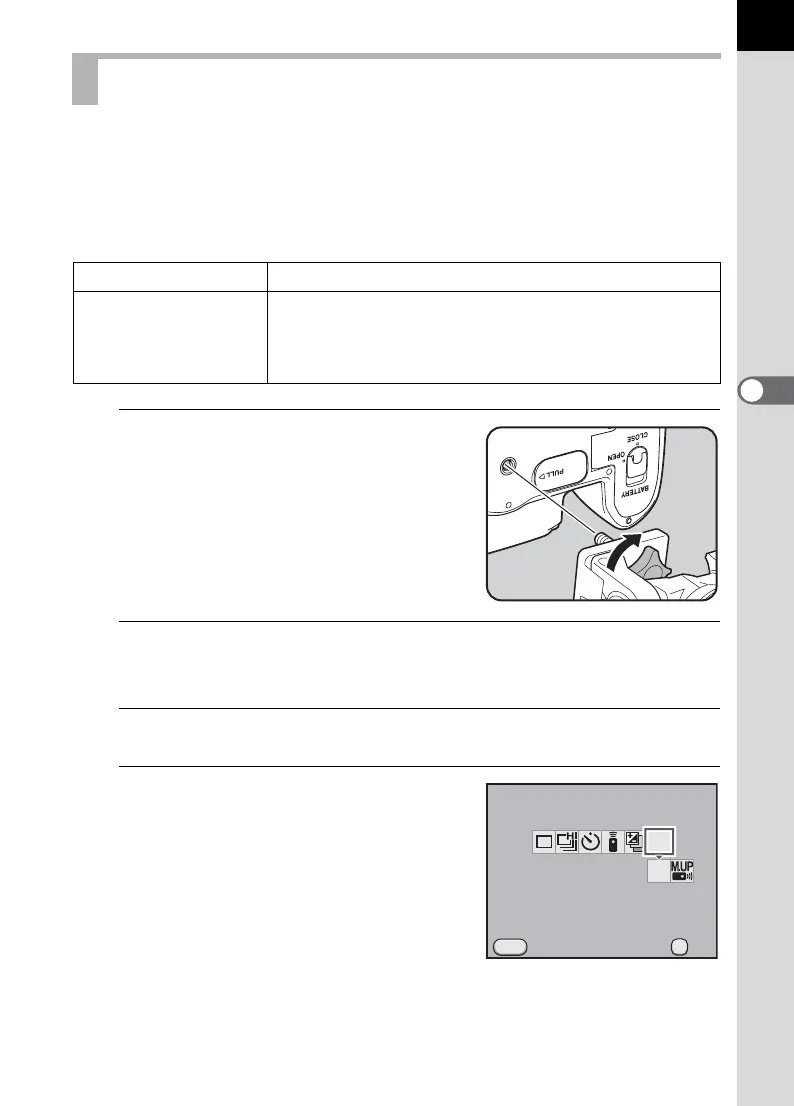
Press the four-way controller (3)
and use the four-way controller
(45) to select d or e.
d appears in the status screen and on
the LCD panel.
Shooting with the Mirror Lock-up Function
d
Mirror Up Mirror Lock-up shooting with the shutter release button.
e
Mirror Up
Remote Control
Mirror Lock-up shooting with the remote control. The
shutter will be released immediately after the shutter
release button on the remote control unit is pressed
(p.145).
Drive Mode
Mirror Lock-up Shooting
Cancel
MENU
MUP
MUP
OK
OK



 To Next Page