258
Playback Functions
7
Use a commercially available HDMI cable to connect the camera to a
device with an HDMI terminal.
1
Turn the AV device and camera off.
2
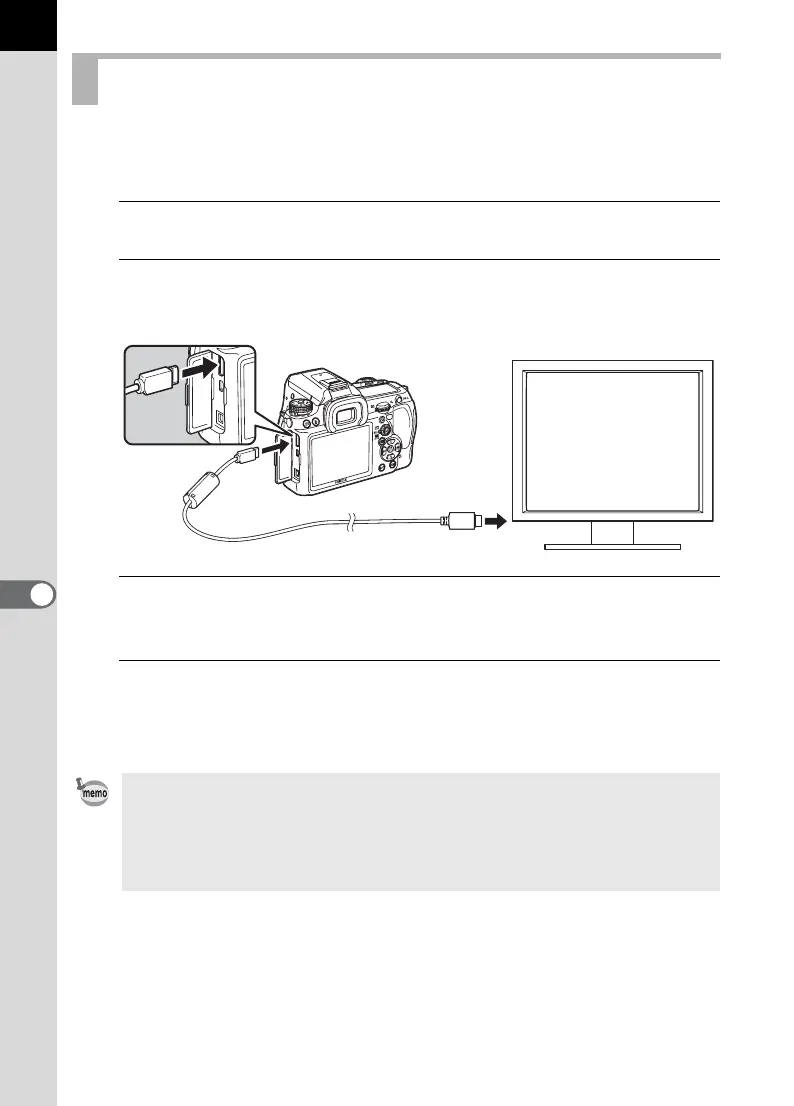
Open the terminal cover and connect the HDMI cable to
the mini HDMI terminal.
3
Connect the other end of the HDMI cable to the HDMI input
terminal on the AV device.
4
Turn the AV device and camera on.
The camera turns on in HDMI mode, and the camera information is
displayed on the screen of the connected AV device.
Connecting the Camera to an HDMI Terminal
• The camera has a mini HDMI terminal (Type C). Use a commercially
available HDMI cable that matches your AV device.
• Nothing is displayed on the camera monitor during HDMI output.
• If you used an external microphone to record movie sound in stereo, the
sound is played back in stereo.



 To Next Page