158
Shooting Functions
4
1
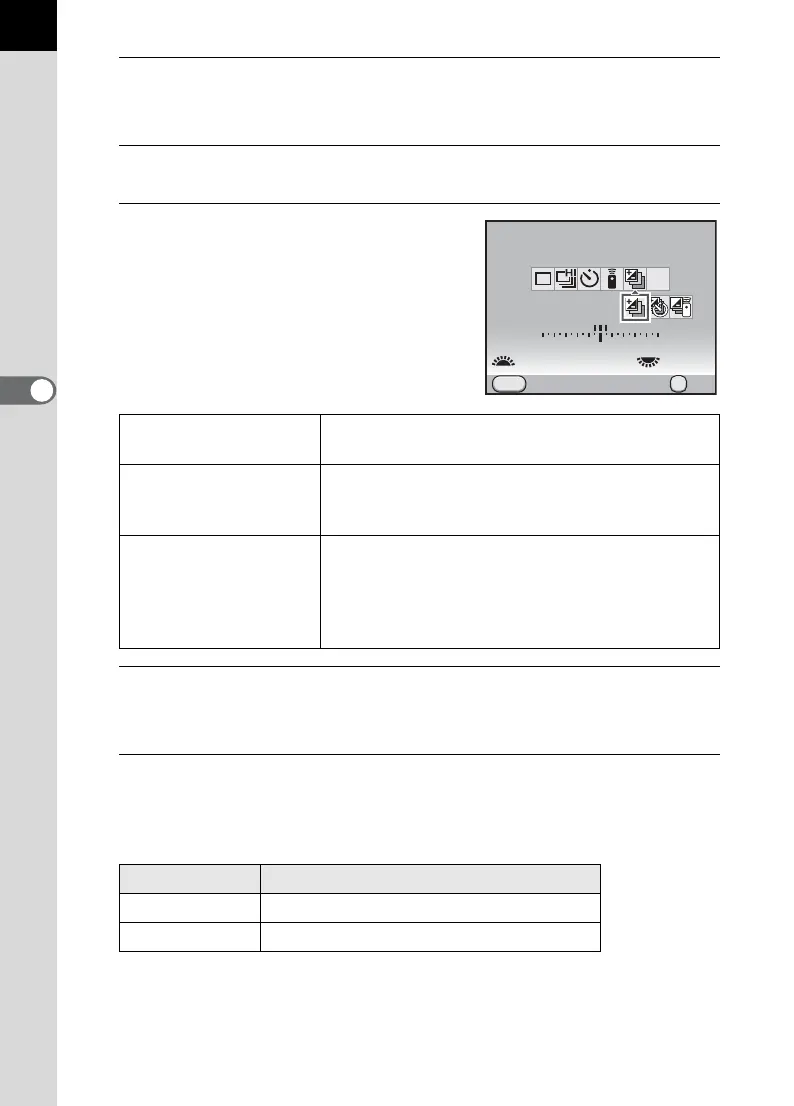
Press the four-way controller (2) in Capture mode.
The [Drive Mode] screen appears.
2
Use the four-way controller (45) to select l.
3
Press the four-way controller (3)
and use the four-way controller
(45) to select l, b, or c.
4
Turn the front e-dial (R) to set the number of shots.
Select [2 images (+)], [2 images (-)], [3 images] or [5 images].
5
Turn the rear e-dial (S) to set the bracketing amount.
The following values can be set according to the step interval set in [1.
EV Steps] (p.120) in the [A Custom Setting 1] menu.
l
Exposure
Bracketing
Takes pictures with the shutter release button.
b
Exposure
Bracketing +
Self-timer
Takes pictures with the self-timer. Self-timer
operates according to the self-timer (p.143)
setting.
c
Exposure
Bracketing +
Remote Control
Takes pictures with the remote control. Remote
control operates according to the remote control
(p.145) setting. When set to i (Remote
Continuous Shooting), the shutter is released
immediately.
Step Interval Bracketing Amount
1/3 EV
±0.3, ±0.7, ±1.0, ±1.3, ±1.7, ±2.0
1/2 EV
±0.5, ±1.0, ±1.5, ±2.0
Drive Mode
Exposure Bracketing
Cancel
3image(s)
MENU
11223344+5
-
5
±0.5EV
MUP
OK
OK



 To Next Page