15192 Triton Lane
Huntington Beach, CA 92649
Office Tel: 714-892-3400
Hotline Tel: 714-891-6533
www.ppedm.com
This document is the property of PPedm Corp. and contains proprietary and/or patented information and may not be reproduced in
part or in whole without the express written permission of the company. Perfect Point logo, Perfect Point
TM
and E-Drill
®
are
trademarks of PPedm, Corp. US and worldwide patents pending.
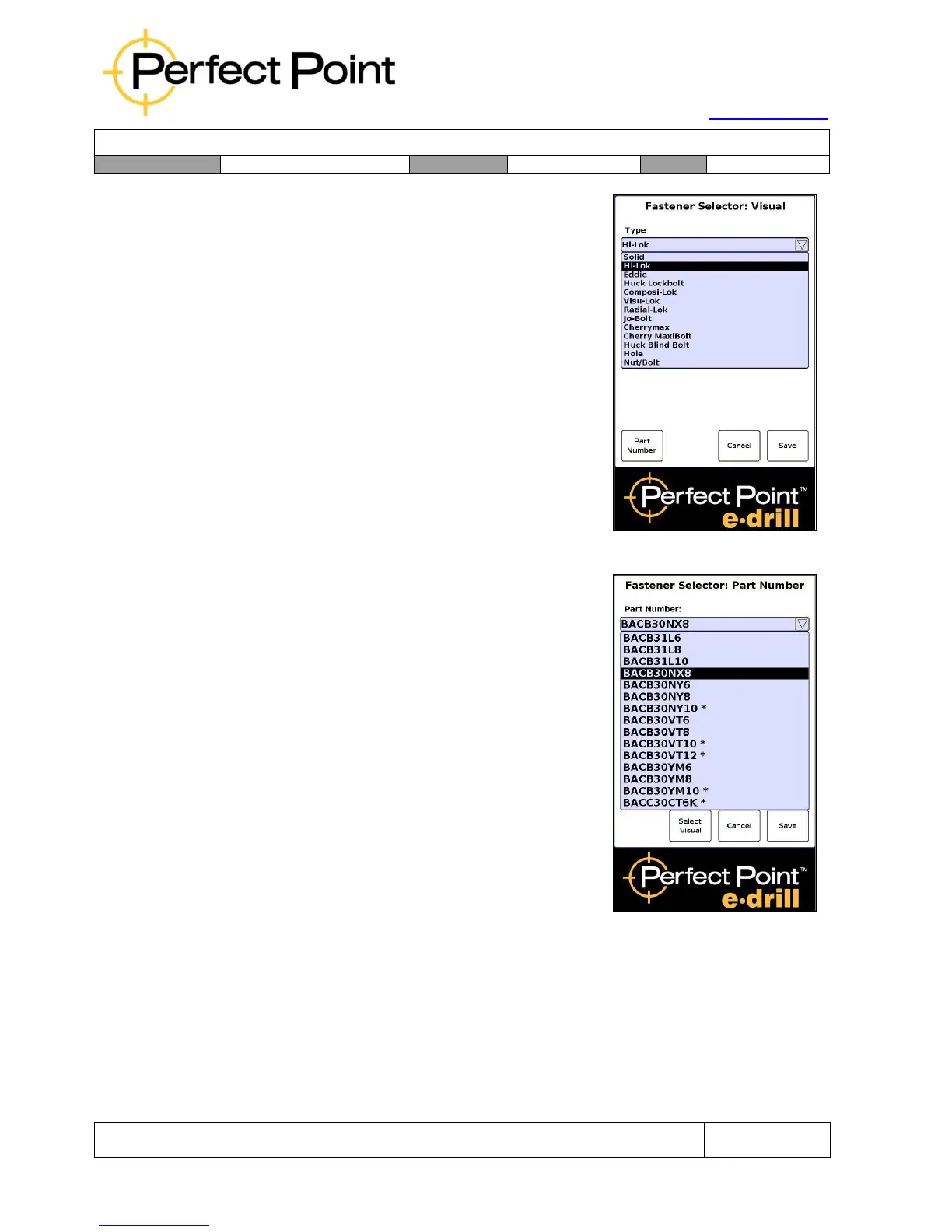
B)
Fastener Visual Selector Screen –
provides options to select a particular
fastener by its physical characteristics;
comprising type of fastener, removal method
(flush, button, collar), fastener material, head
diameter ranges and stem diameter. (This
screen may be disabled by customer
preference in some installations.)
C)
Part Number Selector Screen – enables
quick selection of a fastener by part number.
Typically the menu of available part numbers
is localized for the customer and project. The
option is provided to switch between Visual
Selector screen and Part Number Selector
screen.



 To Next Page