This document is the property of PPedm Corp. and contains proprietary and/or patented information and may not be reproduced in
part or in whole without the express written permission of the company. Perfect Point logo, Perfect Point
TM
and E-Drill
®
are
trademarks of PPedm, Corp. US and worldwide patents pending.
3.3
Maintenance Screens:
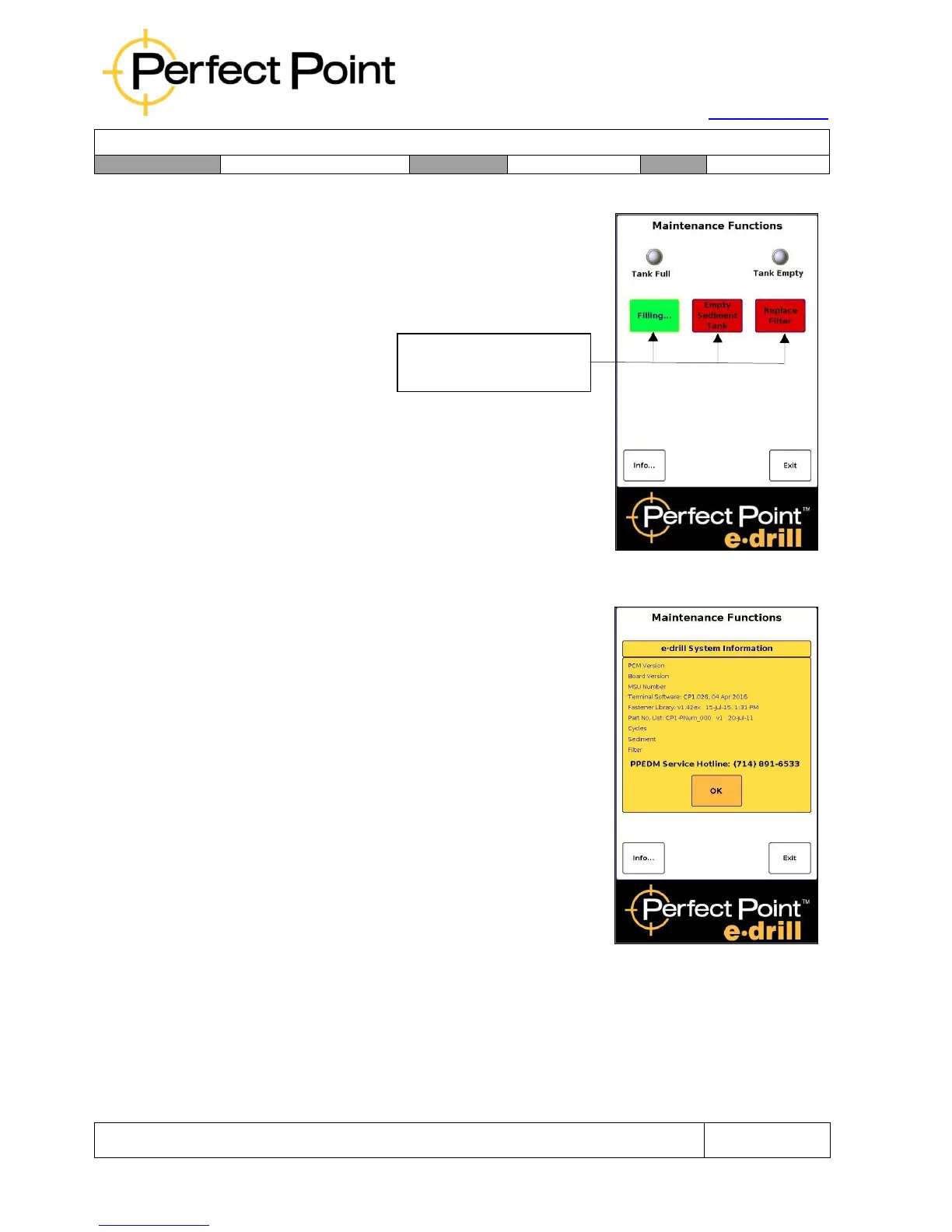
System maintenance functions are accessed through
the System Maintenance Screen, by pressing the
Maintenance button at the bottom right of the Home
screen.
Buttons turn GREEN
when function is active
Touching a button on the maintenance screen will
turn the button on (green) activating the function.
Touching the button again will turn the function off
(red). The Tank Full and Tank Empty round
indicator “lights” display system water level status in
the Sediment Tank and will turn on and off
automatically indicating water levels as the system is
serviced.
The Informational screen is accessed by touching the
“Info” button in the lower left corner of the main
maintenance screen. The information screen
contains system configuration details and firmware
revisions. The screen also contains the Total
Cycles, Sediment Tank, and Filter counters.
3.4
System “Top Off”:
The DI water system requires periodic filling or “Top-Off” to replace small amounts of
DI water lost during the cutting cycle. Should the system run low on water during
operation, the hand tool will indicate a flashing red light and the display will indicate a
“Low Water Level” condition. To “Top-off”, fill an open container with approximately 1
gallon of clean water, enter the maintenance Screen, touch the Top-Off function, and
immerse the Adapter of the E-Drill in a vessel of water (do not submerge the entire
drill, only the front of the E-Drill Adapter should be submerged).



 To Next Page