15192 Triton Lane
Huntington Beach, CA 92649
Office Tel: 714-892-3400
Hotline Tel: 714-891-6533
www.ppedm.com
This document is the property of PPedm Corp. and contains proprietary and/or patented information and may not be reproduced in
part or in whole without the express written permission of the company. Perfect Point logo, Perfect Point
TM
and E-Drill
®
are
trademarks of PPedm, Corp. US and worldwide patents pending.
3.
When installing the hand-tool, the tubes should be pushed into the push-to-
connect fittings and then lightly pulled such that they are “set”.
4.
After installing or re-installing a hand-tool or installing the umbilical extension,
it is good practice to bleed the pressure line to the hand-tool (see Section 3.7
for system bleeding and charging instructions).
Warning
Under no circumstances should the electrical connectors be forced. If aligned correctly,
minimal force is required. Excessive force will Damage the connectors, and will not be
covered under warranty.
1.6 Touch-Screen Display Command Screens:
The Touch-Screen Display (TSD) is the device through which fastener types are
selected and maintenance activities are performed. There are four primary screens
on the control terminal (contents of each screen may change slightly by customer):
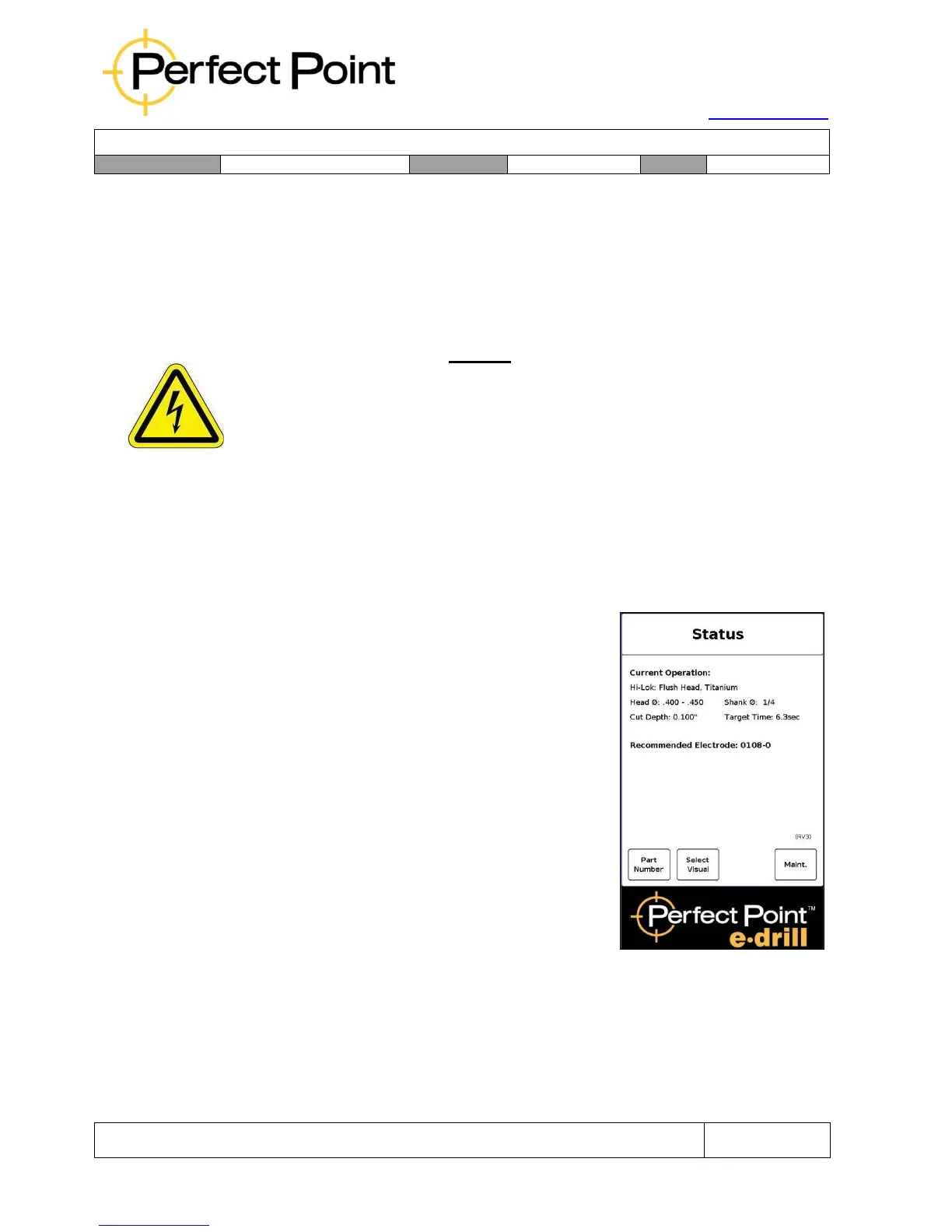
A)
Home Screen – displays the current
fastener selected, and the Electrode size
and type which should be used.



 To Next Page