This document is the property of PPedm Corp. and contains proprietary and/or patented information and may not be reproduced in
part or in whole without the express written permission of the company. Perfect Point logo, Perfect Point
TM
and E-Drill
®
are
trademarks of PPedm, Corp. US and worldwide patents pending.
Enter the password provided by Perfect Point,
followed by the enter button. If the procedure is
completed correctly, the Advanced Mode will be
enabled. While Advanced Mode is enabled, an
Advanced tab is visible along the bottom of the
screen.
4.2
Accessing Advanced Functions:
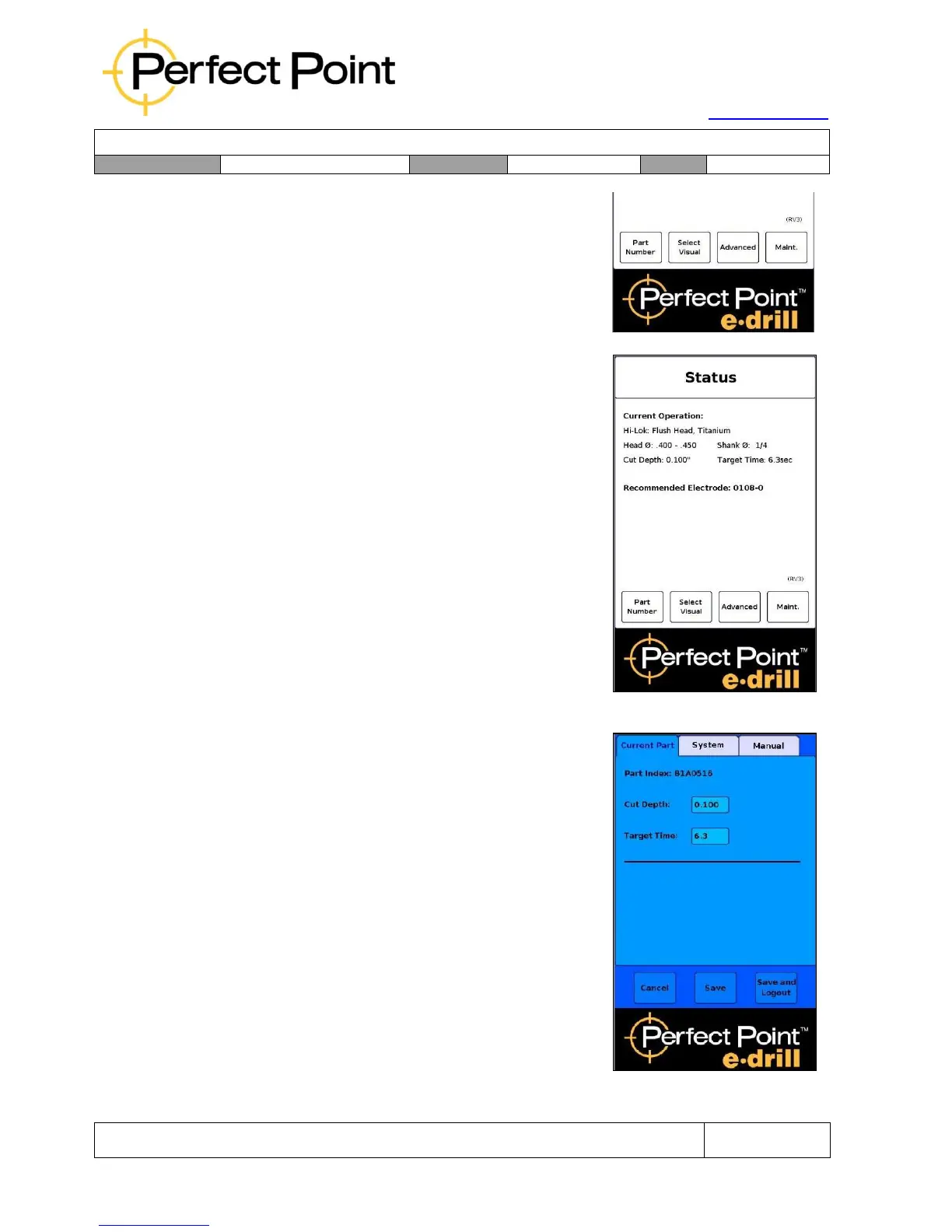
Pressing on the advanced tab will access the
advanced functions. The advanced functions screen
is divided into three tabs; Current Part, System and
Reset.
4.3
Current Part tab – Override Library settings:
Under the Current Part tab an advanced user may
override the Cut Depth or the Target Time for the
current fastener being removed. After the setting is
saved, then the home screen will re-appear with the
over-ridden parameters shown in red.
NOTE: The over-ridden values do not modify the
library permanently, and the over-rides are only valid
until another fastener is selected (or the current
fastener re-selected). If you believe a library entry is
incorrect please contact Perfect Point Technical
Support hotline (714-891-6533).



 To Next Page