4.4
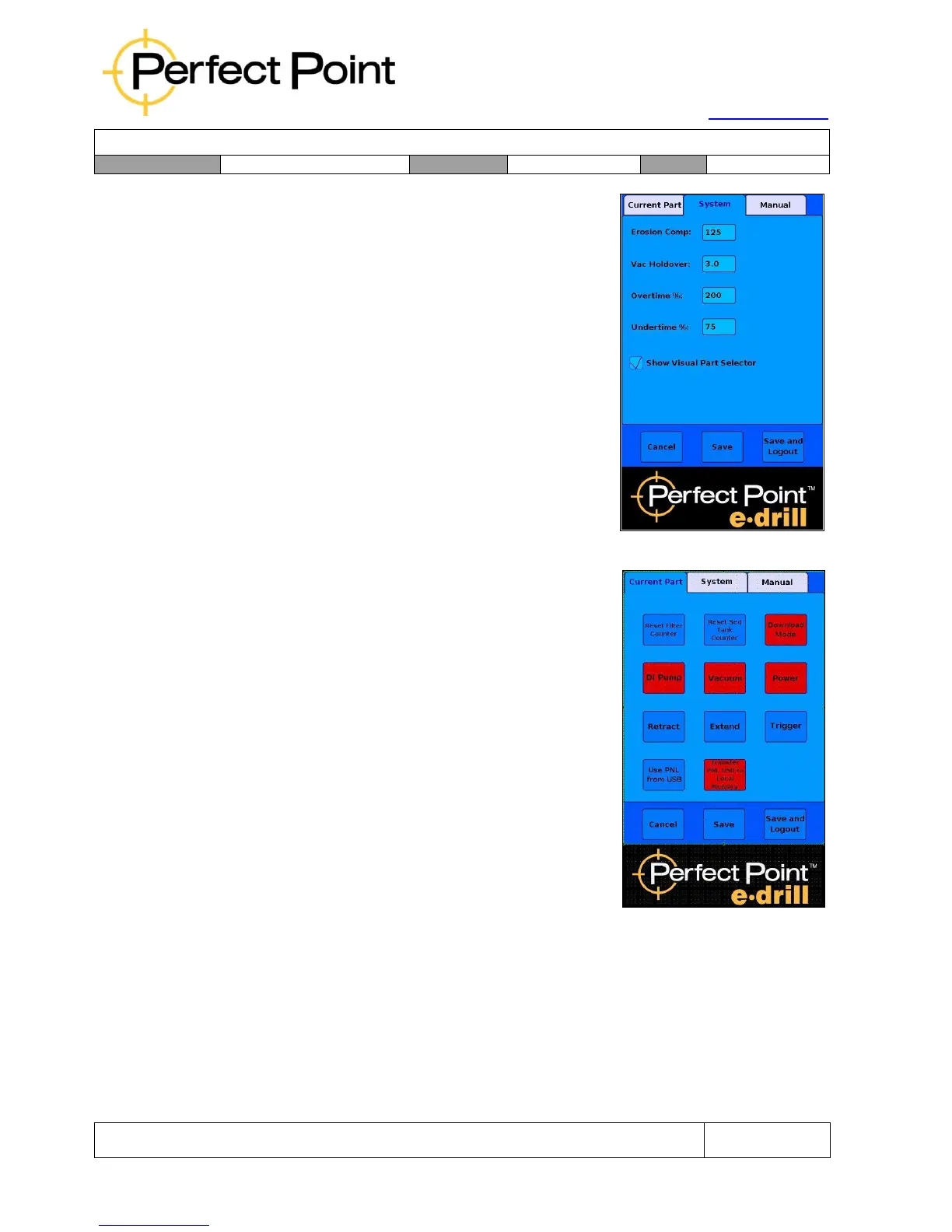
System tab - Override System Cut Parameters:
Under the System tab, an advanced user may
override system cut related parameters, including
Erosion Compensation, Vacuum Hold-Over (after
trigger release), Overtime, and Under-time warning
threshold settings. In addition, there are manual
controls used for error diagnosis and a check-box to
control whether the visual selector is displayed (in
some customer installations the visual selector is not
displayed by default).
NOTE: Changes should only be made in the system
screen by trained advanced users or service
personnel. Incorrect usage of this screen could result
in personal injury or damage to the equipment.
4.5
Manual tab - Reset System Counters and update
Part Number Library:
Under the Manual tab an advanced user may carry
out several different manual functions, as follows:
1.
Reset the counters for Sediment Tank and Filter
Servicing. This should only be done after a service
was recently performed, but the service was carried
out incorrectly without resetting counters.
2.
Manually turn on or off De-Ionized Water Pump and
Vacuum Pump, or manually Extend or Retract the
Electrode. These manual overrides are for
diagnostic purposes and should only be used when
instructed to by PPedm Service Hotline personnel.
3.
Use the Part Number Library (PNL) from an external
USB stick, or copy the USB PNL to the on-board
memory. This functionality is used to trial-run a PNL
change, and then transfer it to memory if it is successful. Please contact the PPedm
Customer Service Hotline on 714.891.6533 if your PNL needs to be updated.
When the advanced user is finished with the advanced functions screens, (note that
E-Drill operation can only be carried out when the home screen is displayed), then
the user may either Cancel (all changes are ignored and advanced mode is disabled),
or Save the changes, (and return to Home Page but still in Advanced Mode), or Save
and Logout (return to Home Page and log out of Advanced Mode). So that the
advanced functions are not left on permanently, the system will automatically disable
the advanced tab after 10 minutes.



 To Next Page