2.2
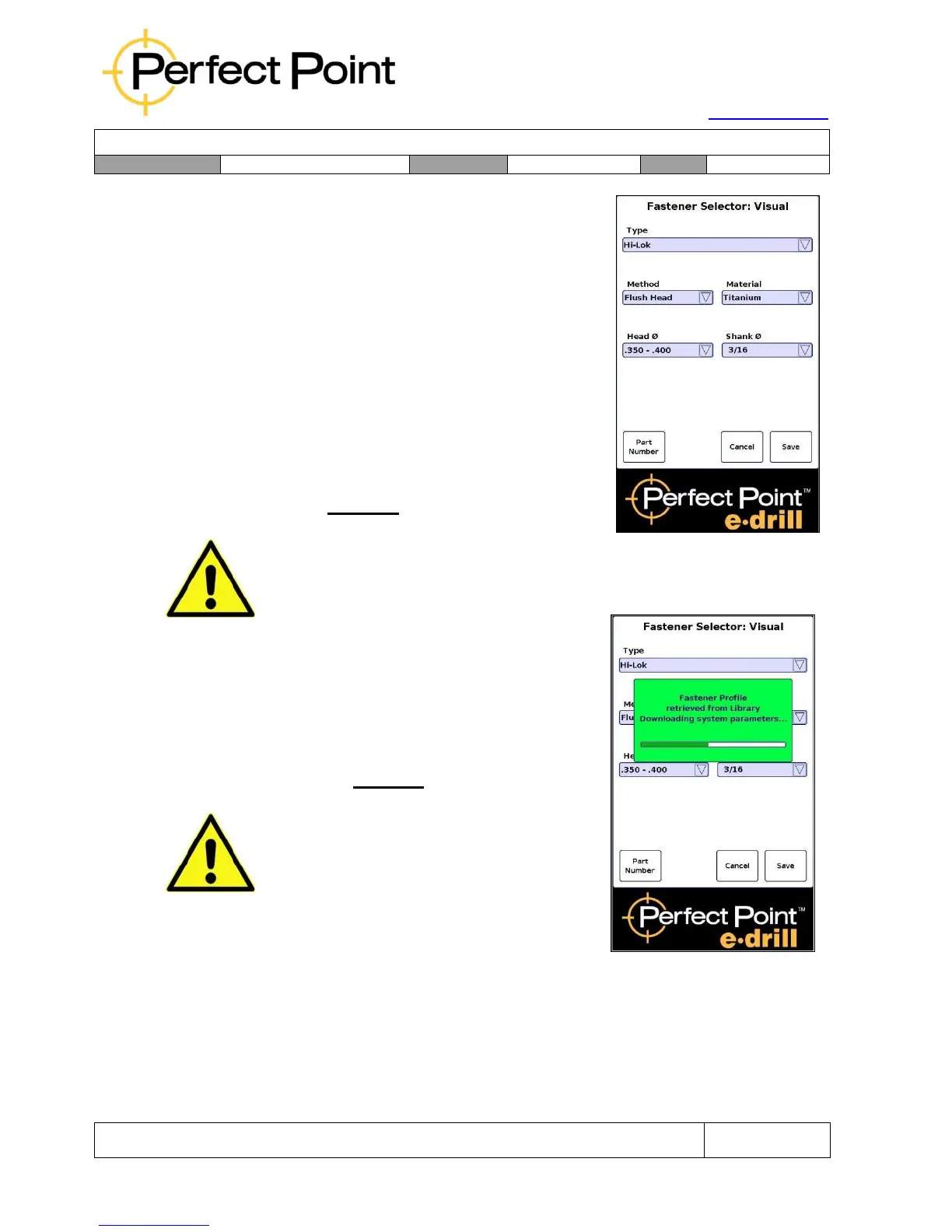
Using the Visual Selector:
1.
Press Select Visual on the home screen.
2.
Progressing down the screen from top to
bottom and left to right, in order highlight
and select Type, Method, Material, Head (or
collar) Diameter range, and Stem Size. The
system will automatically offer a default
Stem Size, but the default selection should
always be checked before Saving.
3.
Hit Save to accept the selection and load
parameters from library.
CAUTION
Once the other 4 parameters are selected, the system will automatically suggest
the Stem Size. It is critical that the user check that the suggestion is correct,
since for certain shear head fasteners the suggestion may be incorrect.
Whichever selection mode is chosen (Part Number
or Visual), once the Save button is pressed; the
system will select the correct cutting and depth
control parameters and download them from the
library. Progress in loading parameters will be shown
in a green panel (as shown left).
CAUTION
Since not all possible combinations may be in
the fastener library, it is possible to pick a
combination for which there is not a library
entry. If that occurs, a Red panel will appear
indicating that a library entry has not been
found, and the user should re-select. When this
occurs, the user should check the default
values to ensure they will work or recheck their
selection.
Before cutting, it is necessary to remove paint (or any other insulating layer) from the
head of fasteners to be removed, so that electrical conductivity to the head of the
fastener is ensured. Since the surrounding surface is also used to seal in the Dielectric
Water, rough surfaces around the fastener head should also be cleaned of any debris
or smoothed by covering with tape.



 To Next Page