This document is the property of PPedm Corp. and contains proprietary and/or patented information and may not be reproduced in
part or in whole without the express written permission of the company. Perfect Point logo, Perfect Point
TM
and E-Drill
®
are
trademarks of PPedm, Corp. US and worldwide patents pending.
A)
Connect the Fill/Drain Tubing to the Mobile Service Unit PRESSURE and
VACUUM ports. Place the other end of the Drain/Bleed Tube Pair in a 2-gallon
container (minimum).
B)
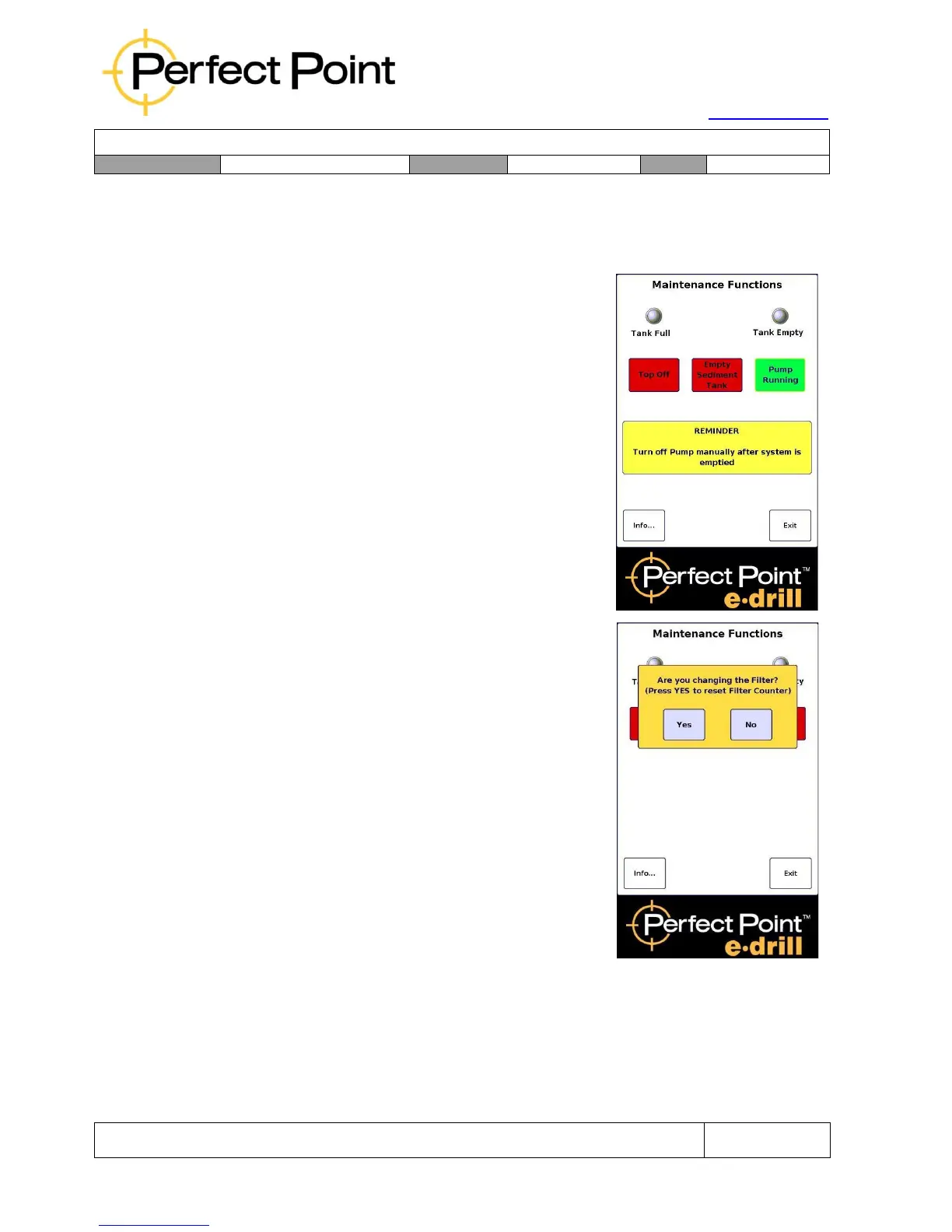
Press the Replace Filter button to empty the
system.
The PUMP RUNNING message will display
notifying the user that the function will run the fluid
pump continuously until it is shut off manually by
the operator. The pop-up screen reminds the
operator that the running pump will need to be
watched and shut off manually when no more
water is being pumped out.
Press the green Pump Running button to stop the
pump.
C)
When the system is empty, and pump is
stopped, a “pop up” screen will appear
prompting the user to reset the Filter Counter.
This function allows the operator to determine if
system maintenance is being performed or if
other system Bleed/Charge operations are being
performed (see Section 3.7), and allow the cut
cycle counter to be reset or ignored as
appropriate.
D)
Loosen the Dielectric Lock-Bolt to the right of the entire Filter Assembly. Rotate
the assembly until nearly horizontal (see photograph on page 44) and retighten
the Lock-Bolt.
E)
Using the Filter Bowl Wrench provided with the system, loosen the Filter Bowl.
Use caution; there will be some residual water in the bowl. Unthread by hand



 To Next Page