4.3.3.3 IP implementation
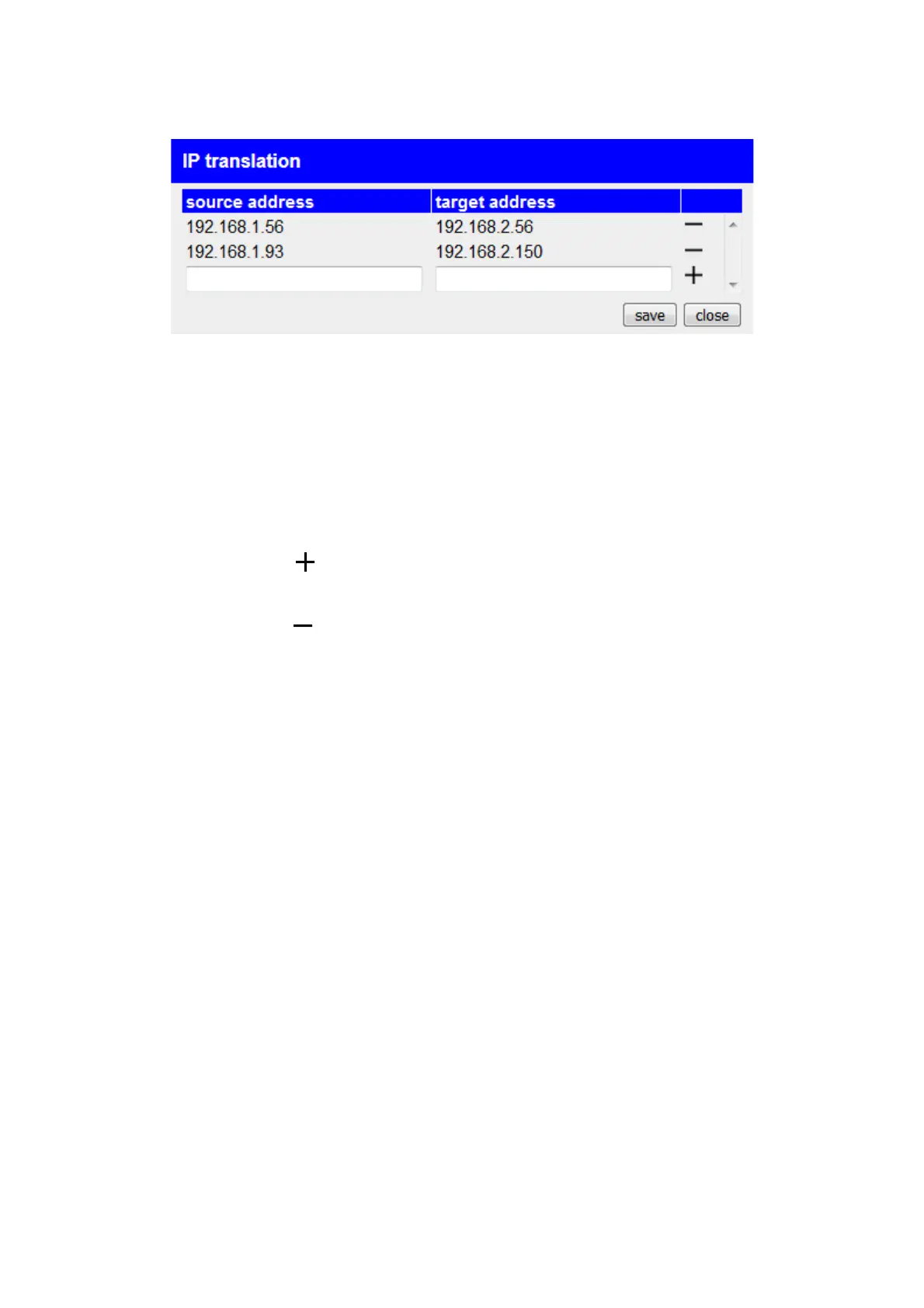
If the IP switch option is available and activated in your device, you have
the option to set the IP address conversions for the peripheral interface
devices in the “IP Conversion” dialog. The source address is the original
IP address of the devicethe peripheral interface. The target address
describes the address into which this IP address should then be
converted.
To add a new entry to the table, you must select the bottom row and
finally click the icon click.
To delete an entry that has already been created, all you have to do is
click on the symbol click in the respective line.
Once you have completed your configuration, you still need to click on
the “Save” button to apply the settings.
Important:
If a peripheral device whose IP address is implemented can also be
reached via the tunnel by the partner device's devices, you must also
enter the target address of this device in the "Addresses" dialog.
Handbook CONNECT / CONNECT-II / CONNECT-CONTROL V1.13 Page 46


 To Next Page