5-50 DA80F/DA95F AddressRight™ Printers Service Manual (SV61962 Rev. A)
5 • Removal and Replacement
DA95F (WF96) - Printer Parts Removal
5.29 Front
Cover
Assembly and
Keyboard/LCD
Display Board
(continued)
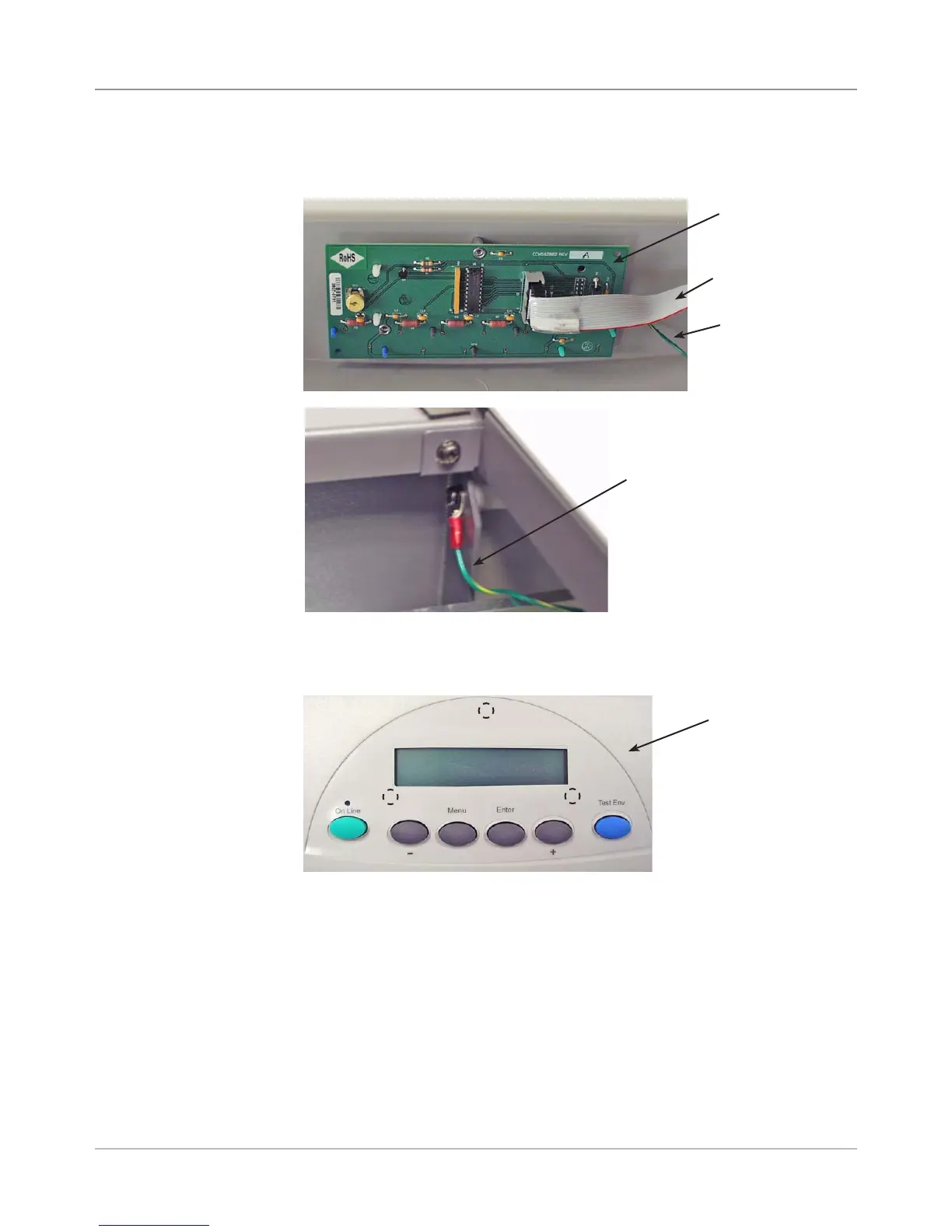
Keyboard
Overlay
Screws Under
Overlay (dotted
circles)
11. While supporting the keyboard/LCD board from inside the rear chassis
assembly, unfasten the three screws securing the keyboard/LCD board.
12. Reinstall in reverse order. Remember to fasten the green ground strap
removed in step 6.
10. Remove the keyboard overlay from the top of the rear chassis assembly
to gain access to the screws beneath.
Ribbon
Cable
Green Ground
Cable
Keyboard/
LCD Board
9. Disconnect the ribbon cable from the keyboard / LCD display board and
green ground screw from frame.
Green Ground
Cable Fastened
at Frame



 To Next Page