5-20 DA80F/DA95F AddressRight™ Printers Service Manual (SV61962 Rev. A)
5 • Removal and Replacement
DA80F (WF81) Parts Removal
5.14 H-Block
Assembly
(Media
Separators)
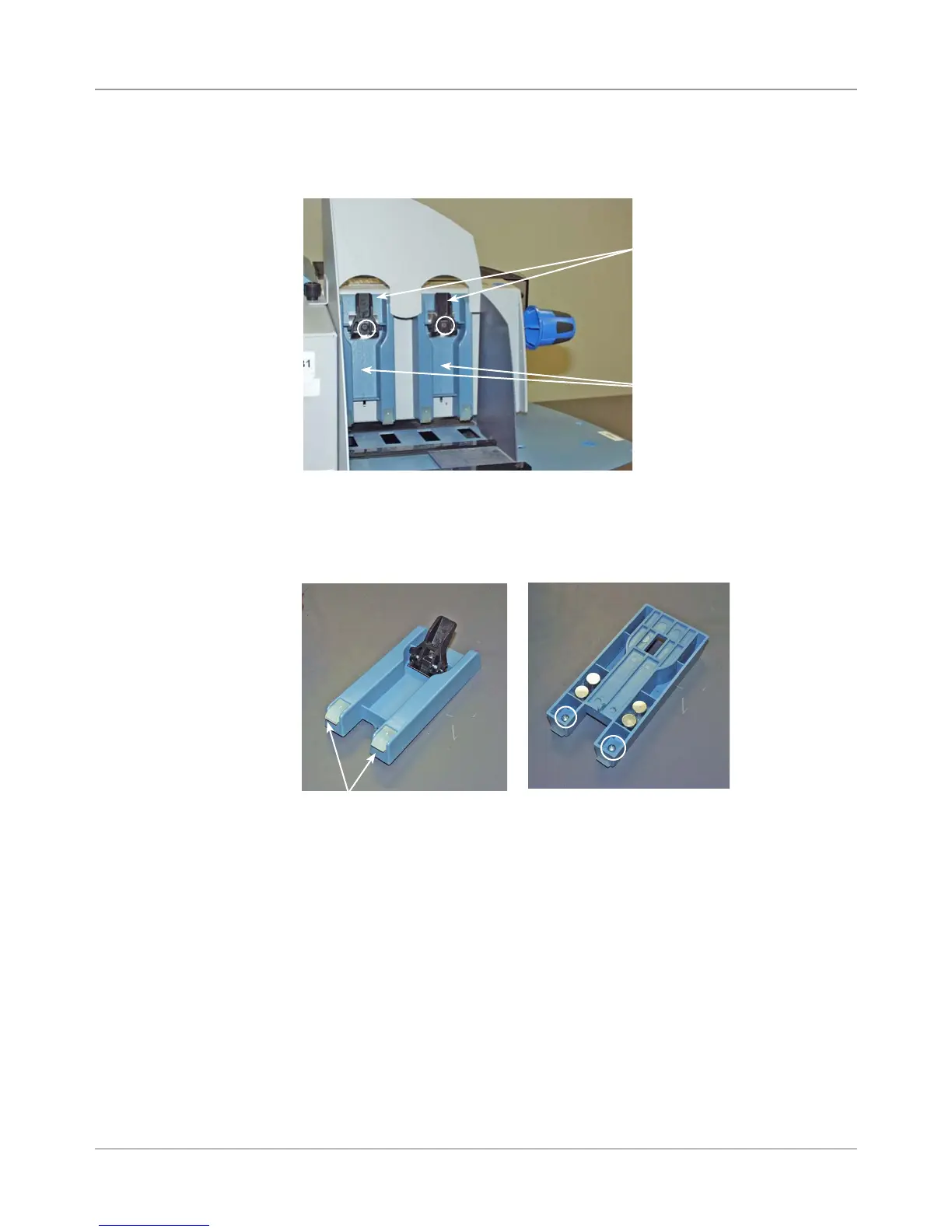
1. Lift the lever assemblies halfway up on the “H” block assemblies to re-
lease them.
2. Unfasten the screw in the middle of the “H” block assembly. Remove the
lever assembly and the “H” block assembly from the printer.
3. Turn the “H” block over and unfasten the screw securing the separator
finger on the “H” block.
5. Reinstall in reverse order.
Lever
Assemblies
Lifted Up
“H” Block
Assemblies
Screw for “H”
Blocks are Circled
Separator Fingers
on “H” Block
H Block Flipped Showing Screws
for Separator Fingers (Circled)



 To Next Page