5-18 DA80F/DA95F AddressRight™ Printers Service Manual (SV61962 Rev. A)
5 • Removal and Replacement
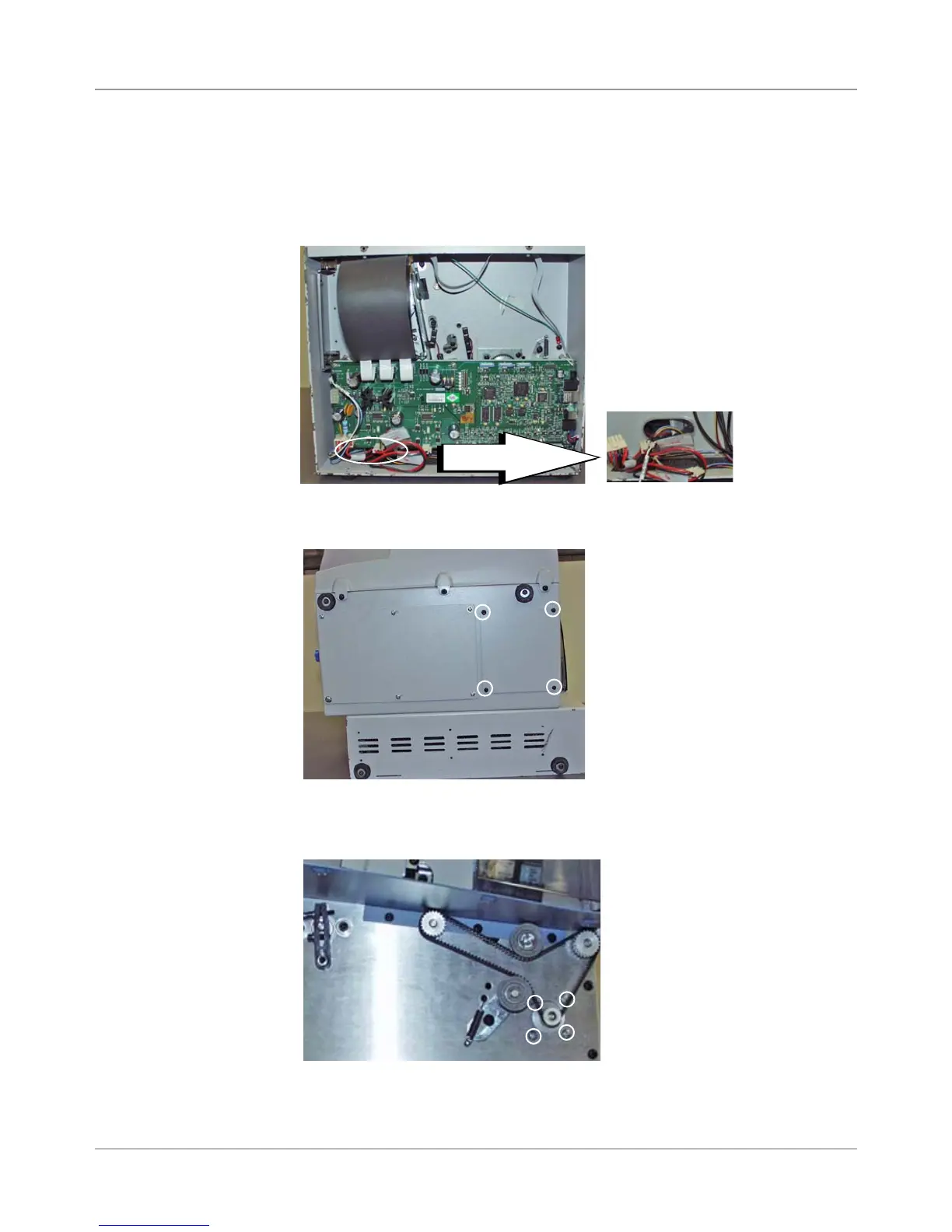
DA80F (WF81) Parts Removal
5.13 Transport
Motor
Assembly
1. Remove the rear cover (see section 5.2) and the front bottom cover (see
section 5.8).
2. Unplug the transport motor assembly cable (J27) from main board. Push
the cable through the opening in the rear chassis behind main board.
Screws for
Bottom Access
Cover (Circled)
3. Turn the printer onto the side. Unfasten the four screws securing the bot-
tom access cover.
Opening in Rear
Chassis to Push
Cable Through
4. Unfasten the four screws securing the transport motor assembly to the
front plate assembly. Keep the back of the motor from dropping.
Four Screws Holding
Transport Motor Assembly
Opening
Close up
(Behind Main
Board)



 To Next Page