DA80F/DA95F AddressRight™ Printers Service Manual (SV61962 Rev. A)
5-75
Removal and Replacement • 5
DA95F (WF96) - Printer Parts Removal
5.41 Power
Supply
1. Turn off the power and unplug the printer.
2. Remove printer top cover (see section 5.28).
3. Flip printer onto its right side.
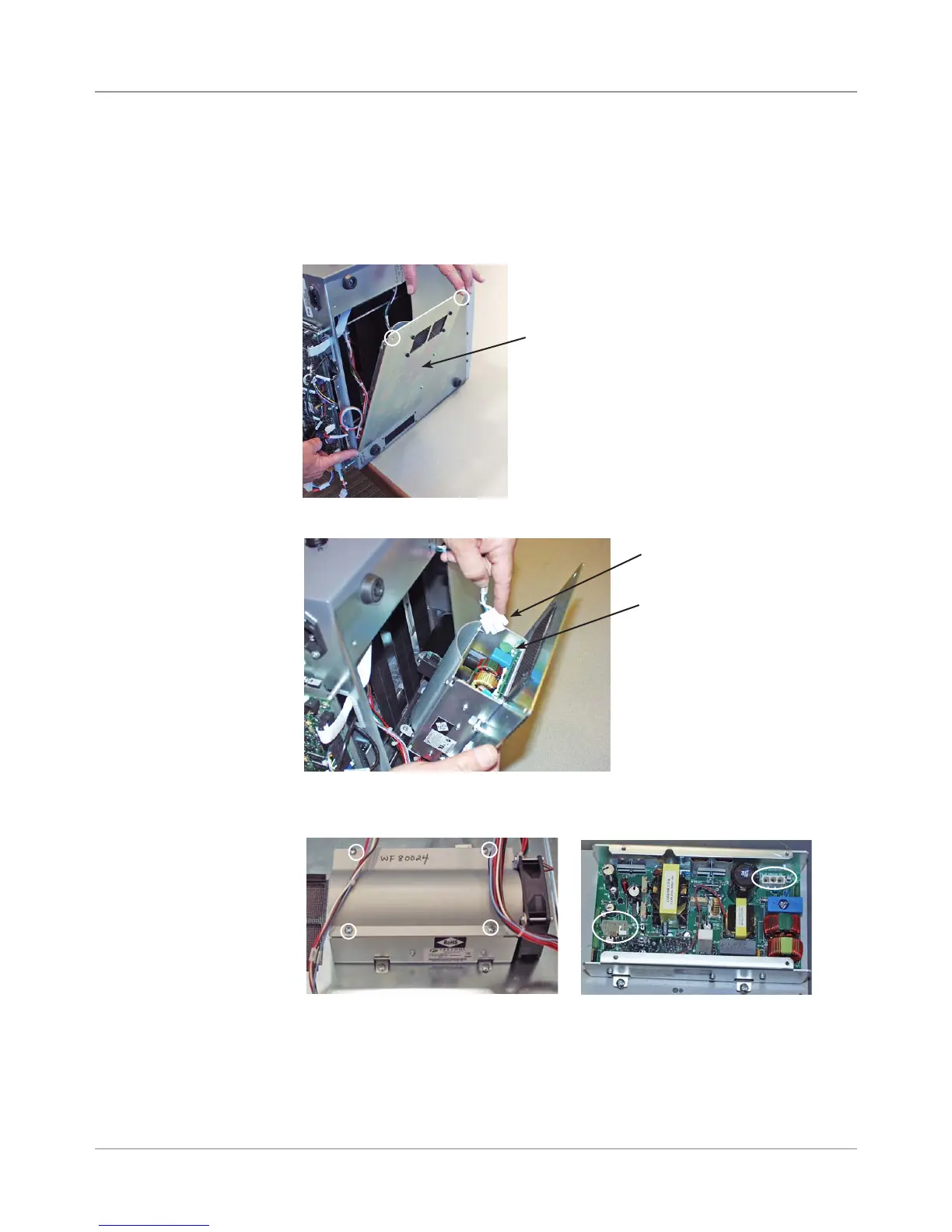
4. Unfasten two screws for power supply access cover and remove cover.
5. Disconnect AC input connector to power supply (see below).
Power Supply
Access Cover
Screws for
Cover (Circled)
5. Remove power supply cover fastened with four screws. NOTE: The fan
comes off with the cover.
Power Supply
AC Input to Power Supply
Screws for Cover (circled)
6. Unplug remaining cable harness in supply to separate supply from chassis.
7. Unfasten four screws holding power supply to mounting panel and re-
move supply.
8. Reinstall in reverse order.
Cover Removed, Connectors Circled



 To Next Page