DA80F/DA95F AddressRight™ Printers Service Manual (SV61962 Rev. A)
5-57
Removal and Replacement • 5
DA95F (WF96) - Printer Parts Removal
5.34 Idler
Roller Support
(“Module A”)
Assembly
1. Remove the front cover assembly (see section 5.29) and rear cover (see
section 5.30).
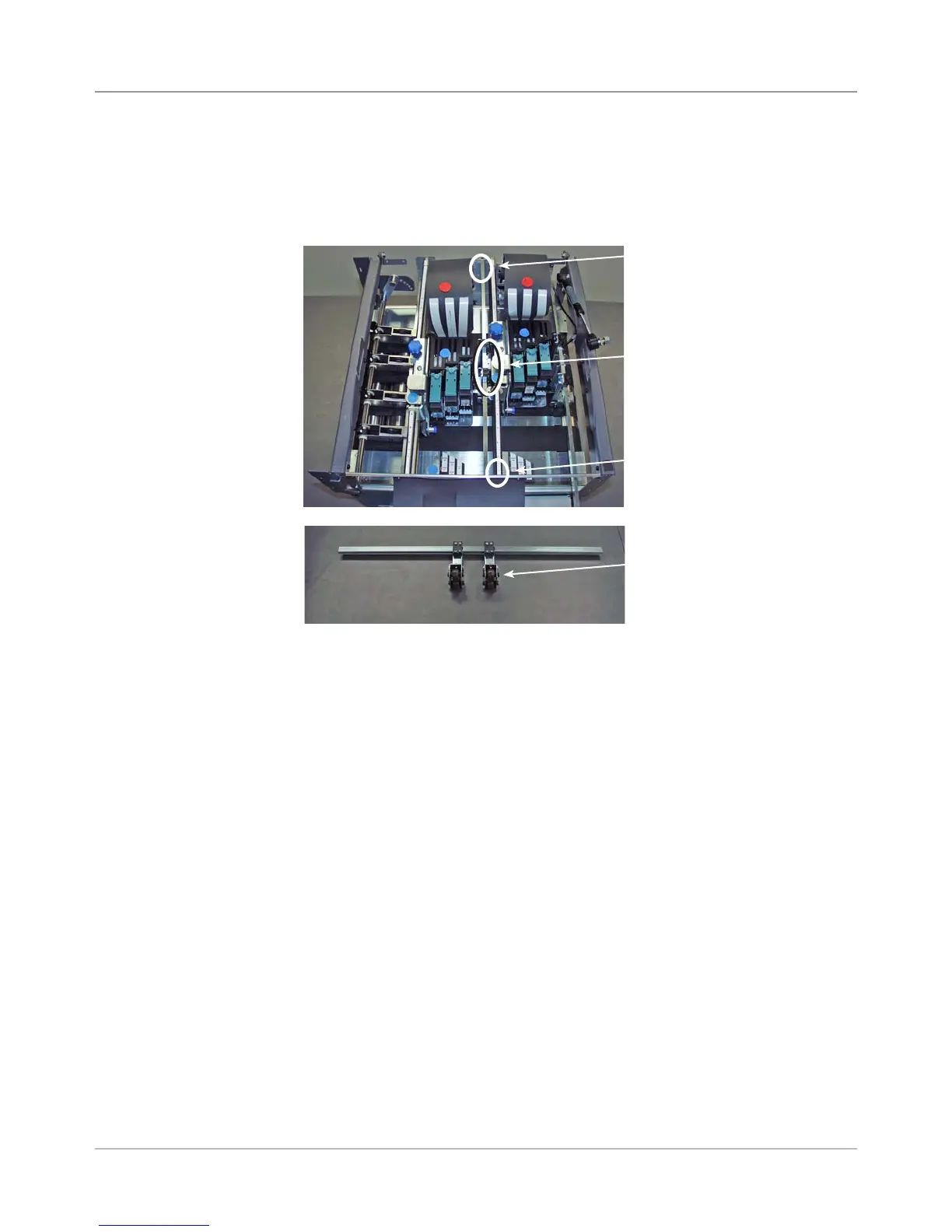
2. Unfasten the four screws (two on either side, see figure below) and re-
move the idler roller support assembly.
3. Unfasten the two screws (one on either side) holding each idler roller to
its idler roller arm and remove idler roller.
4. Reinstall in reverse order.
Idler Roller for
“Module A”
Idler Roller for “Module A” Removed
Two Screws
(obscured in
figure)
Two Screws
(obscured in
figure)
Two Screws for Each Idler
Roller (8 screws total)



 To Next Page