E-2 DA80F/DA95F AddressRight™ Printers Service Manual (SV61962 Rev. A)
Appendix E • Printing Standards
Customizing the Location of the Barcode
Use the following 11 or 12 digit formats to print the barcode in any desired lo-
cation on the media:
~~ZIP + 4 + 2 (e.g. ~~98765-123412) or ~~ZIP + 4 + 3 (e.g. ~~98765-
1234123)
NOTE: The only characters that can precede the “~~” tilde tilde characters are
“0” through “9”.
E.1 USPS
®
Delivery Point
Barcode
(DPBC)
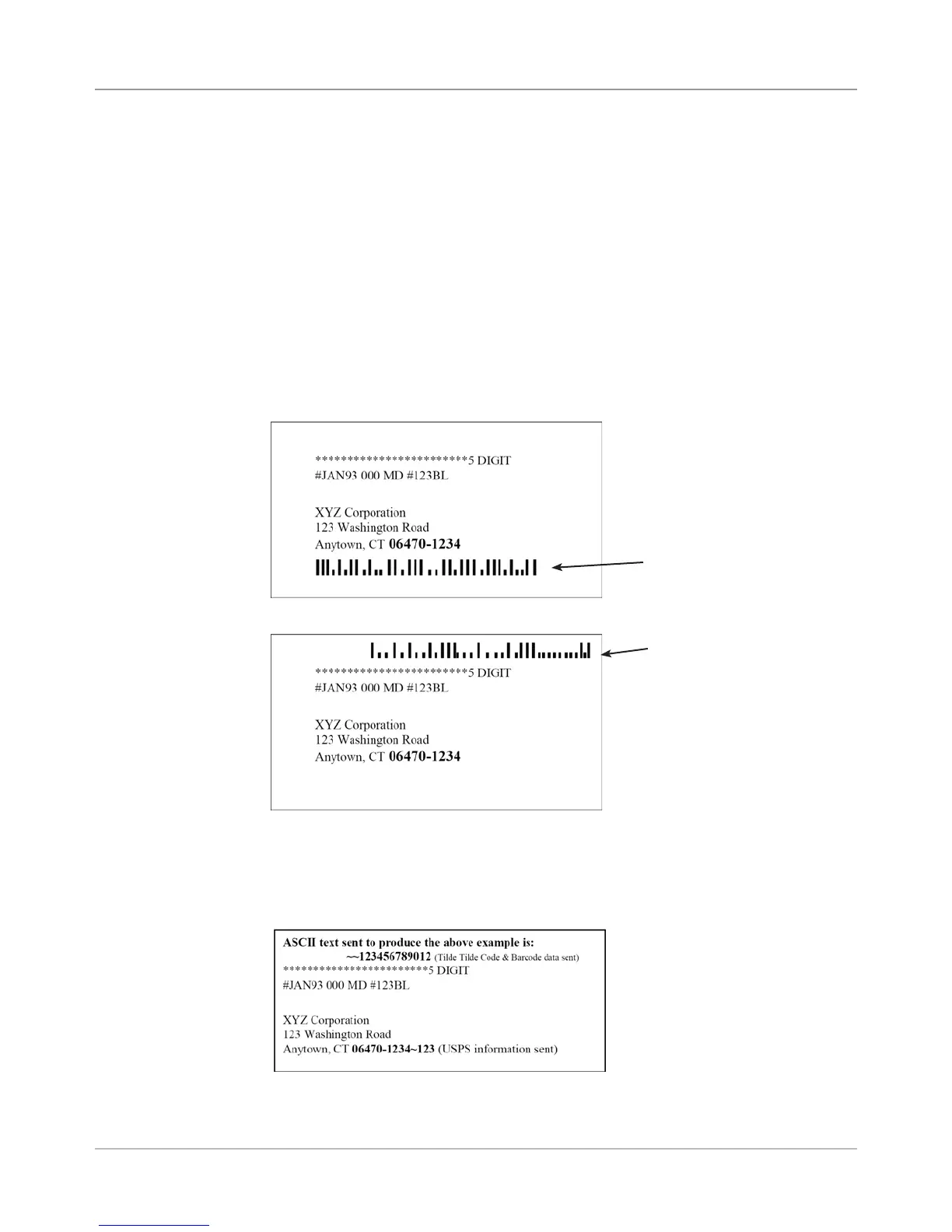
Shown below are examples of using the Tilde Tilde (~~) command for custom-
izing the bar code location in the address block while placing a USPS barcode.
The Tilde Tilde (~~) code barcode will print on a line when the first two charac-
ters in the line are two tilde tilde characters (~~) followed by the digits that rep-
resent the desired barcode (see figure below).
Barcode Located below
Address Block
Barcode Located
above Address Block



 To Next Page