5-56 DA80F/DA95F AddressRight™ Printers Service Manual (SV61962 Rev. A)
5 • Removal and Replacement
DA95F (WF96) - Printer Parts Removal
5.33
Intermediate
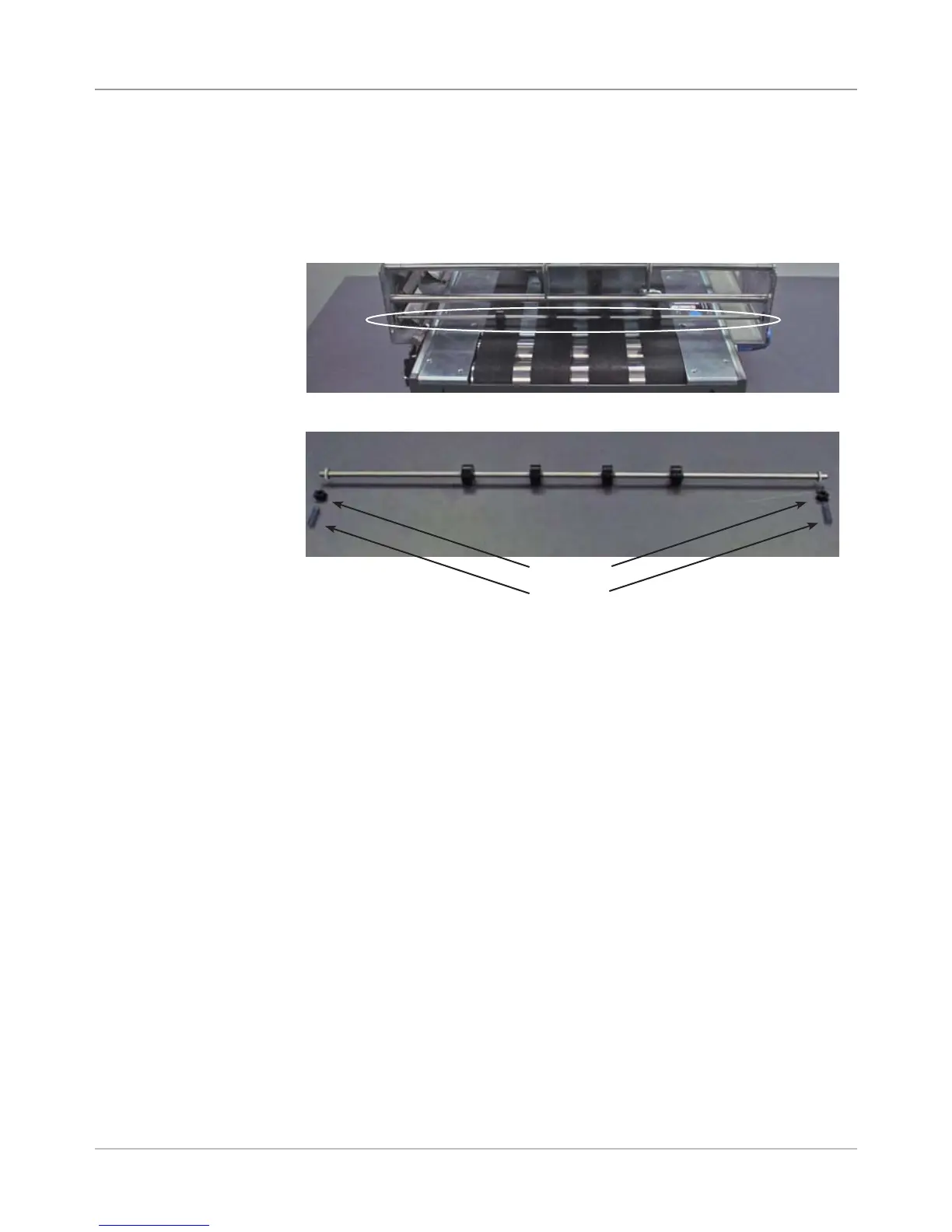
Idler Rollers
Assembly
Intermediate Idler Rollers Assembly Removed
1. Remove the front cover assembly (see section 5.29) and rear cover (see
section 5.30).
2. Unfasten springs on either end of intermediate roller shaft.
3. Raise shaft to disengage bearings, and remove shaft.
4. Slide rollers off of shaft
5. Reinstall in reverse order. Be careful not to loose the springs.
Intermediate Idler Rollers Assembly (Circled)
Springs
Bearings



 To Next Page