DA80F/DA95F AddressRight™ Printers Service Manual (SV61962 Rev. A)
5-41
Removal and Replacement • 5
DA95F (WF96) - Standard Feeder (WF9S) Parts Removal
5.23 Lower
Sensor
(Receiver)
Assembly
on Standard
Feeder
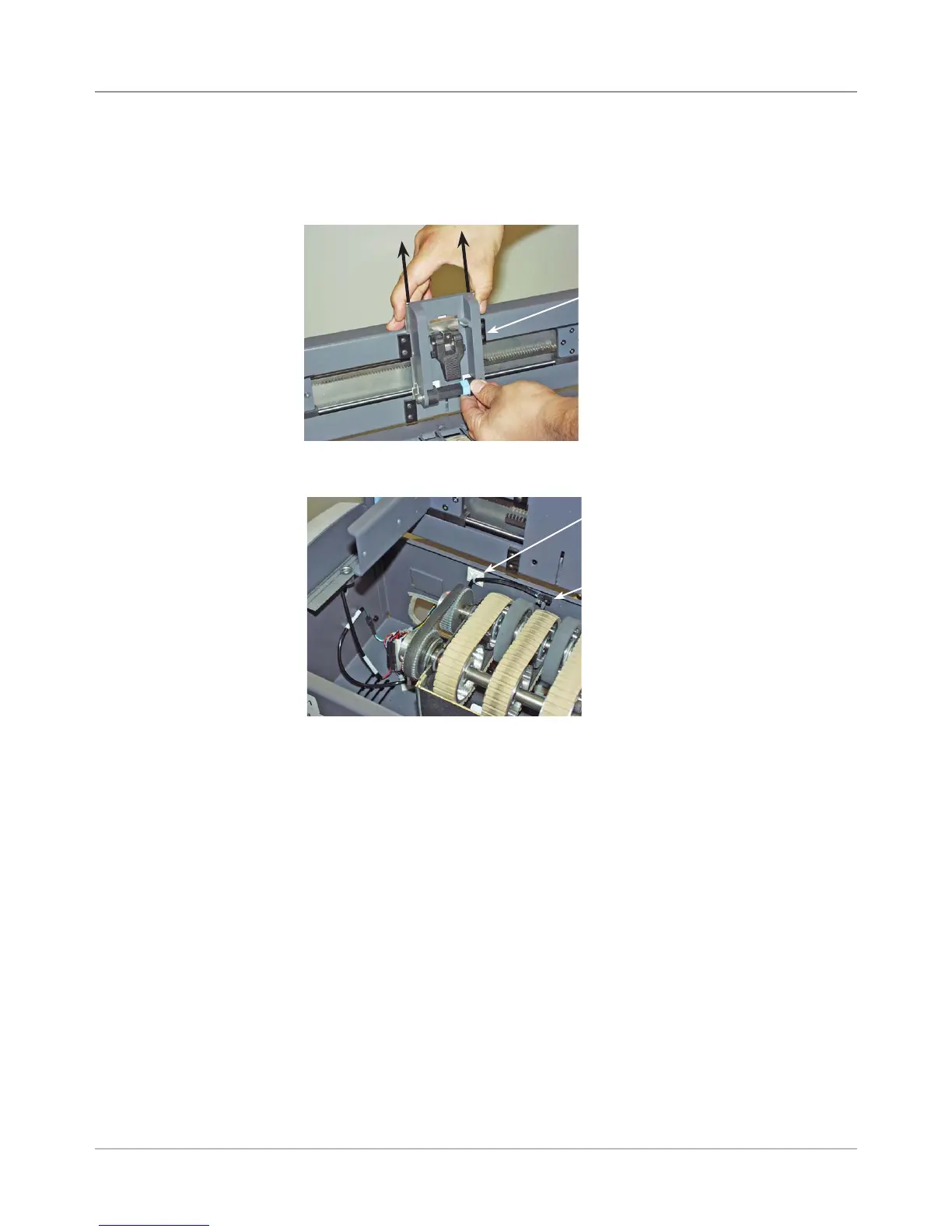
1. Disengage the feeder assembly from the printer and remove the deck
and rear cover (see section 5.22).
2. Remove “H” block by lifting up tab and sliding assembly up and out.
4. Unfasten the screw securing the feeder lower sensor assembly and re-
move the sensor.
5. Pull the sensor harness through the hole in the bottom of the feeder as-
sembly.
6. Reinstall in reverse order.
NOTE: Replacing the feeder lower sensor assembly will require an ad-
justment. Refer to section 6.3 Feeder Sensor Test and Calibration for
more information.
3. Cut the wire tie holding the sensor cables.
“H” Block
Feeder Lower
Sensor Assembly
with Screw
Wire Tie



 To Next Page