5-40 DA80F/DA95F AddressRight™ Printers Service Manual (SV61962 Rev. A)
5 • Removal and Replacement
DA95F (WF96) - Standard Feeder (WF9S) Parts Removal
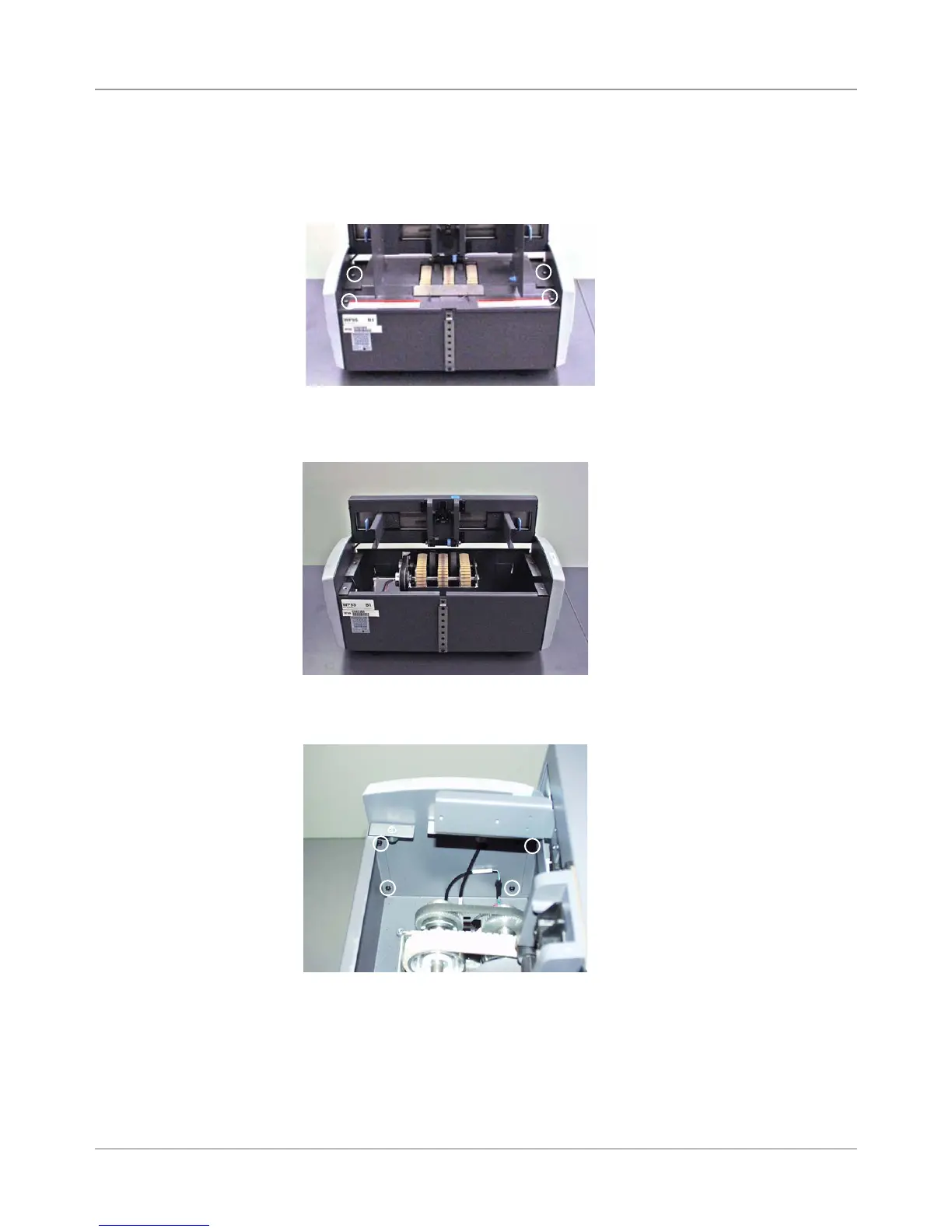
7. Lift the deck assembly. Unhook the front of the deck and slide it beneath
the side guides.
8. Locate and remove from the inside of the feeder assembly the four
screws that secure the rear cover. Remove the rear cover.
5.22 Rear
Cover/Side
Guides on
Standard
Feeder
(continued)
Feeder With Deck
and Side Guides
Removed
Screws For
Rear Cover
(Circled)
6. Using a regular screwdriver, release the four 1/4 turn studs on the feeder
deck. Turn each stud counterclockwise a quarter turn. NOTE: The four
1/4 turn studs are permanently attached and cannot be removed.
1/4 Turn
Studs for
Feeder Deck
(Circled)



 To Next Page