DA80F/DA95F AddressRight™ Printers Service Manual (SV61962 Rev. A)
5-39
Removal and Replacement • 5
DA95F (WF96) - Standard Feeder (WF9S) Parts Removal
5.22 Rear
Cover/Side
Guides on
Standard
Feeder
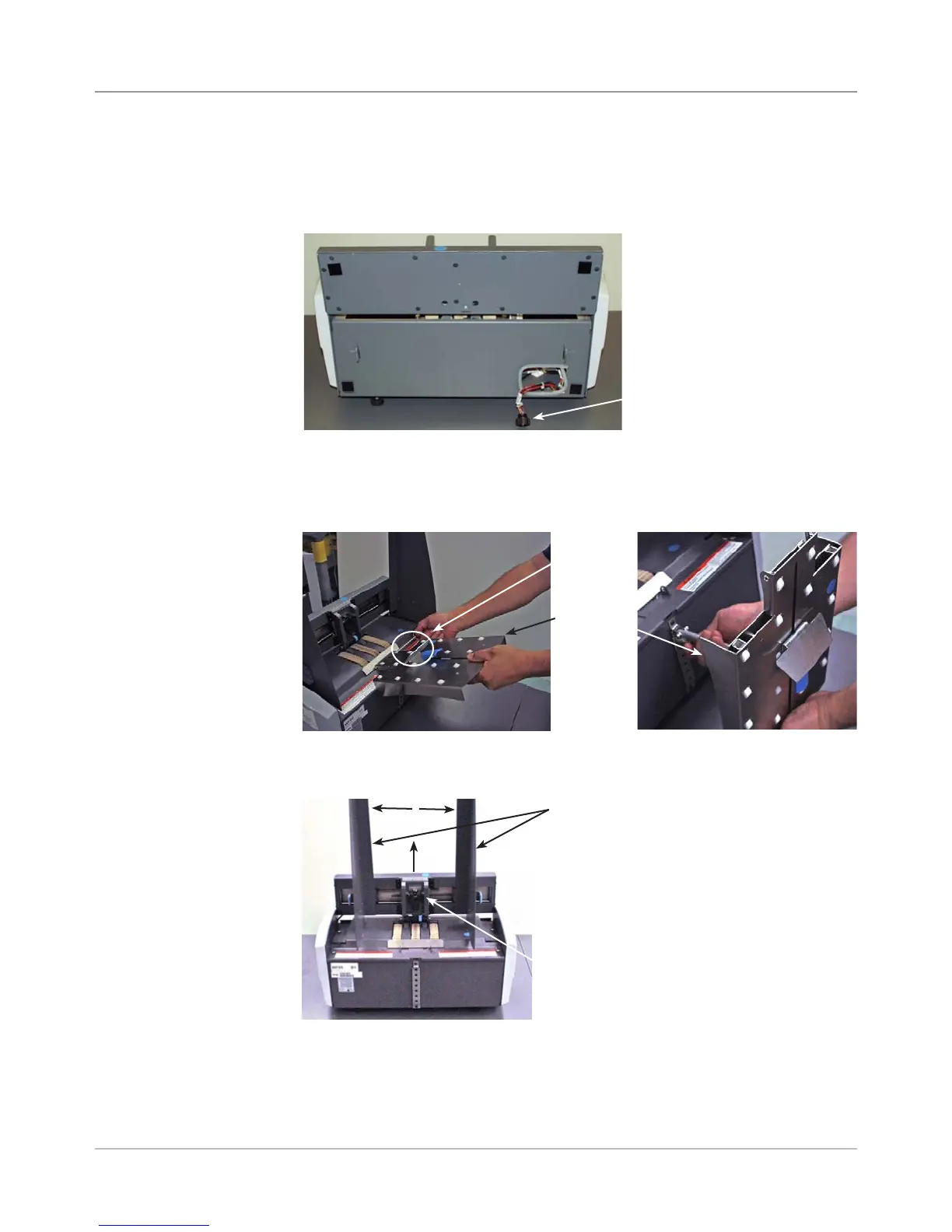
1. Lift up the feeder assembly and unhook it from the printer. Pull the feeder
assembly away from the printer.
2. Disconnect the feeder signal cable from the printer.
4. Push the lever up to raise the separator H-block to the uppermost posi-
tion and secure in place.
Feed
Ramp
Assembly
Quick
Release
Pin
5. Pull the side guides (sliding fences) wide open on the feeder assembly.
Optionally, remove the side guides should they hinder the removal of the
feeder deck (two screws per side guide).
Lever for
“H” Block
Side Guides
3. Remove the quick release pin from the feed ramp assembly. Raise the
feed ramp assembly up and remove the support bar completely from the
feed assembly (see figure on bottom right). Remove feed ramp.
Feeder
Signal
Cable



 To Next Page