DA80F/DA95F AddressRight™ Printers Service Manual (SV61962 Rev. A)
5-11
Removal and Replacement • 5
DA80F (WF81) Parts Removal
5.8 Front
Bottom Cover
Assembly
1. Turn the power off and unplug the AC power cord.
2. Open print head station door.
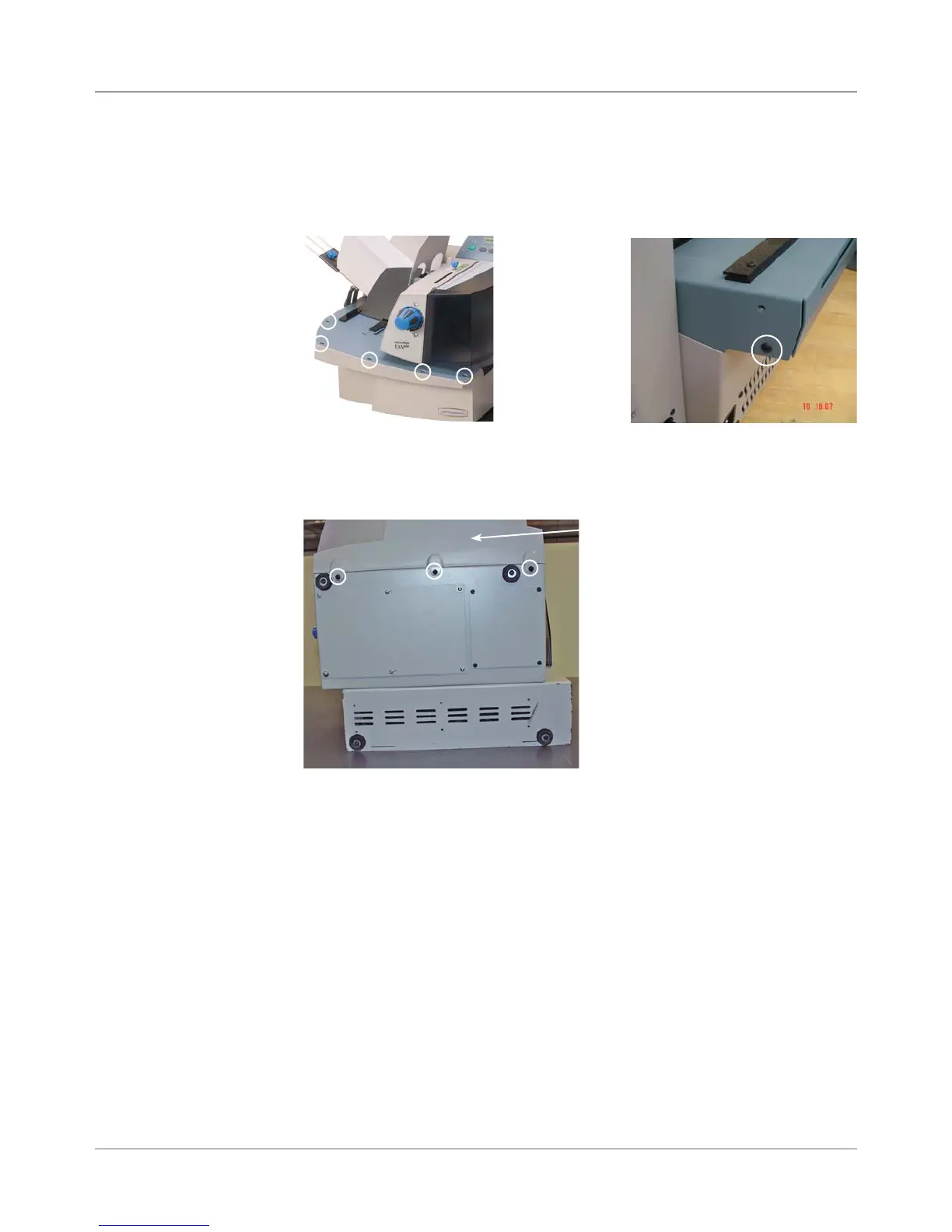
3. Unfasten five screws on top deck and one on side.
5. Pull the cover away from the printer.
6. Reinstall in reverse order.
Front Bottom Cover
Assembly
Screws for
Front Bottom
Cover (Circled)
4. Slide the printer to the edge of the table so it completely overhangs the
edge. Unfasten the three screws on the bottom of the front bottom cover
assembly.
Three
Screws,
Circled



 To Next Page