DA80F/DA95F AddressRight™ Printers Service Manual (SV61962 Rev. A)
5-43
Removal and Replacement • 5
DA95F (WF96) - Standard Feeder (WF9S) Parts Removal
5.25 “H Block”
Roller (Media
Separator)
on Standard
Feeder
Shoulder
Screw
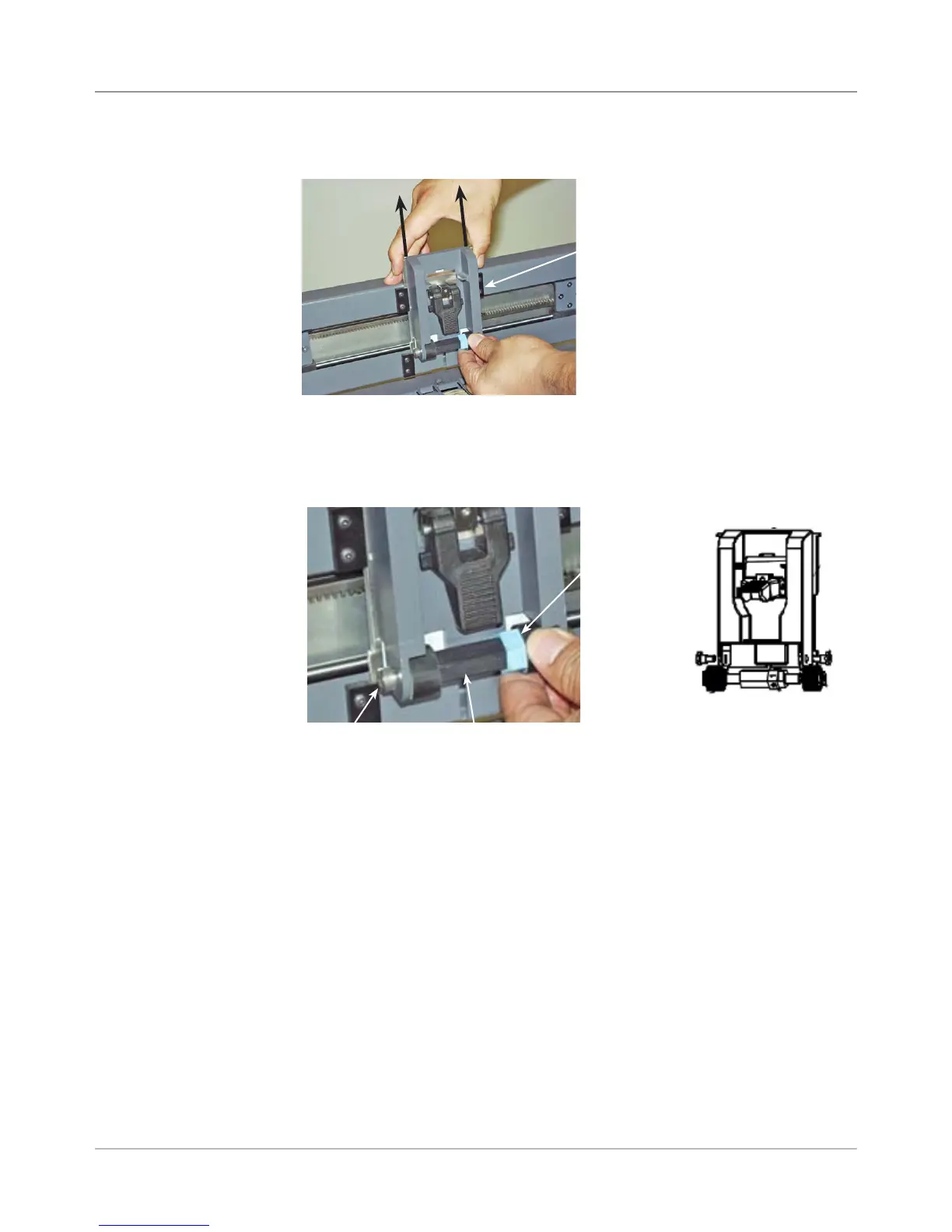
1. Remove “H” block by lifting up tab and sliding assembly up and out.
“H” Block
“H” Block Roller
2. Slide the blue ring to the lock position for the H block roller. Unfasten
shoulder screws (one on either end) to remove H block roller. The shaft
and separators will drop off the H block. Remove the H block roller from
the shaft.
3. Reinstall in reverse order. NOTE: The installation of the new assembly
and may require a strong push down on the H block roller.
Blue Ring to
Lock Roller
Shoulder Screws
Removed



 To Next Page