DA80F/DA95F AddressRight™ Printers Service Manual (SV61962 Rev. A)
5-15
Removal and Replacement • 5
Roller Assembly
Direction of Paper Flow
Crepe Tire
Rough Crepe
Grain Direction
DA80F (WF81) Parts Removal
Feeder Roller
Mounting Plate
Screws
Circled in
White
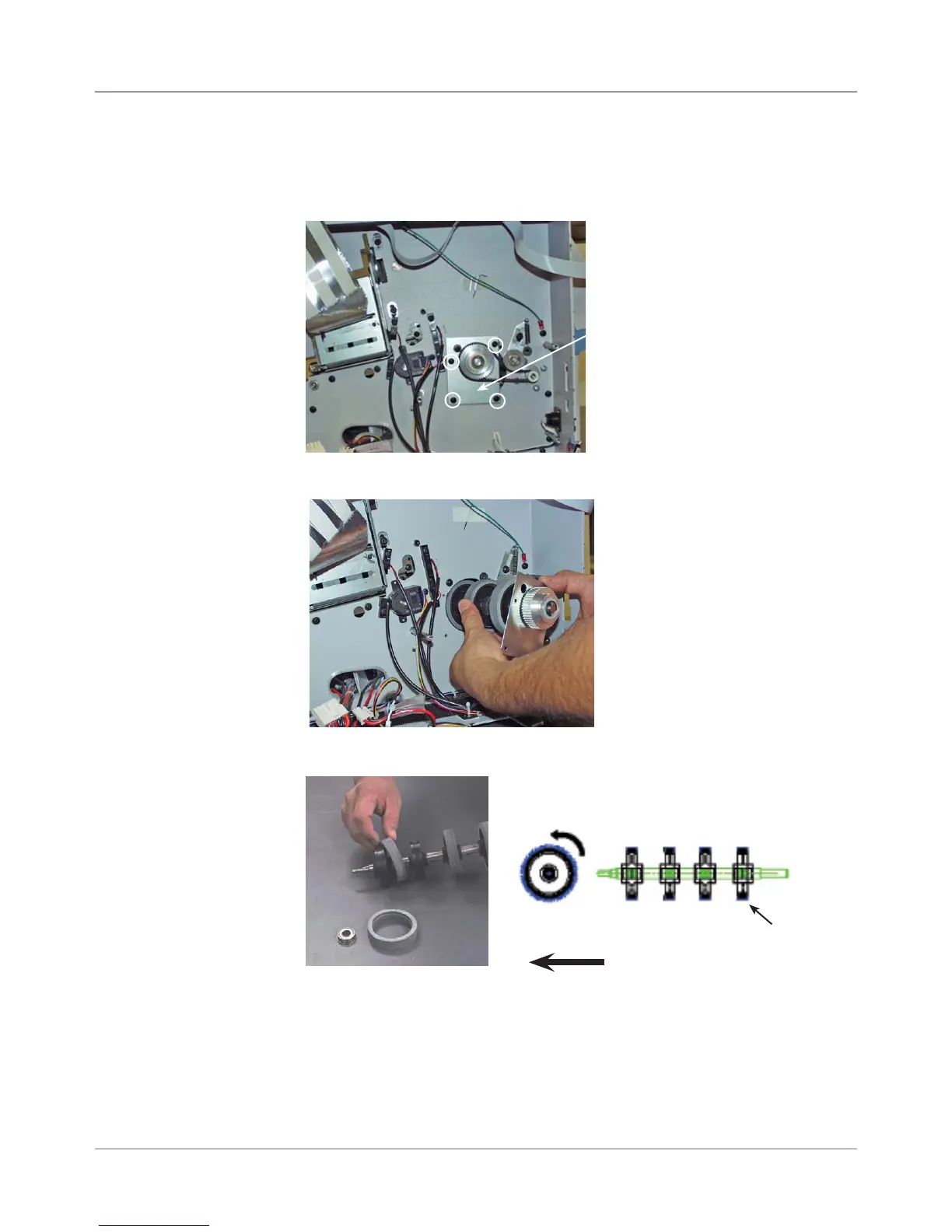
6. Remove assembly from back side.
5.11 Feed
Roller Pulley
and Feed
Roller
Assembly
(continued)
8. Reinstall in reverse order.
NOTE: When replacing the tires on the feed roller assembly, check that
the cut of the crepe tires runs so the smoother cut is running forward.
7. Peel the worn crepe tires from the hub of the feed roller assembly.
5. On the back side, unfasten the four screws to separate the feed roller
mounting plate with bearing from the rear chassis assembly. Remove the
retainer and the flanged bearing from the feed roller assembly.



 To Next Page