D-2 DA80F/DA95F AddressRight™ Printers Service Manual (SV61962 Rev. A)
Appendix D • Print Head Alignment
All Models
1. Make sure the printer is OFF LINE. To do this, press the ON LINE key
until the indicator light above the key goes out.
2. Access the Service Menu by holding down the Menu and minus (-) keys
simultaneously for two seconds. The Adjust Printing screen will display.
3. Press Enter. The A. Print Head Adjust screen will display.
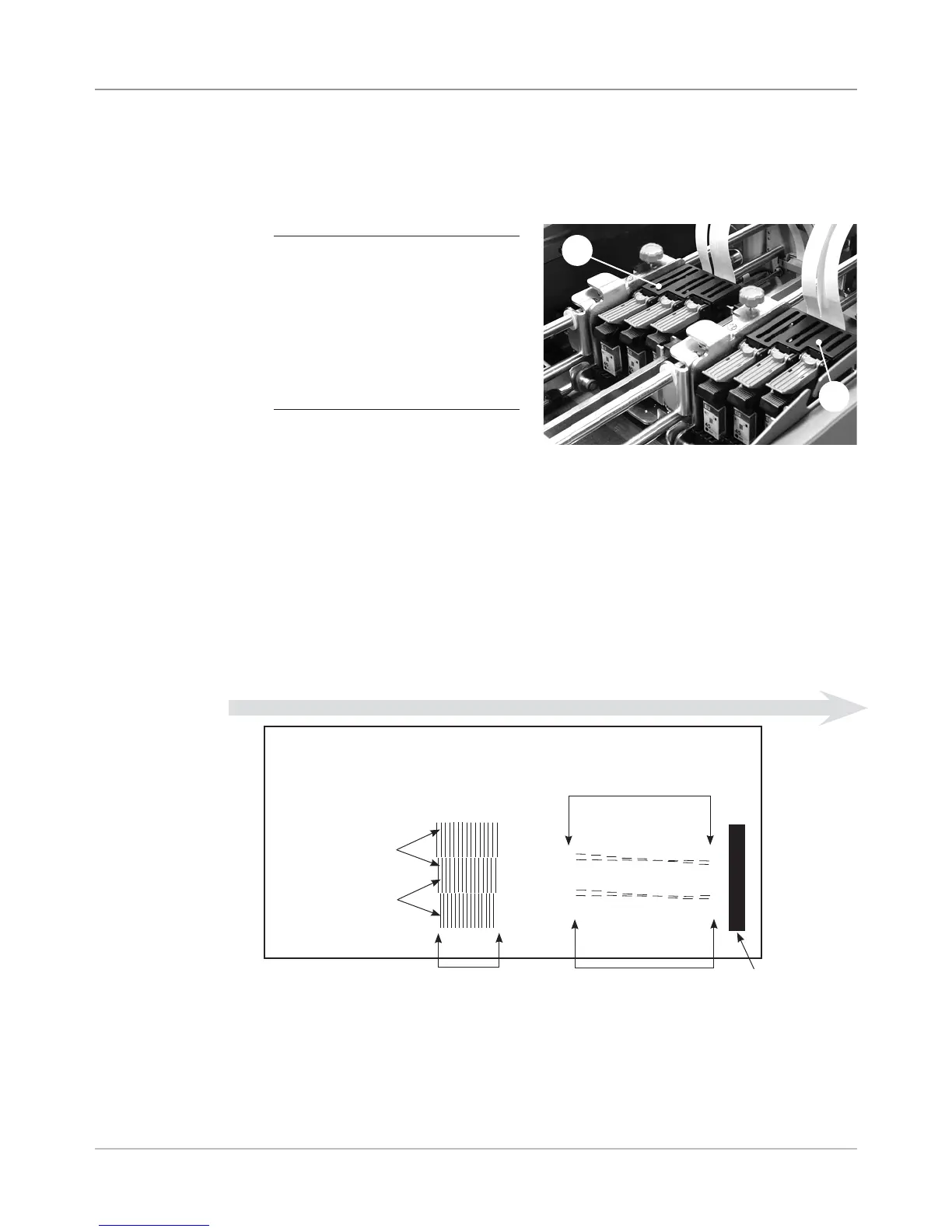
4. Press Enter. A test pattern will print from the printer. Use this pattern to
make the necessary adjustments in the steps that follow. See sample test
pattern below.
Head 1
Head 2
Head 3
1 2 3 4 5 6 7 8 9
1 2 3 4 5 6 7 8 9
ABCDE F GH I J K L MNO
Heads 2 and 3
Heads 1 and 2
Heads 1 and 2
Vertical
Adjustment Pattern
Heads 2 and 3
Vertical
Adjustment Pattern
Horizontal
Adjustment
Pattern
Sensor
Alignment
Pattern
DIRECTION OF FEED
Print Head
Alignment
Procedure
Introduction
You'll want to perform a print head alignment each time that you install ink
cartridges.
IMPORTANT NOTE
DA95F ONLY: The DA95F has
two print head modules (A and
B). You must perform the print
head alignment procedure twice:
once for print head module A
(containing heads 1, 2 and 3)
and once for print head module B
(containing heads 4, 5 and 6).
A
B
5. Press the plus (+) key to scroll down through the menu to the ADJUST
PRINTING screen.
6. Press Enter. The PRINT HEAD ADJUST screen displays.
7. Press Enter. The VERTICAL ADJUST 1 - 2 screen displays.



 To Next Page